
Recreation Base Website: How to Sell Accommodation, Pavilions, SPA, and Additional Services
How to create a recreation base website that sells not just accommodation but a complete experience: territory, pavilions, SPA, sauna, restaurant, activities, and service packages. Practical recommendations for owners of countryside complexes and cottage villages.
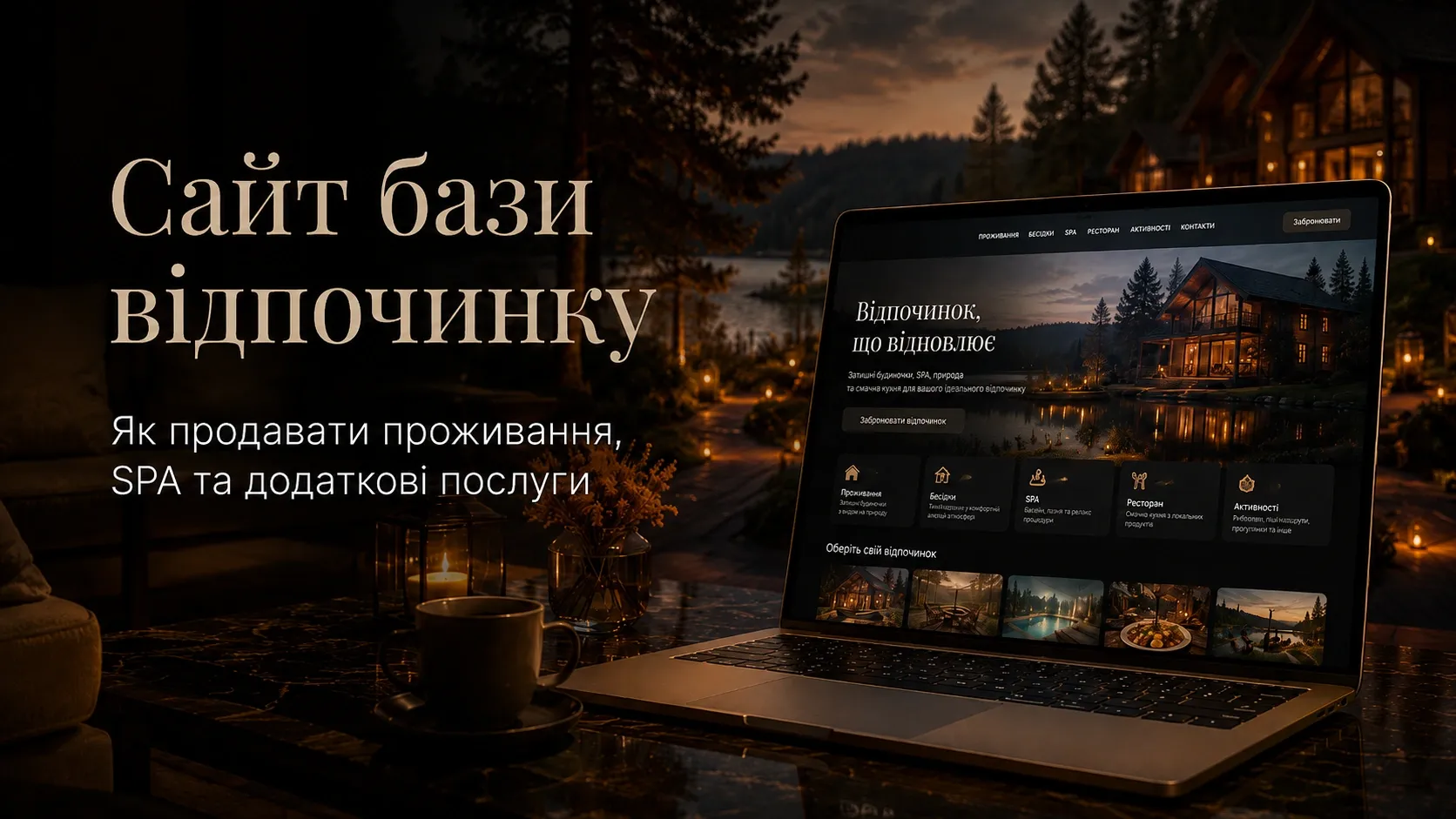
Owners of recreation bases and countryside complexes often face a common problem: the website functions as an online business card rather than a sales tool. Clients see photos of cottages, room prices — and leave to search for alternatives. Why does this happen? Because a modern recreation complex should sell not just a place to stay but a complete experience: the territory, services, emotions, and additional offers that increase the average check and guest loyalty.
In this article, we’ll explore how to build a website structure that drives conversions, what elements to include, and how to automate bookings and sales of additional services.
Why a Recreation Base Website Should Sell More Than Just Accommodation
The average visitor to a recreation base spends anywhere from a few hours to several days on the premises. During this time, they can:
- Book a cottage or room;
- Rent a pavilion for a celebration;
- Visit the sauna or SPA;
- Have lunch at the restaurant;
- Participate in activities (bonfire evenings, workshops, sports games);
- Order a photoshoot or transfer.
If your website only displays accommodation prices, you miss the opportunity to sell these additional services. Instead, if a client sees a comprehensive offer, they’re willing to spend more — and return again.
Example:
- Cost of a weekend cottage — 3000 UAH.
- If the guest also books a sauna (+1000 UAH), transfer (+500 UAH), and a photoshoot (+800 UAH), the average check increases to 5300 UAH.
This is additional revenue you earn without extra costs for attracting clients.
Recreation Base Website Structure: What Must Be Included
For a website to drive sales, it shouldn’t just showcase beautiful photos but also provide practical information that helps clients make decisions. Let’s review the key sections.
1. Homepage: First Impressions and Key Advantages
The homepage is the face of your complex. It should immediately answer the client’s questions:
- Where is the recreation base located?
- What can you do here?
- What accommodation options are available?
- How can I book?
What should be on the homepage:
- Hero block with a bright image of the territory and a short slogan (e.g., "Nature retreat: cottages, SPA, sauna, and active leisure");
- Brief description (2-3 sentences) highlighting what makes your complex unique;
- Blocks with key services (accommodation, pavilions, SPA, restaurant, activities) with "Learn More" or "Book Now" buttons;
- Location map with route-planning capability;
- Client reviews (with photos and real names);
- Package offers (e.g., "Weekend in nature with sauna and breakfasts");
- Online booking (form or calendar button).
Important: The homepage should load quickly (no more than 3 seconds), or clients will leave for competitors.
2. Territory Section: Sell the Atmosphere
Many recreation bases make a mistake — they only show photos of cottages but don’t demonstrate the full experience of staying. The client should visualize themselves on your premises: where they’ll walk, relax, and spend time with friends.
What to include in the "Territory" section:
- Photo gallery from different angles (forest, waterbody, playground, picnic areas);
- Video tour (30-60 seconds) — this significantly boosts trust;
- Infrastructure description:
- Is there parking?
- Are pets allowed?
- Is Wi-Fi available on the premises?
- Is it safe for children?
- Seasonal features: what’s interesting in summer (swimming, boats), winter (sledding, ice rink), spring/autumn (mushrooms, walks).
Example: If you have a lake on your premises, showcase photos with boats, swimming areas, and fishing spots. If there’s a forest, emphasize mushrooms or berries.
3. Accommodation: Cottages and Rooms
This section shouldn’t just be a catalog but a sales tool. The client should immediately see:
- What accommodation options are available (cottages, cabins, rooms);
- How much it costs;
- What’s included in the price;
- Availability for chosen dates.
How to structure the "Accommodation" section:
- Filters by:
- Accommodation type (cottage, room, cabin);
- Number of guests;
- Price;
- Amenities (air conditioning, kitchen, TV, baby cot).
- Accommodation cards with:
- Photos (at least 5 per option);
- Brief description;
- List of amenities;
- Price;
- "Book Now" button.
- Detailed description of each accommodation type (what’s included, check-in/check-out rules).
Tip: If you have cottages with different interiors (e.g., "Cottage Under the Roof" and "Lakeside Cottage"), give them unique names and stories. This enhances perceived value.
4. Pavilions and Event Spaces
Many recreation bases have pavilions for weddings, birthdays, or corporate events — but don’t actively promote them. This is a missed opportunity: renting a pavilion can cost from 1000 to 5000 UAH per day, and additional services (catering, decoration, photoshoot) can multiply the check.
How to structure the "Pavilions" section:
- Photo gallery of pavilions in different settings (celebratory, romantic, corporate);
- Capabilities description:
- Pavilion size (how many people it fits);
- Availability of grill/barbecue;
- Chairs, tables, lighting;
- Are outside drinks allowed?
- Rental prices (per hour/day);
- Additional services:
- Decoration (balloons, flowers, ribbons);
- Sound equipment;
- Photoshoot;
- Catering (either from your restaurant or third-party companies);
- Booking calendar (so clients can see available dates immediately).
Example: If you have a pavilion with a lake view, emphasize this: "Perfect for wedding photos — lake and sunset included in the rental."
5. SPA and Sauna: Selling Relaxation
SPA and sauna aren’t just additional services but a source of steady income. Even if a client comes for a day, they might visit the sauna or book a massage.
How to structure the "SPA and Sauna" section:
- Service descriptions:
- Sauna types (Finnish, Turkish, Russian);
- Temperature settings;
- Session duration;
- Availability of pool, jacuzzi, steam room;
- Massage services (classic, anti-cellulite, sports) with duration and prices;
- Cosmetic procedures (wraps, masks, peels);
- Package offers (e.g., "Relaxation Day: sauna + massage + aromatherapy");
- Photo gallery of SPA interiors and saunas;
- Online booking for procedures (calendar with available slots).
Tip: If possible, add a video tour of the SPA zone — this builds trust and desire to book.
6. Restaurant and Catering
A restaurant on the premises of a recreation base isn’t just convenient for guests but also an additional revenue stream. Even if a client comes for a day, they might order lunch or dinner.
How to structure the "Restaurant" section:
- Menu with dish photos and prices;
- Signature dishes (e.g., "Borscht by Grandma’s recipe" or "Steak from local producer meat");
- Drinks (alcoholic and non-alcoholic);
- Catering for events (weddings, birthdays);
- Pre-order option (so guests can order breakfast or dinner in advance);
- Client reviews of the restaurant.
Tip: If possible, add online ordering with delivery to the cottage or pavilion.
7. Activities and Entertainment
Even if a client comes for the weekend, they want to have fun. Activities make your complex unique and increase the average check.
What activities can you offer:
- Sports: bicycles, table tennis, volleyball, badminton;
- Water: boats, catamarans, fishing;
- Creative: pottery workshops, wreath weaving, painting;
- Kids: playground, animators, quests;
- Evening: bonfire with songs, outdoor movie screenings, discos.
How to structure the "Activities" section:
- Description of each activity with photos;
- Prices (per hour/day);
- Timing (e.g., "Bonfire with guitar — every Friday at 8 PM");
- Pre-booking option (e.g., for workshops);
- Client reviews of activities.
Example: If you offer horseback riding, showcase photos of riders and describe the routes.
8. Online Booking: How to Automate Sales
Without online booking, you lose clients at the inquiry stage. Modern clients don’t want to call or message — they want to see available dates and book instantly in a few clicks.
How online booking should work:
- Calendar with available dates for each service type (accommodation, pavilions, sauna, activities);
- Booking form where the client selects:
- Check-in/check-out dates;
- Accommodation/service type;
- Number of guests;
- Additional services (e.g., transfer, photoshoot);
- Automatic price calculation considering discounts and seasonal offers;
- Online payment (card, Google Pay, Apple Pay);
- Automatic booking confirmation via email and personal account;
- Reminders one day before check-in (SMS or email).
Tip: Integrate booking with a CRM system to avoid losing inquiries and automatically generate reports.
9. Service Packages and Seasonal Offers
Service packages are a convenient way to increase the average check. Clients see a ready-made offer with a fixed price and don’t feel like they’re being "overcharged."
Example packages:
- "Romantic Weekend" (cottage for 2 + bottle of wine + breakfast in bed);
- "Family Retreat" (cottage for 4 + playground + 2-hour animator);
- "Birthday with Friends" (pavilion for 10 + catering + decoration);
- "Weekend with Sauna" (cottage + 2-hour sauna + massage for two);
- "Seasonal Packages" (e.g., "Autumn Mushroom Picking" or *"Winter Holidays with Sledding").
How to structure the "Packages" section:
- Package cards with photos, descriptions, and prices;
- "Book Now" button for each package;
- Comparison table of packages (what’s included, extras).
Example table:
| Package | Included | Price | Savings |
|---|---|---|---|
| Romantic Weekend | Cottage for 2 + bottle of wine + breakfast | 2800 UAH | 500 UAH |
| Family Retreat | Cottage for 4 + playground + animator | 4200 UAH | 800 UAH |
10. Reviews and Social Proof
Reviews are what persuade clients to book with you. Without them, even the best website looks unconvincing.
How to structure the "Reviews" section:
- Real reviews with client photos (not anonymous);
- Reviews from different sources (Google, Facebook, Booking.com);
- Video reviews (even short 10-15 second clips);
- Reviews of specific services (e.g., "The sauna was amazing!" or "The restaurant served delicious food");
- "Leave a Review" button for new clients.
Tip: Integrate reviews from Google My Business and Facebook so they update automatically.
Technical Requirements for a Recreation Base Website
For the website to not just look good but also drive sales, it should meet several technical requirements:
- Loading speed — no more than 3 seconds;
- Responsiveness — the website should look equally good on computers, tablets, and smartphones;
- SEO optimization — each page should be optimized for key queries (e.g., "cottage rental near Kyiv for the weekend");
- CRM integration — to avoid losing inquiries and automatically generate reports;
- Online payment — secure and convenient for clients;
- Personal account — where clients can view their bookings, leave reviews, and get discounts;
- Analytics — to track where clients come from and which pages they view.
Conclusion: A Recreation Base Website as a Sales Tool
A modern recreation base website isn’t just an online business card but a sales tool that should:
- Showcase not just accommodation but the full experience;
- Sell additional services (pavilions, sauna, SPA, restaurant, activities);
- Automate bookings and payments;
- Attract clients with packages and seasonal offers.
If your website doesn’t perform these functions, you’re losing clients and revenue. Invest in a quality website today to secure steady income tomorrow.
Remember: clients choose not just a place to stay but emotions and experiences. Give them that — and they’ll return again.
Need a website that sells more than just accommodation?
We develop high-conversion websites for recreation bases with online booking, personal accounts, and CRM integration. Let us help you automate sales and increase your average check.
FAQ
How much does it cost to create a website for a recreation base?
The cost depends on functionality: a simple business card site can start from $500, while a full-fledged website with online booking, personal accounts, and CRM integration can cost from $2000. It’s important to consider not just the development cost but how much additional revenue the site will generate through automated sales.
What keywords should be used for SEO optimization of a recreation base website?
Key keywords include: "recreation base website", "booking recreation base", "cottage rental [region name]", "holiday with sauna", "SPA complex [region name]", "pavilion rental for events", "cottage complex near Kyiv", etc. It’s important to optimize each page for specific queries.
Is a personal account for clients worth implementing?
Yes, a personal account increases client loyalty. In it, clients can view their bookings, receive discounts, leave reviews, and book additional services. This is convenient for both the client and you — you gain a database of returning clients.
How to automate bookings on a recreation base website?
To automate bookings, integrate the website with a booking management system (e.g., via CRM or specialized services). Clients should see available dates, select services, pay online, and receive confirmation without manager involvement.
How to sell additional services through the website?
Additional services can be sold through: - Blocks on the homepage; - Separate pages for each service (SPA, sauna, pavilions); - Service packages; - Online booking with the option to add services to the main order; - A personal account where clients can order additional services after booking.