
Online Booking for Beauty Salons: How to Reduce the Load on Administrators
How online booking for beauty salons helps reduce phone calls, avoid scheduling errors, and free up administrators' time. Practical tips on choosing a system, calendar synchronization, appointment confirmations, and CRM integration.
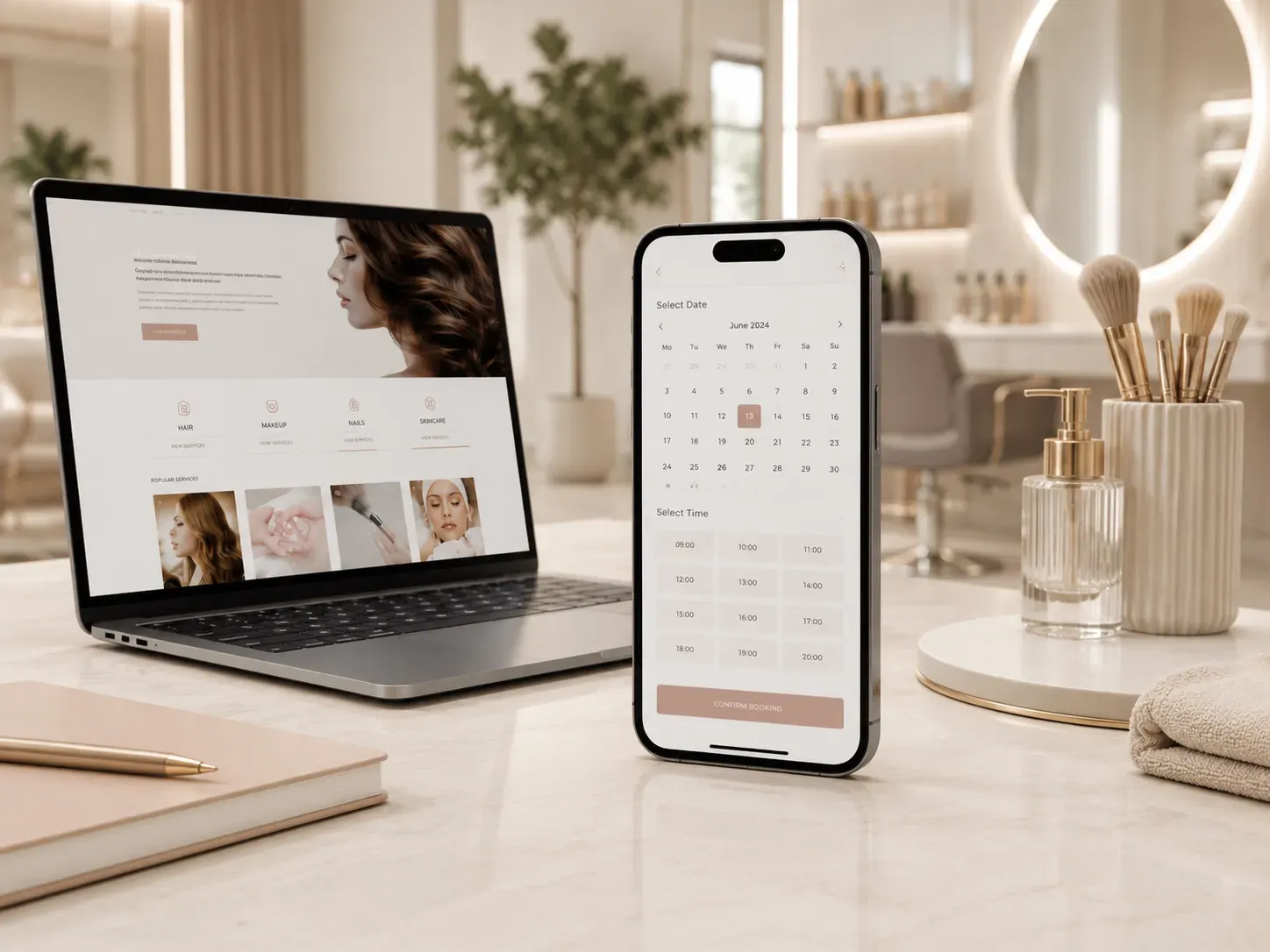
Every day, a beauty salon administrator handles dozens of calls: clients ask about services, choose specialists, and agree on convenient times. Each call takes minutes to explain, check available slots, and manually enter data into a log or spreadsheet. Even an experienced employee can make mistakes: double bookings, incorrect times, or the wrong specialist. The result is wasted time, dissatisfied clients, and unnecessary stress on the team.
Online booking for beauty salons solves these problems. It allows clients to book services 24/7, choose specialists and times, while administrators can focus on service rather than routine tasks. In this article, we’ll explore how to implement an online booking system effectively so it works smoothly and doesn’t create additional issues.
Why Beauty Salons Need Online Booking
Manual booking has several key drawbacks that impact business:
- Time wasted on calls — Administrators spend up to 30% of their working time answering calls and filling out booking logs.
- Booking errors — Double bookings, incorrect times, or wrong specialists lead to conflicts and dissatisfied clients.
- Inability to accept requests outside working hours — Clients often think about booking in the evening or on weekends when the salon is closed.
- Lack of attendance control — Manual logs or spreadsheets don’t allow for quick analysis of specialist workloads or service popularity.
Online booking for beauty salons eliminates these issues. Clients get a convenient tool for self-booking, while the salon gains an automated system that syncs with calendars, sends reminders, and integrates with CRM.
How to Choose an Online Booking System for a Salon
Not every client booking program is suitable for a beauty salon. When choosing a system, pay attention to these features:
Service and Specialist Selection
Clients should be able to:
- View a catalog of services with descriptions and prices.
- Choose a specific specialist or leave the decision to the salon.
- See service duration and available time slots.
For example, if a client selects hair coloring, the system should show that this service takes 2 hours and offer available slots in the calendars of specialists who perform coloring.
Calendar Synchronization
The online booking system must update the calendars of specialists and the salon in real time. This prevents double bookings and allows administrators to see current workloads.
Example: If a specialist is already booked for a certain time, the system should block that slot for other clients. It’s also useful if the calendar syncs with Google Calendar or Outlook so specialists can see their appointments in their personal accounts.
Confirmations and Reminders
After booking, clients should receive a confirmation via email or SMS. This reduces no-shows and reminds them of their appointment. The system should also send automatic reminders a day before and a few hours before the booking.
Example message:
“Your appointment at ‘Harmony’ Beauty Salon is confirmed!” Date: October 15, 2:00 PM Specialist: Anna Petrenko Service: Manicure with gel polish Address: 10 Shevchenko St.
We’ll remind you about the appointment a day before. If your plans change, you can reschedule or cancel your booking in your personal account.
Rescheduling and Canceling Appointments
Clients often change their plans, so the system should allow easy rescheduling or canceling online. This is convenient for clients and reduces the number of calls to the administrator.
For example, a client can log into their personal account, select an appointment, and reschedule it to another time or date if slots are available.
CRM Integration
If the salon uses CRM to manage client data, the online booking system should integrate with it. This allows for automatic client profile creation, service history tracking, and attendance analysis.
Example integration:
- A client books a service online → the system creates a client profile in the CRM with their contact details.
- After the visit, the administrator records the completed service → the information is automatically updated in the CRM.
- The salon can send personalized offers to clients based on their service history.
How to Implement Online Booking: Step-by-Step Guide
Step 1: Assess the Salon’s Needs
Determine which features you need:
- Is the ability to choose a specific specialist important?
- Is calendar synchronization with specialists critical?
- Will you use a CRM?
- Which communication channels with clients do you want to automate (SMS, email, messengers)?
Step 2: Choose a Client Booking Program
Compare several online booking systems based on these criteria:
| Criterion | Importance for the Salon |
|---|---|
| Service and specialist selection | High |
| Calendar synchronization | Critically important |
| Confirmations and reminders | High |
| Rescheduling/canceling | High |
| CRM integration | Medium (if CRM is used) |
| Booking widget for website | High (if the salon has a website) |
| Mobile app for specialists | Medium |
| Analytics and reports | Useful for business decisions |
Step 3: Set Up Specialist Calendars
Create calendars for each specialist, considering their work schedules, lunch breaks, and days off. Specify the duration of each service so the system can correctly calculate available slots.
Example setup:
- Specialist Anna Petrenko: working days Mon-Sat, 10:00 AM–8:00 PM, lunch 2:00–3:00 PM.
- Service “Manicure” takes 1 hour, “Hair Coloring” takes 2 hours.
Step 4: Add the Online Booking Widget to the Website and Social Media
If the salon has a website, add the online booking widget to the homepage and services page. You can also place a booking link on social media and messengers (e.g., Instagram Stories or a Telegram bot).
Example widget:
“Book Online” (a button that opens the booking form).
Step 5: Train the Team and Clients to Use the System
Conduct a short training session for administrators and specialists so they understand how the system works. For clients, prepare a brief guide or video on how to use online booking.
Example client instructions:
- Select a service and specialist (or leave the choice to the salon).
- Choose a convenient time in the calendar.
- Fill in your contact details.
- Receive confirmation via email or SMS.
- Get a reminder a day before your appointment.
Step 6: Monitor and Optimize
After launching the system, analyze its performance:
- How many clients book services online?
- Has the number of calls to the administrator decreased?
- What percentage of clients don’t show up for appointments (no-show rate)?
- Which services and specialists are most in demand?
Based on this data, you can optimize specialist calendars, add new services, or adjust working hours.
Integration of Online Booking with CRM: Benefits and Capabilities
If the salon uses CRM, integration with the online booking system opens additional opportunities:
- Automatic Client Profile Creation — Each new booking creates or updates a client profile in the CRM.
- Interaction History — The client profile stores all booked services, cancellations, and rescheduling.
- Client Segmentation — Clients can be grouped by services, visit frequency, or average spend to send targeted offers.
- Analytics and Reports — CRM allows analyzing attendance, service popularity, specialists’ performance, average spend, and other metrics.
- Automated Communications — You can set up SMS or email campaigns to offer repeat bookings after a certain period (e.g., a month after a manicure).
Example of an integrated system:
- Client Maria Ivanenko books a manicure online → a profile is created in the CRM with her contact details.
- After the visit, the administrator records the completed service → the profile is updated with the date, specialist, and amount.
- A month later, the CRM automatically sends Maria an offer to book another manicure with a discount.
Common Mistakes When Implementing Online Booking
- Insufficient Team Training — If administrators and specialists don’t understand how the system works, they may ignore it or enter data manually.
- Complicated Client Interface — If the booking form is too confusing, clients will abandon online booking and call instead.
- Lack of Calendar Synchronization — If the system doesn’t update calendars in real time, double bookings can occur.
- Poor Communication with Clients — If clients don’t receive confirmations or reminders, they may forget about their appointment.
- Ignoring Mobile Users — If the online booking widget isn’t mobile-friendly, clients won’t be able to use it from their phones.
Conclusion
Online booking for beauty salons is not just a convenient tool for clients but a way to optimize the administrator’s work, reduce errors, and improve client satisfaction. A properly chosen and configured online booking system allows:
- Reducing the number of calls to the salon.
- Avoiding double bookings and scheduling errors.
- Accepting booking requests 24/7.
- Automating reminders and client communications.
- Integrating with CRM for client database management and analytics.
To ensure the system works effectively, it’s important to choose a client booking program with the necessary features, set up specialist calendars, train the team and clients to use the tool, and regularly analyze its performance.
If you want to implement online booking in your beauty salon, contact specialists who can help you choose and configure the system to meet your needs, integrate it with CRM, and train your team to use the new tool effectively.
Need an Online Booking System for Your Beauty Salon?
We’ll help you choose and configure an online booking system tailored to your needs, integrate it with CRM, and train your team to use the new tool effectively. Leave a request, and we’ll contact you for a consultation.
FAQ
How does online booking reduce the load on salon administrators?
Online booking allows clients to book services, choose specialists, and select times without involving the administrator. This reduces the number of calls, minimizes booking errors, and frees up time for more important tasks.
What features should an online booking system for a beauty salon have?
An online booking system should support service and specialist selection, calendar synchronization, appointment confirmations and reminders, rescheduling and canceling options, and CRM integration.
How does CRM integration benefit a beauty salon?
CRM integration allows automatic client profile creation, service history tracking, client segmentation, and targeted offer sending. This improves service quality and helps increase sales.
How can double bookings be avoided in online booking?
To avoid double bookings, the system must synchronize specialists' calendars in real time. If a time slot is already booked, it should be unavailable for other clients.
Can appointments be rescheduled or canceled online?
Yes, modern online booking systems allow clients to reschedule or cancel appointments through their personal accounts. This is convenient for clients and reduces the number of calls to the administrator.