
Guest Portal for Hotels: Booking, Payments, Documents, and Service
How a guest portal transforms a hotel website into a full-service platform: online booking, payments, document management, housekeeping requests, and loyalty programs. Practical benefits for hotel owners and management companies.
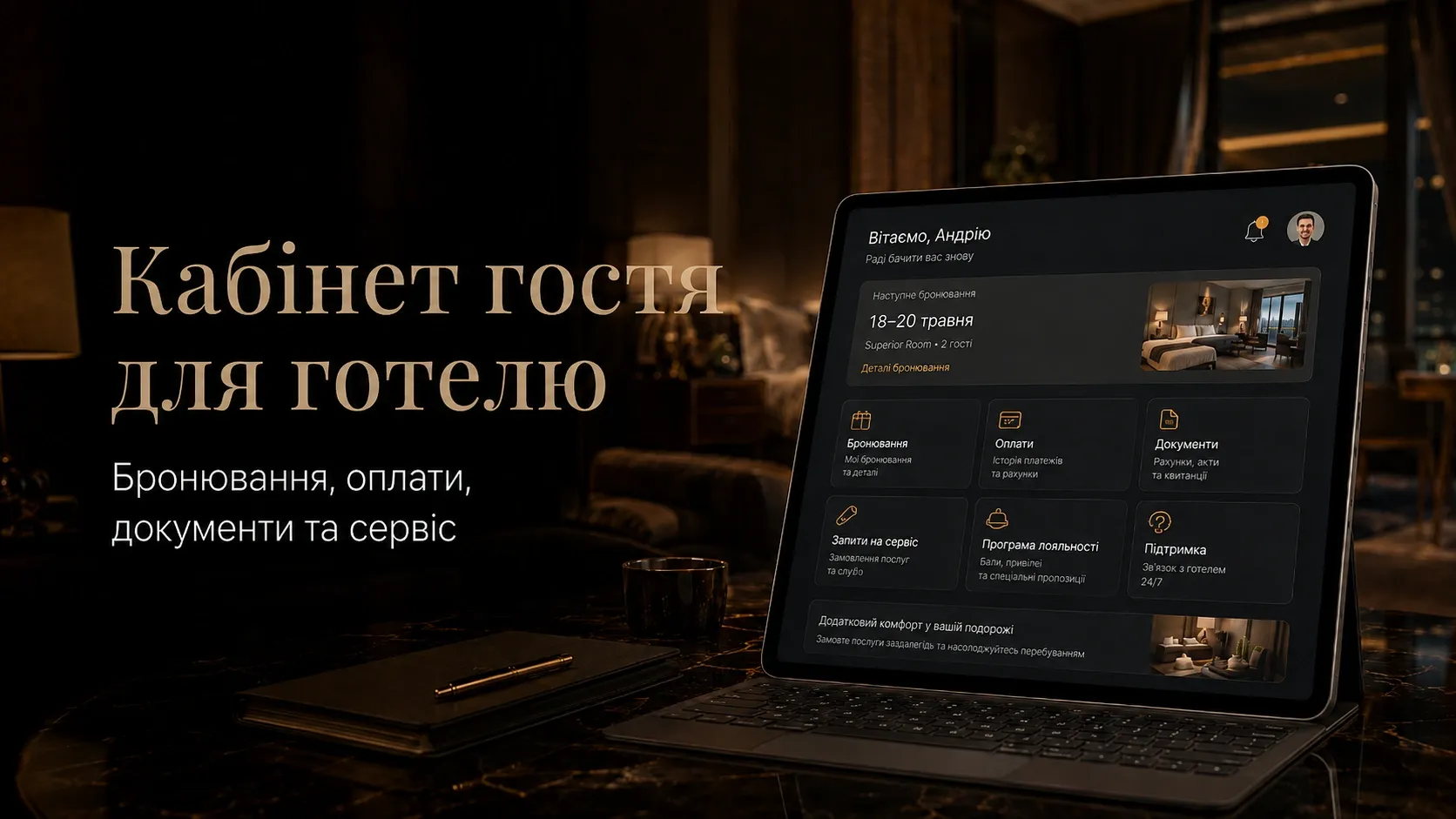
In today’s hospitality industry, guests expect convenience at every stage of their stay—from booking to check-out. If your hotel’s website merely displays rooms and accepts phone calls, you’re missing an opportunity to reduce staff workload, enhance guest loyalty, and automate routine processes. A guest portal solves these challenges by turning your website into a full-fledged service platform.
This article explores how a guest portal helps hotels automate bookings, payments, document handling, service requests, and loyalty programs. We’ll also show how CRM/PMS integration makes processes transparent and manageable.
Why Your Hotel Needs a Guest Portal
Traditional booking and service processes come with several challenges:
- Manual request processing: Staff handle calls, emails, and manual data entry, which is time-consuming and prone to errors.
- Lack of transparency for guests: Clients can’t track their booking status, make changes, or view their history.
- Document management issues: Contracts, invoices, and receipts must be sent manually, delaying payments and complicating communication.
- Low repeat booking rates: Without a guest portal, guests forget your hotel and lack incentives to return.
- High staff workload: Requests for housekeeping, additional services, and complaints are handled manually, diverting employees from strategic tasks.
A guest portal eliminates these issues by shifting some processes to self-service, improving guest satisfaction while reducing operational costs.
Key Features of a Guest Portal
1. Booking and Order Management
Guests can:
- View available rooms with photos, descriptions, and prices.
- Book a room in a few clicks, selecting dates, room type, and additional services.
- Modify their booking: change dates, guest count, or room type.
- Cancel bookings according to the hotel’s policies.
- Receive booking confirmations via email or messenger.
Example: A hotel chain implemented a guest portal with booking functionality, reducing request processing time by 40% and increasing online bookings by 25%.
2. Online Payments for Stays and Services
Payment convenience directly impacts conversion rates. A guest portal can include:
- Online payments for stays via payment systems (LiqPay, WayForPay, Fondy, Stripe, etc.).
- Options for partial payments or deposits to confirm bookings.
- Automatic invoice generation and delivery after payment.
- Multi-currency support for international guests.
- Automatic penalty charges for cancellations violating policies.
Important: Payment system integration must comply with PCI DSS standards to protect guest data.
3. Document Handling
A guest portal can automate the issuance and signing of:
- Booking agreements (with e-signature support).
- Invoices and service acts.
- Payment receipts.
- Documents for corporate clients (invoices, service contracts).
Advantage: Hotels avoid manual document sending, and guests receive them instantly in their portal.
4. Booking History and Loyalty Programs
The portal stores a guest’s interaction history:
- View past bookings with details.
- Earn bonus points or rewards for stays.
- Redeem points for discounts or free services.
- Receive personalized offers based on stay history.
Example Loyalty Program Tiers:
| Tier | Requirements | Benefits |
|---|---|---|
| Silver | 1-3 bookings/year | 5% discount on next booking |
| Gold | 4-6 bookings/year | 10% discount, free early check-in |
| Platinum | 7+ bookings/year | 15% discount, free airport transfer |
5. Service Requests and Additional Services
Guests can submit requests for:
- Room cleaning (select time and type).
- Extra towels, linens, or toiletries.
- Room service or restaurant reservations.
- Taxi or transfer services.
- Excursions or entertainment.
Automation: Requests flow directly into the CRM/PMS, where they’re assigned to staff. Guests receive status updates.
6. CRM and PMS Integration
A guest portal isn’t a standalone tool—it’s part of a unified hotel management system. Integration with CRM/PMS enables:
- Synchronization of booking, payment, and guest data.
- Real-time room status updates.
- Routing service requests to responsible staff.
- Reporting on key metrics (occupancy, average spend, repeat bookings).
- Personalized guest communication based on history.
Example: Integrating a guest portal with «1С:Hotel» PMS automatically updates room statuses and generates financial reports without manual data entry.
How to Implement a Guest Portal: Step-by-Step
Step 1. Define Key Interaction Scenarios
Before development, analyze which processes cause the most friction for guests and staff. For example:
- Weekend bookings during high demand.
- Corporate clients paying via bank transfer.
- Housekeeping requests at specific times.
Step 2. Choose a Technical Solution
Two main options exist:
- Custom Development: Building a portal from scratch for unique hotel needs. Ideal for large chains or hotels with non-standard processes.
- Off-the-Shelf Solutions: Integrating with existing PMS/CRM platforms that include guest modules (e.g., Cloudbeds, HotelTime, «1С:Hotel»).
Selection Criteria:
| Criteria | Custom Development | Off-the-Shelf Solution |
|---|---|---|
| Flexibility | High | Limited |
| Cost | High | Low |
| Implementation Time | Long | Short |
| Technical Support | In-house team | Provider |
Step 3. Design the Interface
Usability is critical. The portal interface should be:
- Intuitive: Guests shouldn’t need to learn how to use it.
- Mobile-friendly: Correctly display on smartphones.
- Fast: Page load times under 2-3 seconds.
- Secure: Use HTTPS and protect guest data.
UX Tips:
- Place the "Book Now" button prominently.
- Use large fonts and contrasting colors for key elements.
- Simplify the payment process (no more than 3 steps).
Step 4. Integrate Payment Systems and CRM/PMS
Choose payment systems that support your target audience. For Ukrainian guests:
- LiqPay
- WayForPay
- Fondy
- Portmone
For international guests:
- Stripe
- PayPal
- Alipay
CRM/PMS integration ensures automatic updates for bookings, payments, and service requests.
Step 5. Test and Launch
Before launch, test:
- All booking and payment scenarios.
- Document handling and service requests.
- CRM/PMS data synchronization.
- System stability under peak loads.
Step 6. Train Staff and Guests
Conduct staff training to assist guests with the portal. For guests, provide:
- Short video tutorials.
- FAQs for common questions.
- Chatbot or hotline support.
Measuring Guest Portal Effectiveness
After launch, track these KPIs:
- Online Bookings: Percentage of bookings made via the portal.
- Request Processing Time: Reduction in time from inquiry to booking confirmation.
- Payment Conversion: Percentage of guests paying online.
- Service Requests: Number of requests submitted via the portal vs. manually.
- Repeat Bookings: Percentage of guests rebooking.
- Guest Satisfaction: Feedback and survey ratings.
Example ROI Calculation: If processing one request took 15 minutes before the portal and 5 minutes after, with 100 requests/month, the time saved equals 16.7 staff hours. This reduces labor costs or frees resources for other tasks.
Common Implementation Mistakes
- Overcomplicating Features: Don’t try to implement everything at once. Start with core scenarios (booking, payments, documents), then add features.
- Ignoring Mobile Users: Many guests book from phones. A non-mobile-friendly portal loses clients.
- Weak CRM/PMS Integration: Without automatic data sync, reports become chaotic, and manual entry doubles.
- Insufficient Guest Support: If guests don’t understand the portal, they’ll revert to phone calls. Provide training and support.
- Neglecting Security: Use data encryption and comply with PCI DSS for payments.
Conclusion
A guest portal isn’t just a website feature—it’s a full-service platform that transforms guest interactions. It automates bookings, payments, document handling, and service requests, reducing staff workload and improving guest satisfaction.
CRM/PMS integration makes processes transparent and manageable, while loyalty programs encourage repeat bookings. Implementing a guest portal is an investment in your hotel’s long-term competitiveness.
If you want to create a guest portal that works seamlessly with your website and CRM, consult experts with experience in developing such solutions for the hospitality industry.
Build a Guest Portal That Integrates Seamlessly with Your Website and CRM
We develop custom web applications for hotels that automate bookings, payments, document handling, and service requests. CRM/PMS integration makes processes transparent and manageable. Contact us for a consultation.
FAQ
What is a hotel guest portal?
A guest portal is a personal profile on a hotel’s website where clients can manage bookings, pay for stays, view documents, submit service requests, and participate in loyalty programs.
What benefits does a guest portal offer hotel owners?
A guest portal reduces staff workload, automates routine processes (booking, payments, documents), increases guest satisfaction, and encourages repeat bookings through loyalty programs.
How do you integrate a guest portal with CRM or PMS?
Integration is done via API or dedicated modules. The guest portal syncs booking, payment, and service request data with the CRM/PMS, enabling automatic updates and reporting.
Which payment systems can be integrated into a guest portal?
For Ukrainian guests: LiqPay, WayForPay, Fondy, and Portmone. For international guests: Stripe, PayPal, and Alipay. Choose systems that comply with PCI DSS standards.
How do you train guests to use a portal?
Provide video tutorials, FAQs, and interactive hints within the portal. Offer a hotline or chatbot for support.
Can a guest portal be implemented using an off-the-shelf solution?
Yes, many PMS and CRM platforms include guest modules (e.g., Cloudbeds, HotelTime, «1С:Hotel»). Off-the-shelf solutions deploy faster but offer less flexibility than custom development.