
Mobile App for a Fitness Club: Features, Cost, and ROI
How a mobile app for a fitness club increases client retention, automates processes, and when a web solution is sufficient. We explore key features, development costs, and compare native apps, PWAs, websites, and Telegram Mini Apps.
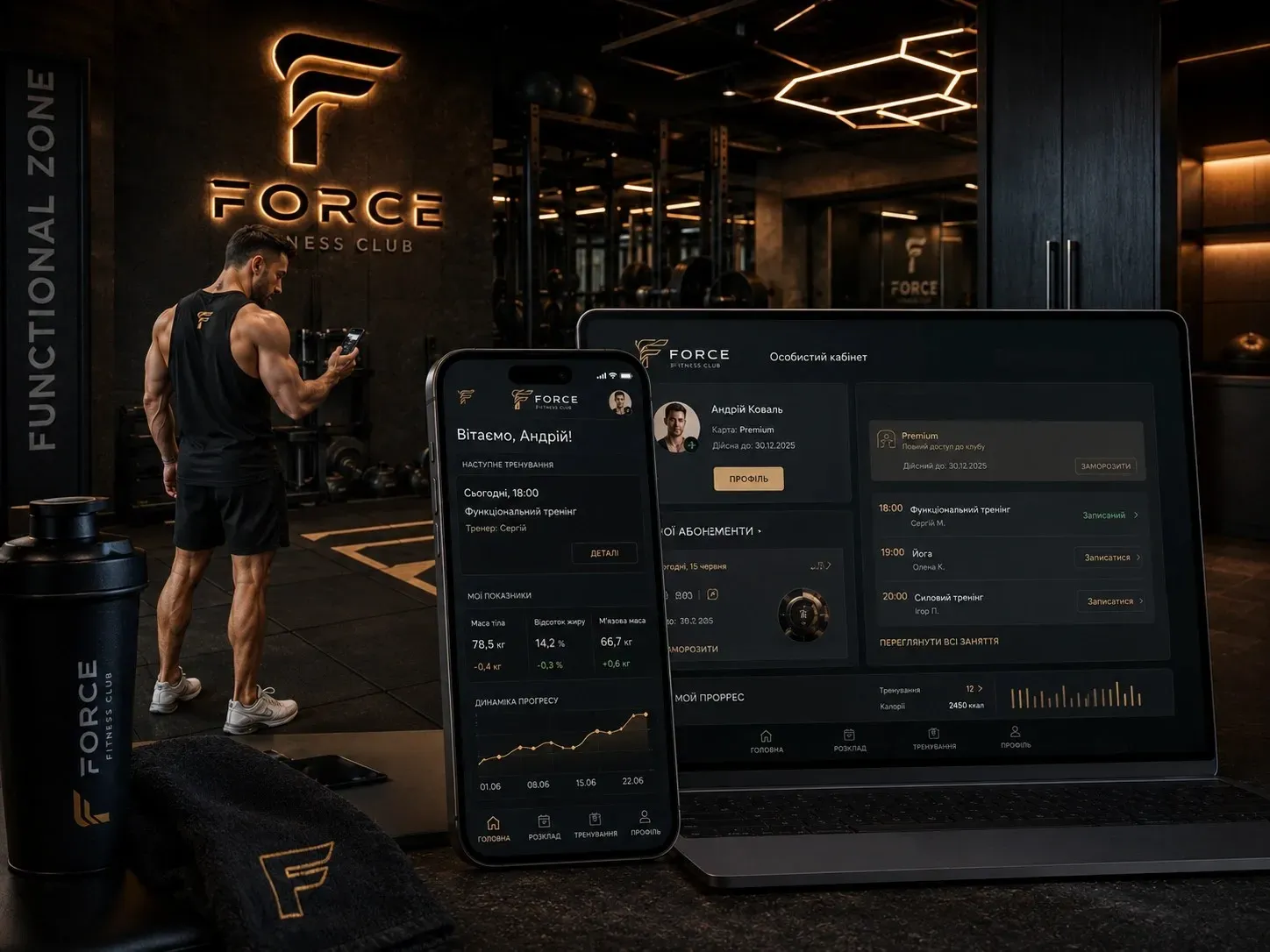
Owners of large fitness clubs and chains face a common problem: clients forget about workouts, memberships go unused, and staff spend hours manually managing bookings and communication. As a result, attendance drops and revenue is lost. A mobile app can solve these issues, but only if the right approach to functionality and technology is chosen.
In this article, we’ll cover:
- Which features truly increase client loyalty and reduce operational costs.
- When an app pays off and when a cheaper web solution is sufficient.
- How to integrate the app with a CRM for centralized management.
- How native apps, PWAs, websites, and Telegram Mini Apps differ.
Why Clients Leave and How an App Helps Retain Them
The average attendance at fitness clubs in large Ukrainian cities is 40–60% of the total number of memberships. Some clients simply forget about workouts, while others find it inconvenient to book classes or track their progress. In fitness chains, an additional issue is the lack of a unified booking and gym access system.
A mobile app addresses these challenges through:
- Automated class booking – clients see available slots and reserve a spot in one click.
- Push notifications – reminders about upcoming workouts, promotions, and personalized recommendations.
- QR code access – quick entry without queues at the reception.
- Personalized workout programs – clients see their progress and stay motivated.
- Loyalty program – points for attendance that can be exchanged for bonuses.
These features don’t just improve user experience—they directly impact client retention and repeat sales. For example, push notifications reduce missed workouts by 20–30%, and QR access cuts reception service time by 2–3 times.
Key Features of a Mobile App for a Fitness Club
1. Client Personal Account
- View active memberships, attendance history, and payments.
- Option to renew or change membership.
- Communication with administrators or trainers via an internal chat.
2. Booking for Workouts and Group Classes
- Calendar with class schedules and available spots.
- Automatic booking and cancellation.
- Notifications about schedule changes.
3. QR Code for Gym Access
- Generation of a unique QR code in the personal account.
- Scanning at the reception or turnstile for quick entry.
- Ability to restrict access based on membership expiration.
4. Push Notifications
- Reminders about upcoming workouts 24 and 2 hours in advance.
- Notifications about promotions, new services, and personalized recommendations.
- Alerts about membership expiration.
5. Personalized Workouts and Progress Tracking
- Ability to view workout programs from trainers.
- Tracking progress in weight, volume, strength, and endurance.
- Recommendations for program adjustments based on results.
6. Loyalty Program
- Earning points for attendance and participation in events.
- Ability to exchange points for discounts, additional services, or merchandise.
- Personalized offers based on client activity.
7. Integration with CRM and Payment Systems
- Synchronization of client, membership, and payment data.
- Automatic report generation for analytics.
- Integration with LiqPay, WayForPay, Stripe, or other payment systems.
Development Cost and ROI
The cost of developing a mobile app for a fitness club depends on the chosen technology and functionality. Estimated costs:
| Technology | Development Cost (USD) | Development Time | Operational Costs | ROI |
|---|---|---|---|---|
| Native App (iOS/Android) | $15,000 – $40,000 | 3–6 months | High (updates, support) | 12–24 months (for chains with 1000+ clients) |
| Progressive Web App (PWA) | $8,000 – $20,000 | 2–4 months | Medium | 6–12 months |
| Telegram Mini App | $6,000 – $12,000 | 1–3 months | Low | 3–6 months |
| Mobile-Optimized Website | $4,000 – $10,000 | 1–2 months | Low | Depends on traffic |
ROI depends on the number of clients and the level of process automation. For example, if the app reduces reception service time by 2 hours daily, it’s equivalent to saving 1–2 administrator salaries per month. Push notifications and loyalty programs increase attendance by 15–25%, directly impacting revenue.
Native App, PWA, Website, or Telegram Mini App: What to Choose
The choice of technology depends on budget, timeline, and business needs. Let’s explore the pros and cons of each option.
Native App (iOS/Android)
Advantages:
- High performance and speed.
- Access to device hardware features (camera, geolocation, biometrics).
- Ability to work offline.
- Better user experience and design.
Disadvantages:
- High development and support costs.
- Long development timeline.
- Need for publication in App Store and Google Play.
When to choose:
- You have a large fitness chain with 1000+ clients.
- Complex features are needed (e.g., video workouts using the camera).
- Long-term development and scaling are planned.
Progressive Web App (PWA)
Advantages:
- Faster development and lower cost compared to native apps.
- Works on any device via a browser.
- No need for app store installation.
- Ability to work offline.
Disadvantages:
- Limited access to hardware features.
- Lower performance compared to native apps.
- Not all features are available on iOS.
When to choose:
- You have a medium budget and need a quick launch.
- You want to test the market before investing in a native app.
- Core features don’t require complex integrations.
Telegram Mini App
Advantages:
- Very low cost and quick launch.
- No need to develop separate apps for iOS and Android.
- Easy integration with Telegram bots for notifications and communication.
- No need for app store publication.
Disadvantages:
- Dependency on Telegram and its limitations.
- Limited functionality and design.
- Less flexibility compared to PWAs and native apps.
When to choose:
- You already use Telegram for client communication.
- A quick launch with minimal budget is needed.
- Core features are booking and notifications.
Mobile-Optimized Website
Advantages:
- Lowest development cost.
- Quick launch and easy support.
- No need to install apps.
Disadvantages:
- Limited functionality and user experience.
- No push notifications.
- Doesn’t work offline.
When to choose:
- You have a limited budget and a small client base.
- You want to test the market before developing an app.
- Core tasks are informational (schedule, prices, contacts).
CRM Integration: Why It Matters
Without CRM integration, a mobile app remains an isolated tool that doesn’t provide a complete picture of clients. Key benefits of integration:
- Unified database – all client, membership, payment, and attendance data are stored in one place.
- Process automation – booking, notifications, and loyalty programs work without manual intervention.
- Personalization – based on CRM data, the app offers clients relevant services and promotions.
- Analytics and reporting – ability to track app effectiveness and make data-driven decisions.
For example, if a client hasn’t visited the gym for a long time, the CRM can automatically send them a personalized offer or discount via the app. This increases the chances of client retention and repeat sales.
Practical Tips: How to Launch an App Without Mistakes
-
Start with analyzing client needs
- Conduct surveys among clients to understand which features are most important to them.
- Study reviews of competitors’ apps and identify weaknesses.
-
Choose a minimum viable product (MVP)
- Start with basic functionality: personal account, class booking, QR access, and push notifications.
- Add more complex features (e.g., loyalty program or workouts) in later stages.
-
Test and gather feedback
- Launch a beta version of the app among a small group of clients.
- Collect feedback and fix issues before the full launch.
-
Integrate with CRM and payment systems
- Ensure all data is synchronized automatically.
- Set up automatic reports for analytics.
-
Launch a marketing campaign
- Notify clients about the app launch via email, SMS, and social media.
- Offer bonuses for downloading and using the app.
-
Monitor and improve
- Track key metrics: number of downloads, user activity, retention rate.
- Regularly update the app based on feedback and analytics.
Conclusion: When an App Pays Off and When a Website Is Enough
A mobile app for a fitness club is an investment that pays off only under certain conditions. It truly increases client retention and reduces operational costs if:
- You have a large client base (1000+ people).
- Long-term development and scaling are planned.
- Complex features like personalized workouts or loyalty programs are needed.
- You’re ready to invest in development and marketing.
If you have a small gym with a limited budget, a mobile-optimized website or PWA will suffice. Telegram Mini App is a good option for a quick launch with minimal costs, especially if you already use Telegram for client communication.
Regardless of the chosen technology, the key to success is proper CRM integration and continuous improvement based on client feedback. This will not only increase loyalty but also significantly reduce operational costs.
Need a mobile app for your fitness club?
We develop custom mobile apps for fitness clubs and chains that increase client retention and automate processes. Integrate with CRM, set up class booking, QR access, and loyalty programs. Tell us about your tasks—we’ll find the optimal solution.
FAQ
How much does it cost to develop a mobile app for a fitness club?
The cost depends on the chosen technology and functionality. A native app for iOS and Android costs $15,000–$40,000. A PWA can be developed for $8,000–$20,000, and a Telegram Mini App for $6,000–$12,000. A mobile-optimized website costs $4,000–$10,000.
What features should a fitness club app include?
Core features: client personal account, class booking, QR code access, push notifications, personalized workouts, loyalty program, and CRM integration. Additional features may include trainer chat, progress tracking, and payment functions.
How does a native app differ from a PWA?
A native app is developed separately for iOS and Android, offers high performance, and has access to device hardware features. A PWA works via a browser, is cheaper to develop, and doesn’t require app store installation but has limited functionality.
When does a fitness club app pay off?
An app pays off if you have a large client base (1000+ people) and a high level of process automation. For example, push notifications increase attendance by 15–25%, and QR access reduces reception service time by 2–3 times.
Can a mobile app be integrated with a CRM?
Yes, CRM integration allows synchronizing client, membership, and payment data, automating processes, and generating analytical reports. This improves operational efficiency and user experience.
Which is better: a native app, PWA, or website?
A native app is suitable for large chains with high functionality requirements. A PWA is a good choice for a medium budget and quick launch. A mobile-optimized website is sufficient for small gyms with a limited budget.