
How Much Does a Dental Clinic Website Cost and What Affects the Price
Explore how the cost of a dental clinic website is formed: from the type of site to CRM integration, online booking, and automation. Compare prices for landing pages, corporate sites, and full booking systems.
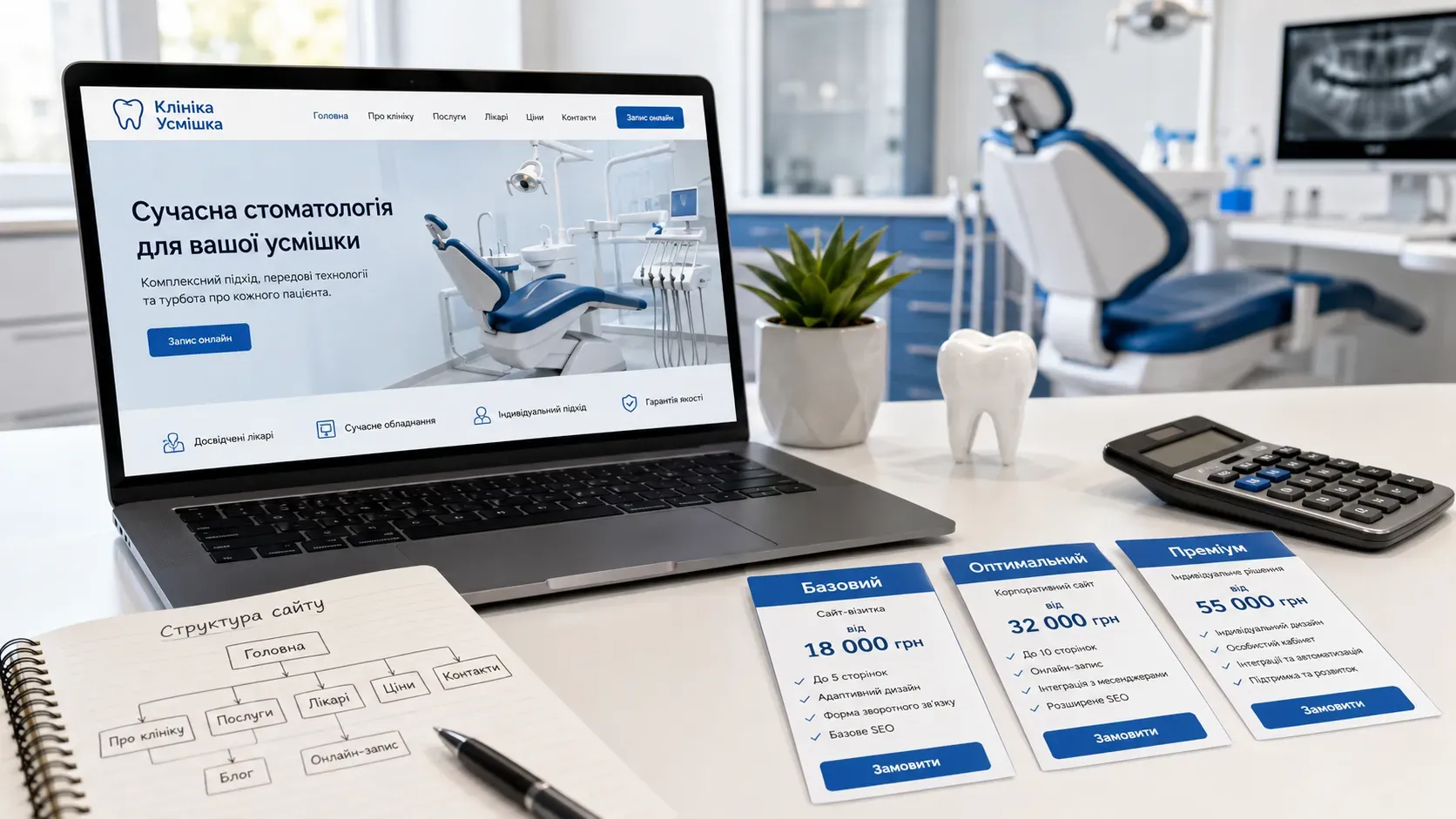
The cost of a website for a dental clinic isn’t just a number for design or content. It’s an investment in a tool that should work for your business: attracting patients, simplifying administrative tasks, and reducing manual process costs. If you’re planning to create or update your clinic’s website, it’s crucial to understand which features impact the price and why a cheaper option might lead to higher expenses in the future.
What Affects the Cost of a Dental Clinic Website
1. Type of Website: Landing Page, Corporate Site, or Full Booking System
The type of website determines its functionality and, consequently, its cost. For dental clinics, the three most common options are:
- Landing Page — A single-page website focused on a specific service (e.g., veneer placement). Suitable for short-term promotions or market testing.
- Corporate Website — A full-fledged clinic website with multiple pages: services, team, contacts, blog. The minimum set for long-term online presence.
- Website with Full Booking System — A corporate website + CRM integration, online appointment booking, automatic confirmations, and reminders. This option requires complex architecture and often evolves into a SaaS product for the clinic.
2. Number of Pages and Their Complexity
Even within the same website type, costs can vary significantly depending on the number of pages. For example:
- Services Page — Can be a single general page or individual pages for each service (implantation, cleaning, orthodontics, etc.). Detailed pages require more time for content creation and SEO optimization.
- Doctors’ Pages — If you want to present each specialist with a photo, resume, and reviews, this increases development costs.
- Blog — Regularly publishing useful content (articles on hygiene, clinic news) boosts traffic but requires additional investment in writing and optimization.
3. Custom UI/UX Design
Template-based design is cheaper, but custom UI/UX allows you to create a website that reflects your clinic’s brand and ensures patient convenience. For example:
- Mobile Adaptation — A must-have, as most patients search for clinics from their smartphones.
- Animations and Micro-Interactions — Add "liveliness" to the website but increase costs.
- Navigation Convenience — Logical menu structure, quick access to online booking, and clear buttons. Poor UX can deter potential patients.
4. Integrations and Automation
This is one of the key factors influencing both cost and future efficiency:
- Online Appointment Booking — Integration with the clinic’s calendar, ability to select a doctor and time. Requires synchronization with internal clinic systems.
- CRM Integration — Allows automatic collection of patient data, tracking of visit history, and launching repeat sales (e.g., reminders for preventive check-ups).
- SMS and Email Campaigns — Automatic booking confirmations, appointment reminders, and promotional offers.
- Payment Systems — If the clinic accepts online payments, integration with payment gateways (LiqPay, WayForPay, etc.) is required.
5. Multilingual Support
If your clinic serves foreign patients (e.g., in border regions or large cities), the website may need versions in multiple languages. This isn’t just about translating text but also adapting the design for different language layouts, integrating a language switcher, and SEO optimization for each language version.
6. SEO and Analytics
A website without SEO is like a clinic without a sign: patients simply won’t find you in search. A basic SEO package includes:
- Technical optimization (loading speed, correct meta tags, structured data).
- Content optimization (keywords in texts, headings, image descriptions).
- Local SEO (registration in Google My Business, patient reviews, optimization for "dentist near me").
Analytics (Google Analytics, Google Tag Manager) allows tracking traffic, visitor behavior, and the effectiveness of marketing campaigns.
7. Admin Panel and Ease of Management
If you plan to update the website content yourself (change service prices, add new doctors, publish articles), a user-friendly admin panel is essential. For example:
- Page Builder — Allows editing content without coding knowledge.
- Service Catalog with Quick Editing — To promptly update prices or descriptions.
- Review Management Section — For moderating and responding to patient feedback.
Comparison of Dental Clinic Website Options
| Criteria | Landing Page | Corporate Website | Website with Full Booking System |
|---|---|---|---|
| Number of Pages | 1 | 5–15 | 10–30+ |
| Online Booking | None or basic | Possible (basic) | Full with CRM integration |
| CRM Integration | None | Basic | Full |
| Blog | None | Possible | Yes (with SEO optimization) |
| Multilingual Support | Rare | Possible | Yes |
| Admin Panel | Basic | Advanced | Full with automation |
| SEO | Basic | Advanced | Full |
| Approximate Cost | From $700 | From $1,800 | From $3,500 |
How to Choose the Optimal Option
-
Define Business Goals. If you need a website for a short-term ad campaign, a landing page may suffice. For long-term development, a corporate website or a full booking system is better.
-
Evaluate Your Budget. Remember that a cheaper website may require additional expenses for upgrades in the first few months. Investing in quality development pays off by reducing costs for manual request processing and marketing.
-
Forecast Future Needs. If you plan to expand the clinic, add new services, or work with foreign patients, it’s better to include these features in the technical requirements from the start.
-
Pay Attention to Support. A website isn’t a one-time product but a tool that requires updates, technical support, and development. Clarify whether post-launch support is included in the cost.
Conclusion
The cost of a dental clinic website depends on many factors: from the type of site and number of pages to CRM integrations and online booking systems. Choosing the optimal option is a balance between budget and business needs. If you want not just a website but a tool that works for your clinic’s growth, it’s important to focus on functionality, patient convenience, and the ability to automate routine processes.
Creating a quality website is an investment in your business’s future. The right functionality will help attract more patients, reduce the workload on administrators, and increase customer loyalty.
Create a Website That Works for Your Business
SwiftyFlux specializes in developing websites for dental clinics with all business needs in mind: from online booking to CRM integration and process automation. We’ll help you choose the optimal option and bring it to life without unnecessary time or budget waste.
FAQ
Can I create a dental clinic website using a website builder?
Yes, website builders (like Wix or Tilda) allow you to create a simple website at a lower cost. However, they have limitations in functionality: it’s difficult to implement full online booking, CRM integration, or multilingual support. Moreover, such websites are poorly optimized for SEO and may have speed issues.
How long does it take to develop a dental clinic website?
The timeline depends on the project’s complexity. A landing page can be created in 2–4 weeks, a corporate website in 1–2 months, and a full system with online booking and CRM integration may take 2 to 4 months. It’s important to account for time spent on content creation, testing, and staff training.
Does a dental clinic website need a blog?
A blog is a tool for attracting organic traffic and building patient trust. Articles on oral hygiene, clinic news, or explanations of complex procedures help improve SEO and establish the clinic’s expert image. However, maintaining a blog requires regular content creation and optimization, which increases the cost of website support.
How do I choose a developer for a dental clinic website?
Pay attention to the agency’s or freelancer’s portfolio, especially examples of websites for medical institutions. Clarify what integrations they can implement (CRM, online booking, payment systems). It’s also important to understand whether they provide support after the website launch and whether SEO services are included in the cost.
Can I save money on website development?
You can save on design (using templates instead of custom UI/UX) or the number of pages. However, cutting costs on functionality (e.g., skipping online booking or CRM integration) may lead to higher expenses for manual request processing and marketing in the future.