
Hotel Online Booking: How to Reduce Dependence on Booking.com and OTAs
How a hotel's own booking system on its website helps increase direct bookings, reduce commissions, and improve guest experience. Practical recommendations on choosing a booking module, integrating with PMS, and synchronizing with sales channels.
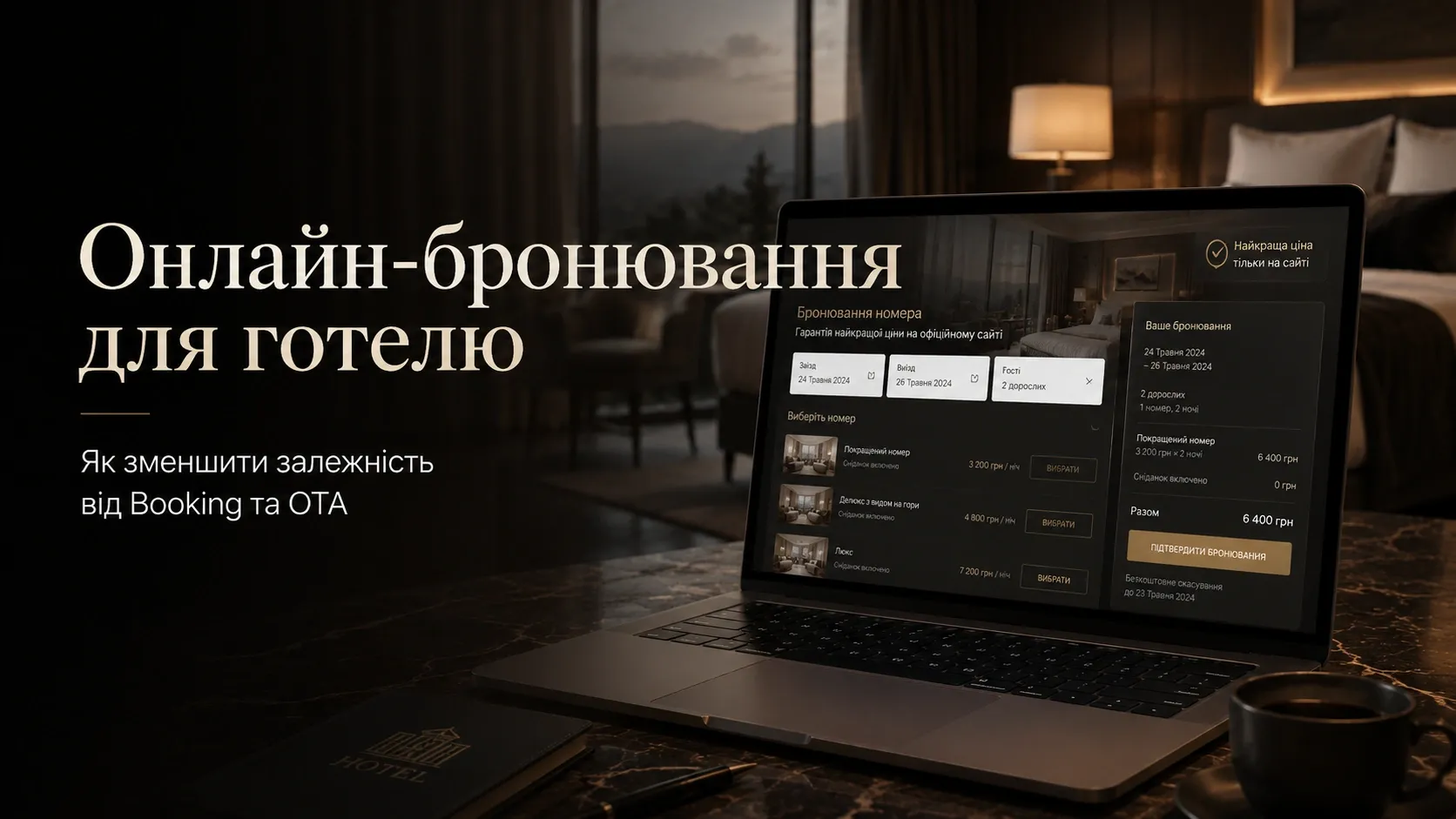
Why Hotels Should Reduce Dependence on OTAs
Online travel agencies (OTAs) like Booking.com or Expedia provide hotels with visibility and a steady stream of guests, but these benefits come at a high cost:
- Commissions ranging from 15% to 30% per booking — direct profit losses.
- Lack of control over pricing and booking conditions.
- Risk of losing direct contact with guests, complicating loyalty-building efforts.
- Dependence on OTA ranking algorithms, which can change at any moment.
According to industry research, hotels that actively develop direct sales channels can increase profits by 20–40% without additional marketing expenses. The key tool for this is a hotel's own online booking system on its website.
How an In-House Booking System Increases Direct Bookings
An in-house booking system on a hotel's website is more than just a form for reserving rooms. It’s a full-fledged tool that allows:
- Control over the guest experience — from the first site visit to check-in.
- Reduce commissions — without intermediaries, every booking generates more profit.
- Collect guest data — for personalized offers and repeat sales.
- Automate processes — reducing staff workload and minimizing errors.
How an In-House System Works in Practice
Consider a small 30-room hotel that receives 100 bookings per month through OTAs with a 20% commission. This means the hotel loses 20% of revenue from each booking — approximately $2,000 per year (assuming an average check of $100).
If the hotel implements its own booking system and shifts just 30% of guests to direct bookings, it saves $600 per year without extra effort. And if you consider that direct guests are more likely to return and leave additional tips (e.g., for restaurant or spa services), the real savings will be even higher.
Key Components of an Effective Online Booking System
For a booking system to work effectively, it must include several critical elements:
1. Real-Time Room Calendar
Guests should see up-to-date information about room availability. This means:
- Synchronization with the hotel’s Property Management System (PMS).
- Ability to block rooms for maintenance or seasonal closures.
- Display of different room types with photos, descriptions, and prices.
Example: If a hotel offers rooms with sea views and standard rooms, the calendar should show the availability of each type separately. This reduces front desk inquiries and speeds up the booking process.
2. Flexible Payment System
Guests expect convenient and secure payment methods. It’s important to offer:
- Card payments (Visa, Mastercard, Apple Pay, Google Pay).
- Partial payment options (e.g., 30% at booking, 70% at check-in).
- Support for local payment systems (e.g., PrivatPay, Monobank).
- Cash payment option at check-in (with room blocking).
Important: The system should automatically generate and send receipts in compliance with tax regulations.
3. Clear Cancellation Policies
Transparent cancellation terms reduce conflicts and increase guest trust. The system should support:
- Free cancellation 48 hours before check-in.
- Partial refunds for late cancellations.
- Full charge for no-shows.
Example: If a guest books a room a month in advance and cancels 3 days before check-in, the system automatically retains 50% of the cost. This protects the hotel from financial losses and motivates guests to cancel bookings on time.
4. Automatic Booking Confirmation
After payment or booking without prepayment, the system should instantly send:
- An email confirmation (to the guest’s email).
- An SMS with booking dates and confirmation number.
- A link to a personal account where the guest can modify or cancel the booking.
Example: A guest books a room at 11 PM. The system instantly sends confirmation to their email and SMS. The next day, the guest doesn’t call the front desk to ask, “Is my room booked?” — saving staff time.
5. Automatic Reminders and Notifications
Reminders reduce no-shows and improve guest experience. The system should send:
- A reminder 7 days before check-in.
- A reminder 24 hours before check-in with check-in instructions.
- Notifications about early check-in/late check-out options.
- A request for feedback after check-out.
Example: A week before check-in, the system sends the guest an email: “You’ve booked a room for dates X–Y. Check-in is from 2 PM, check-out by 12 PM. If you have any questions, reply to this email.” This reduces front desk calls and increases guest satisfaction.
6. Integration with PMS
The booking system should seamlessly integrate with the hotel’s Property Management System. This allows:
- Automatic updates of room availability across all sales channels.
- Synchronization of guest data between the website and PMS.
- Automatic generation of invoices and access keys (if the hotel uses electronic keys).
Example: If a guest books a room through the website, the information instantly appears in the PMS. At check-in, the front desk sees all guest details without manual entry — speeding up the process and reducing errors.
7. Synchronization with Sales Channels
If a hotel uses multiple sales channels (e.g., Booking.com, Expedia, and its own website), it’s crucial to avoid double bookings. The booking system should support:
- Two-way synchronization with OTAs via a channel manager.
- Automatic blocking of rooms across all channels when booked through one.
- Ability to set different prices for different channels (e.g., lower prices on the hotel’s website).
Example: A guest books a room through Booking.com. The system instantly blocks this room across all other sales channels, including the hotel’s website, eliminating the risk of double bookings.
How to Choose a Booking Module for Your Hotel
The market offers numerous solutions for online booking — from ready-made SaaS platforms to custom developments. Here are key selection criteria:
| Criteria | Ready-Made SaaS Solution | Custom Development |
|---|---|---|
| Implementation Cost | Low (from $20/month) | High (from $5,000) |
| Implementation Time | Fast (a few days) | Long (weeks/months) |
| Flexibility | Limited | High |
| PMS Integration | Depends on the platform | Full |
| Technical Support | Provided by the vendor | Requires in-house team |
| Scalability | Limited | High |
When to Choose a Ready-Made SaaS Solution
Ready-made platforms like Cloudbeds, Little Hotelier, or Sirvoy are suitable for:
- Small hotels and hostels with limited budgets.
- Owners who want to quickly launch a system without lengthy development.
- Hotels that don’t require unique booking logic.
Advantages: Fast implementation, low cost, technical support. Disadvantages: Limited customization, vendor dependency, possible booking commissions.
When to Choose Custom Development
A custom booking system is suitable for:
- Hotel chains and aparthotels with unique business processes.
- Owners who want full control over data and functionality.
- Hotels planning to scale their business and add new features.
Advantages: Full flexibility, ability to implement any logic, integration with any systems. Disadvantages: High cost, lengthy development, need for technical support.
Practical Steps for Implementing an In-House Booking System
-
Analyze Current Sales Channels
- How many bookings do you receive through OTAs?
- What’s the average check and commission from each channel?
- Which room types and services are most in demand?
-
Define System Requirements
- What features are critical (e.g., card payments, PMS synchronization)?
- What integrations are needed (e.g., with payment systems, channel managers)?
- What booking and cancellation rules do you want to implement?
-
Choose a Vendor or Development Team
- Compare ready-made SaaS solutions by functionality and price.
- If opting for custom development, find a team with hotel industry experience.
-
Set Up and Test the System
- Ensure the room calendar synchronizes with the PMS.
- Test the booking and payment process from the guest’s perspective.
- Set up automatic notifications and reminders.
-
Integrate with Sales Channels
- Connect a channel manager for synchronization with OTAs.
- Set different prices for different channels.
-
Launch and Optimize
- Start with a small number of direct bookings to check system stability.
- Collect feedback from guests and staff for improvements.
- Regularly update the system based on new business requirements.
How to Encourage Guests to Book Directly
Even the best booking system won’t yield results if guests continue using OTAs. Here are ways to encourage direct bookings:
-
Offer Lower Prices on Your Website
- Example: 5–10% discount for bookings through the hotel’s site.
- Package deals: “Book a room + breakfast at a discount.”
-
Add Unique Perks for Direct Guests
- Free airport transfer.
- Welcome gift (e.g., a bottle of wine or excursion tickets).
- Flexible cancellation policies (e.g., free cancellation 24 hours before check-in).
-
Use a Loyalty Program
- Points accumulation for each booking, redeemable for free nights.
- Personal discounts for repeat guests.
-
Promote Direct Bookings Across All Channels
- Include links to your website in OTA profiles.
- Use email marketing to inform guests about direct booking benefits.
- Add a “Book Directly” button on all website pages.
Conclusion: Is an In-House Booking System Worth It?
An in-house booking system on a hotel’s website isn’t just a way to reduce OTA commissions. It’s a tool that allows:
- Increase profits through direct sales.
- Improve guest experience and build loyalty.
- Automate routine processes and reduce staff workload.
- Collect guest data for personalized offers.
For small hotels and hostels, ready-made SaaS solutions may be the optimal choice — quick implementation and low cost. For large hotels and aparthotels with unique requirements, custom development offers more scalability and flexibility.
Regardless of the chosen path, the key to success is a comprehensive approach: from setting up the system to encouraging guests to book directly. This requires effort, but the result — a steady stream of direct bookings and reduced dependence on OTAs — is worth it.
Need a booking system that works for your business?
We develop custom booking modules for hotels that integrate with PMS, sales channels, and payment systems. Increase direct bookings and reduce dependence on OTAs.
FAQ
Can an in-house booking system integrate with Booking.com?
Yes, most modern booking systems support integration with OTAs via channel managers. This allows synchronizing room availability and avoiding double bookings.
What payment systems does the booking module support?
It depends on the chosen system. Most support Visa/Mastercard, Apple Pay, Google Pay, and local payment systems (PrivatPay, Monobank). Custom development can add any payment methods.
Can the system automatically send invoices to guests?
Yes, modern booking systems automatically generate and send electronic invoices after booking or payment. This complies with tax regulations and simplifies accounting.
How to avoid double bookings when working with multiple sales channels?
This requires two-way synchronization between the booking system, PMS, and channel manager. When a booking is made through any channel, the system instantly blocks the room across all others.
Can flexible cancellation policies be set up?
Yes, most systems allow setting different cancellation conditions: free cancellation within a certain period, partial refunds, or full charges for no-shows.
Is an in-house booking system suitable for small hotels?
Yes, even for small hotels, an in-house booking system can be profitable. Ready-made SaaS solutions allow quick launches with minimal costs, and savings on OTA commissions quickly pay off the investment.