
Hotel Channel Manager: How to Sync Your Website, Booking.com, Airbnb, and Other Channels Without Overbooking
How to avoid double bookings, sync calendars, prices, and availability across all sales channels: website, OTAs, and PMS. A practical guide for hotel owners and booking managers.
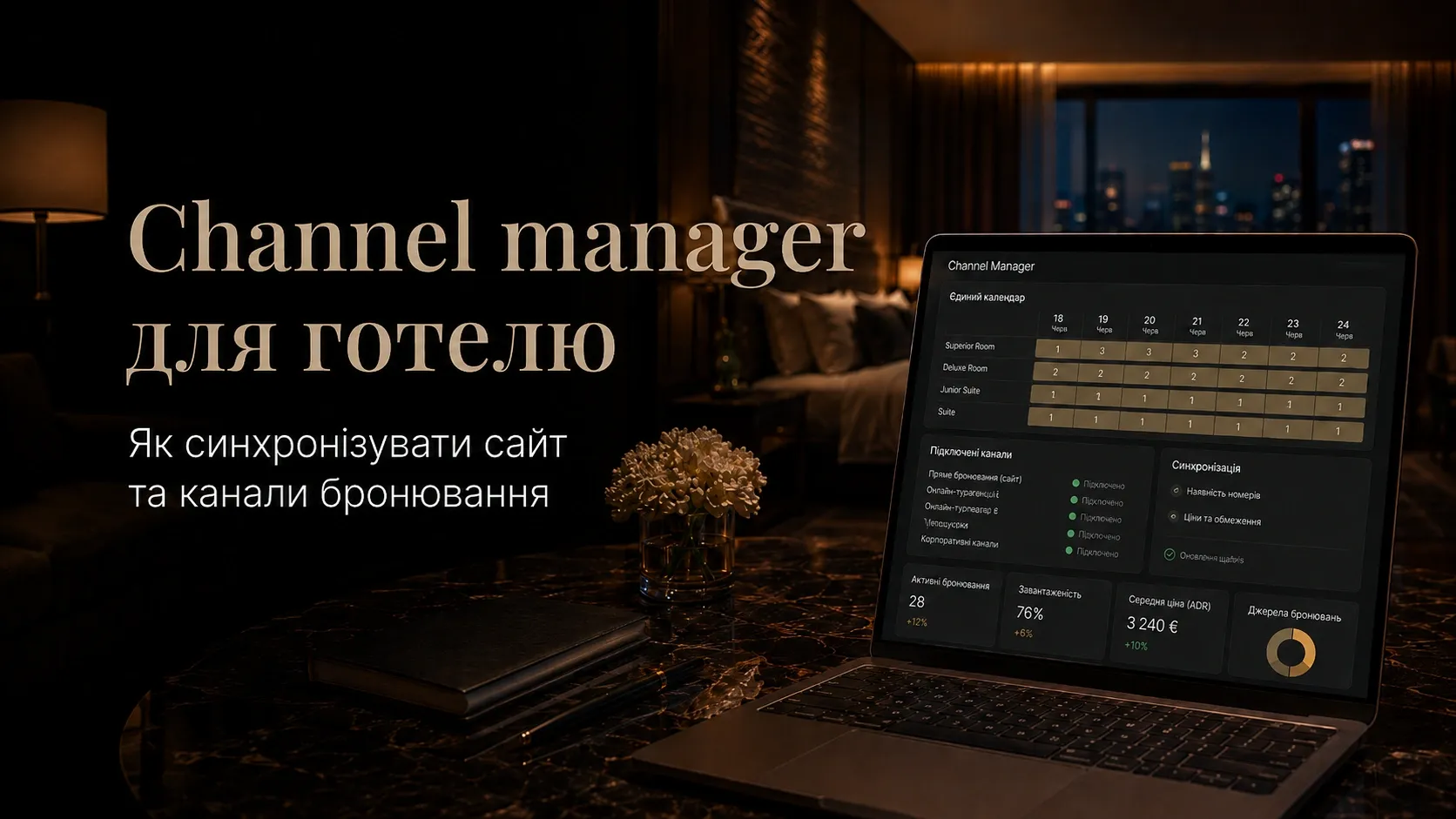
Every hotel or apartment hotel owner knows: bookings from multiple sources are great, but chaos in your calendar and double bookings are a disaster. Imagine this scenario: a guest books a room on your website for the weekend, but an hour later, another booking comes in via Booking.com for the same dates. Manually updating calendars across all platforms takes time, and the risk of error is too high. The result? Angry guests, lost revenue, and a reputation on the line.
In this article, we’ll explore how a hotel channel manager helps automate booking synchronization, avoid overbooking, and manage prices and availability in a unified calendar. You’ll learn how to choose the right system, which features are critical, and how to integrate it with your website, PMS, and OTAs.
The Problem of Double Bookings: Why It Happens and How to Solve It
Double bookings (overbooking) occur when the same room is booked simultaneously through multiple channels. For example:
- Guest A books a room through your hotel’s website.
- Ten minutes later, Guest B books the same room via Airbnb.
- The calendars aren’t synced, and both bookings are confirmed.
Consequences of overbooking:
- Financial losses (OTA penalties, guest compensation).
- Reputation damage (negative reviews, loss of trust).
- Extra work for staff (finding alternative accommodations, negotiating with guests).
Why Manual Synchronization Doesn’t Work
Manually updating calendars on your website, Booking.com, Airbnb, and other platforms takes hours every day. Even if you use Excel or Google Calendar, the risk of error remains high. Moreover, prices and availability can change dynamically (e.g., seasonal discounts or last-minute deals), and manually tracking all changes is unrealistic.
Solution: Automatic synchronization via a channel manager — a system that connects to all sales channels and updates data in real time.
How a Hotel Channel Manager Works
A channel manager is software that automatically syncs:
- Room availability (number of available rooms).
- Prices (base and dynamic rates).
- Bookings (blocks dates on all channels after a reservation is confirmed).
Key Features of a Channel Manager:
| Feature | How It Helps Your Business |
|---|---|
| Unified calendar | All bookings are displayed in one place. |
| Automatic synchronization | Changes in one channel update instantly in others. |
| Dynamic pricing | Automatic price adjustments based on demand. |
| Sales rules | Block specific dates or channels as needed. |
| Reports and analytics | Monitor occupancy and revenue. |
| Integration with PMS and website | A single hotel management system. |
Example of How a Channel Manager Works:
- A guest books a room via Booking.com.
- The channel manager instantly blocks those dates on your website, Airbnb, and other channels.
- The price for remaining rooms automatically adjusts based on demand.
- All guest, payment, and service data syncs with the PMS.
Syncing with OTAs: Booking.com, Airbnb, and Others
OTAs (Online Travel Agencies) like Booking.com, Airbnb, and Expedia bring a significant portion of bookings. However, each OTA has its own rules, commissions, and sync requirements. A channel manager lets you manage all channels from one place.
How to Connect OTAs to a Channel Manager:
- Choose a compatible channel manager. Some systems only support certain OTAs, so check the list of integrations in advance.
- Set up API connections. Most OTAs provide APIs for automatic data sync.
- Define sync rules. For example, block dates on all channels after a booking or set a minimum stay requirement.
- Test the system. Ensure changes on one channel reflect on others.
Benefits of Syncing with OTAs:
- Avoid overbooking with automatic date blocking.
- Save time — no need to manually update calendars.
- Optimize prices — dynamic rate adjustments based on demand.
- Increase revenue — sell rooms on multiple platforms simultaneously.
Integration with Your Hotel Website and PMS
Your hotel’s website is the primary direct sales channel, allowing you to avoid OTA commissions. However, without syncing with a channel manager and PMS (Property Management System), you risk double bookings.
How to Connect Your Website to a Channel Manager:
- Use a built-in booking module. Many channel managers offer ready-made solutions for integrating with websites built on WordPress, Tilda, or custom platforms.
- Set up an API. If you have a custom website, a developer can connect it to the channel manager via API.
- Sync the calendar. Ensure bookings on your website instantly block dates on all other channels.
The Role of PMS in Synchronization:
A PMS is the central hotel management system that combines:
- Bookings (website, OTAs, phone, walk-ins).
- Guest check-ins.
- Payments and invoicing.
- Staff management.
- Analytics and reports.
How PMS Works with a Channel Manager:
- The channel manager sends bookings from OTAs and your website to the PMS.
- The PMS automatically updates the calendar and assigns rooms.
- Guest, payment, and service data sync between systems.
Example: If your hotel uses a PMS like Cloudbeds or HotelTime, the channel manager can be connected via standard integrations.
Automatic Sales Rules: How to Avoid Mistakes
Even the best channel manager won’t save you from overbooking if the right sales rules aren’t set up. These are automatic instructions that define how the system should respond to specific situations.
Common Sales Rules:
| Rule | Example Application |
|---|---|
| Minimum stay requirement | Block 1-night bookings on weekends. |
| Maximum guest limit | Block a room if booked for 4 guests but fits 2. |
| Date blocking | Close sales for New Year due to high demand. |
| Automatic price adjustments | Increase prices by 20% 3 days before check-in. |
| Double booking prevention | Automatically cancel bookings if the room is taken. |
How to Set Up Rules:
- Identify critical scenarios (e.g., seasonal events or high demand).
- Create rules in the channel manager interface.
- Test them with sample bookings.
- Review and update rules regularly.
Example: If your hotel often books rooms for a festival, you can set a rule: “Close sales 7 days before the event” or “Increase prices by 30% during the festival.”
How to Choose a Hotel Channel Manager: Practical Criteria
There are dozens of channel managers on the market, and choosing the right one is key to successful synchronization. Here’s what to look for:
1. Compatibility with Your Sales Channels
- Check if the system supports your OTAs (Booking.com, Airbnb, Expedia, etc.).
- Is there integration with your website (e.g., WordPress, Tilda, custom platform)?
- Can it connect to your PMS (if you use one)?
2. Functionality
- Unified calendar — Are all bookings displayed in one place?
- Automatic sync — Do updates happen in real time?
- Dynamic pricing — Can you set rules for automatic price adjustments?
- Reports and analytics — Can you track revenue and occupancy?
- Multi-currency support — Does the system support different currencies?
3. Ease of Use
- Is the interface user-friendly for your staff?
- Is training and support available?
4. Cost
- Pricing models: Fixed fee, percentage of bookings, or a combination.
- Hidden fees: Are there extra costs for connecting new channels?
5. Reviews and Support
- Read reviews from other hotels on platforms like Capterra or G2.
- Ensure fast technical support is available (ideally 24/7).
Popular Hotel Channel Managers:
| Name | Pros | Cons |
|---|---|---|
| Cloudbeds | Full-featured platform with PMS | High cost for small hotels |
| SiteMinder | Wide OTA and integration selection | Complex interface for beginners |
| Little Hotelier | Great for small hotels | Limited features for large chains |
| RateGain | Strong analytics and dynamic pricing | High price |
| WuBook | European channels and multi-currency | Less well-known on the market |
Tip: If you have a small hotel or apartment hotel, try Little Hotelier or WuBook. For large chains, Cloudbeds or SiteMinder are better.
Real-Life Examples: How a Channel Manager Solves Problems
Example 1: Avoiding Overbooking
Problem: A hotel in Odesa accepted bookings through its website, Booking.com, and Airbnb. Due to manual calendar updates, double bookings occurred, leading to guest conflicts and OTA penalties.
Solution: A channel manager with automatic sync was installed. Now, bookings on one channel instantly block dates on all others.
Result: Overbooking dropped by 95%, and staff spent 70% less time on manual updates.
Example 2: Price Optimization
Problem: An apartment hotel in Lviv sold rooms at fixed prices, ignoring seasonal demand. Rooms were either too cheap (and sold out quickly) or too expensive (and left empty).
Solution: A channel manager with dynamic pricing was implemented. The system automatically raised prices during festivals and lowered them in the off-season.
Result: The average room price increased by 18%, while occupancy remained at 85%.
Example 3: Centralized Management
Problem: A hotel chain in the Carpathians used separate systems for each property. Managing bookings, prices, and reports was difficult, leading to errors and losses.
Solution: A unified channel manager with PMS integration was implemented. Now, all data is stored in one system, making management easier.
Result: Booking processing time decreased by 60%, and reporting accuracy improved to 99%.
Conclusion: Why a Channel Manager Is a Necessity
In today’s world, manually managing bookings is like driving a car without a steering wheel. A hotel channel manager is a tool that helps:
- Avoid overbooking through automatic synchronization.
- Save time and resources for staff.
- Increase revenue with dynamic pricing.
- Improve reputation by avoiding conflicts with guests.
- Centralize management through integration with your website and PMS.
If you’re still updating calendars manually or dealing with double bookings, it’s time to implement a channel manager. It’s not just a tool — it’s a strategic investment in the stability and profitability of your business.
Final Tip: Start with free trials of several systems to choose the one that best fits your hotel. Remember: a properly configured channel manager pays for itself within a few months.
Need reliable sales channel synchronization?
SwiftyFlux develops custom web applications and integrations for hotels that help automate bookings, avoid overbooking, and increase revenue. We’ll select and implement the optimal solution for your business — from a website with a booking module to a full-fledged PMS with channel manager integration.
FAQ
What is a hotel channel manager?
A channel manager is software that automatically syncs bookings, prices, and room availability between your hotel’s website, OTAs (Booking, Airbnb), and PMS. This helps avoid overbooking and saves time on manual calendar updates.
How does a channel manager help avoid overbooking?
A channel manager instantly blocks dates on all sales channels after a booking is confirmed on one. For example, if a room is booked via Booking.com, it automatically becomes unavailable on your website and Airbnb.
Which channels can be connected to a channel manager?
Most channel managers support popular OTAs like Booking.com, Airbnb, and Expedia, as well as your hotel’s website and PMS. Some systems also integrate with regional booking platforms.
Can I integrate a channel manager with a WordPress or Tilda website?
Yes, many channel managers offer ready-made modules for integrating with popular website builders like WordPress, Tilda, or Wix. If you have a custom website, it can be connected via API.
How does a channel manager sync prices?
A channel manager allows you to set up dynamic pricing: automatically increase or decrease prices based on demand, season, or remaining availability. You can set rules like "Increase prices by 20% 3 days before check-in."
Do I need a PMS to work with a channel manager?
A PMS (Property Management System) isn’t mandatory, but it significantly simplifies hotel management. A PMS integrates with a channel manager and helps manage bookings, check-ins, payments, and reporting in one system.