
CRM vs Excel for Beauty Salons: Which Is Better for Client Management and Appointments
Comparison of CRM systems and Excel for beauty salons: when spreadsheets fail, what mistakes cost clients, and how automation saves time and money.
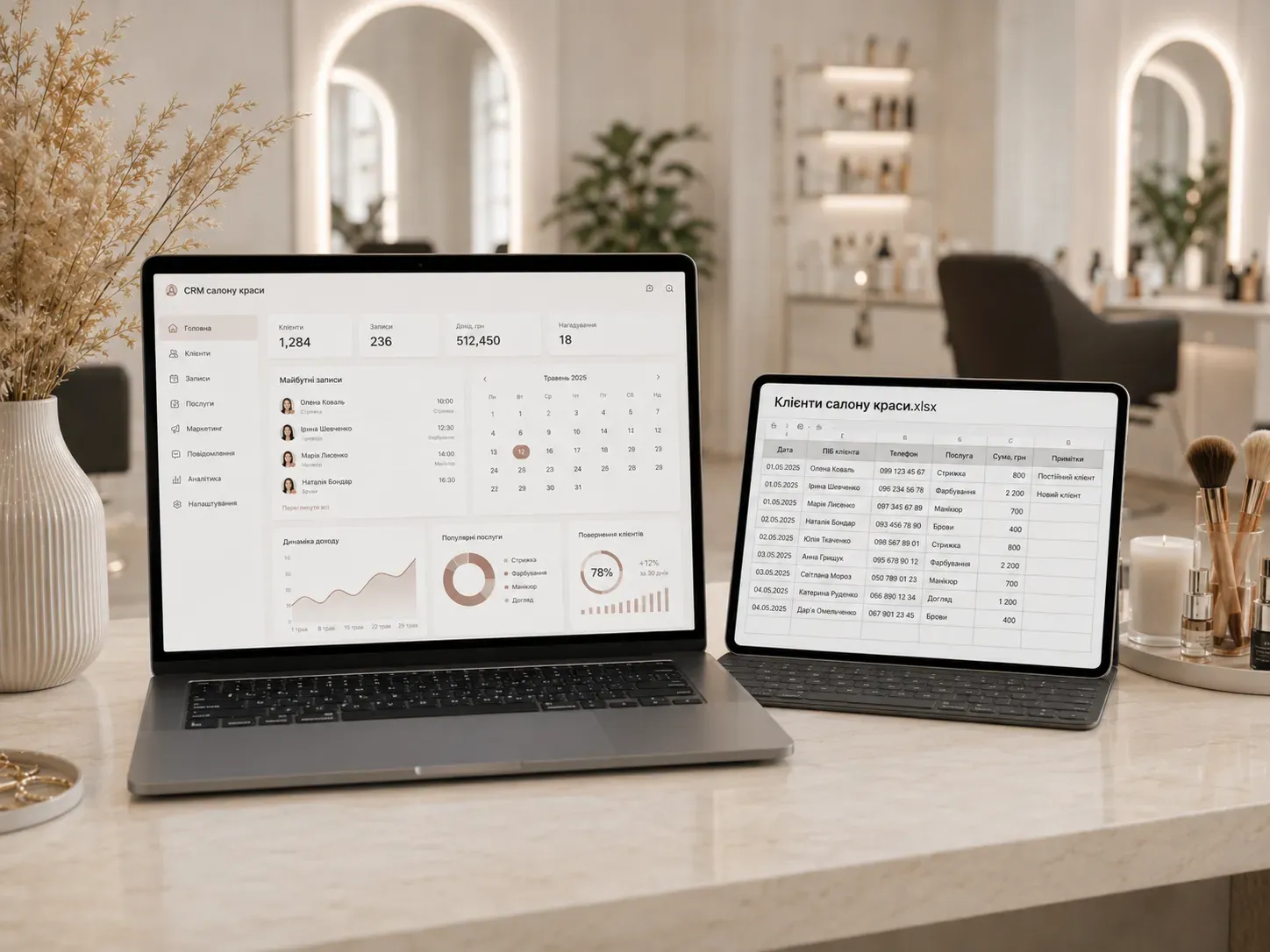
Do you manage your client database in Excel or Google Sheets? It’s convenient at the start, but as your salon grows, spreadsheets begin to "break": records duplicate, contacts get lost, masters forget to remind clients about appointments, and analytics turns into hours of copying data. In this article, we’ll explore when Excel stops being sufficient, what capabilities CRM systems offer for beauty salons, and when switching to automated client management becomes cost-effective.
Why Excel Seems Like the Perfect Solution (At First Glance)
Many salon owners start with spreadsheets because:
- Free or nearly free. Google Sheets is accessible to everyone, and Excel is included in Microsoft 365.
- Familiar. Most people know how to use spreadsheets—no need to learn new software.
- Flexible. You can create any columns and formulas to fit your needs.
But as the business grows, critical drawbacks emerge:
1. Manual Work and Errors
Every record, reminder, or data update in a spreadsheet is done manually. For example:
- The administrator enters a new client appointment—filling in 5-10 cells.
- A month later, the client changes their phone number—you need to find the row and update the data.
- A master wants to check the service history—scrolling through dozens of rows to find the client.
Consequences:
- Duplicates. One person may end up in the database multiple times under different names (e.g., "Olena Petrenko" and "Petrenko O.").
- Lost data. If someone accidentally deletes a row or cell, the information is irretrievable.
- Wasted time. The administrator spends 1-2 hours a day on routine data entry instead of communicating with clients.
2. No Automatic Reminders
Excel cannot set up automatic notifications for:
- Reminders to clients about appointments (a day or an hour before).
- Alerts for masters about upcoming visits.
- Birthday reminders (to send a discount).
Consequence: Clients forget about appointments, and the salon loses money on gaps in the schedule.
3. Limited Access and Synchronization
If multiple people work in the salon (administrators, masters), problems arise:
- File versions. Someone works in an old version of the spreadsheet, while others use a new one. Data diverges.
- Locking. If one person edits the spreadsheet, others can’t make changes.
- No mobile access. To check an appointment on a smartphone, you need to open the spreadsheet via a browser.
4. Weak Analytics
Excel allows reports, but with significant limitations:
- Manual reporting. To find out how many clients came in a month or which service is most popular, you need to create filters or formulas.
- No visualization. Graphs and charts must be built manually.
- No trend tracking. For example, comparing sales by month requires copying data to a separate spreadsheet.
5. No Data Protection
Excel is vulnerable to:
- Accidental data deletion.
- Unauthorized access (if the file falls into the wrong hands).
- Data loss due to cloud storage failures.
It’s also difficult to comply with GDPR or other data storage requirements in spreadsheets.
When Excel Stops Being Sufficient: A Checklist for Salon Owners
Stick with Excel if: ✅ You have up to 50 active clients per month. ✅ One person (e.g., you or an administrator) handles all records. ✅ You don’t analyze sales or track repeat visits. ✅ Clients don’t complain about missed appointments or errors in records.
It’s time to look for a CRM if: ❌ You have over 100-150 appointments per month in the spreadsheet. ❌ More than one administrator or master enters data simultaneously. ❌ You lose clients due to forgotten reminders or errors in records. ❌ You spend more than 30 minutes a day on manual spreadsheet management. ❌ You want to analyze sales, repeat visits, and master efficiency. ❌ You plan to open another salon or expand your team.
CRM for Beauty Salons: What It Can Do and Why It’s Worth It
A CRM system is specialized software for managing clients, appointments, and business processes. For beauty salons, CRM typically includes:
1. Automated Client Management
- Unified database. All clients are stored in one place without duplicates.
- Interaction history. You see what services the client ordered, when they last visited, and which masters served them.
- Segmentation. You can divide clients into categories, such as "regular," "new," or "VIP."
2. Online Booking and Automatic Reminders
- Masters’ calendar. Clients can book appointments themselves via the website or Telegram bot.
- Automatic SMS/email. Reminders about appointments a day or an hour before.
- Repeat bookings. The system can suggest clients book again after a certain period (e.g., a month after a haircut).
3. Multi-User Access
- Roles and permissions. Administrators see all records, while masters see only their own.
- Synchronization. All changes are immediately available to all users.
- Mobile access. You can work with the CRM from a computer, tablet, or smartphone.
4. Analytics and Reports
- Ready-made reports. Sales for the month, popular services, master workload.
- Trends. Comparison of performance with previous periods.
- Visualization. Graphs and charts for quick analysis.
5. Data Protection
- Backup. Data is stored in the cloud and regularly backed up.
- Encryption. Clients’ personal data is protected from leaks.
- Login and password access. Each user has their own account.
6. Integrations with Other Tools
Many CRM systems for beauty salons can be connected to:
- Website. Online booking works directly from the site.
- Telegram/WhatsApp. Clients book appointments via messengers.
- Payment systems. Online payment for services.
- Email/SMS campaigns. Automatic reminders and promotions.
CRM vs Excel: Comparison Table
| Criteria | Excel/Google Sheets | CRM for Beauty Salons |
|---|---|---|
| Cost | Free (or small fee for Microsoft 365) | From $10-$50 per month for the salon |
| Time spent on management | 30 min — several hours per day | 5-15 min per day |
| Manual work | High (filling, updating, reminders) | Minimal (automated processes) |
| Errors and duplicates | Frequent (human factor) | Rare (system controls data) |
| Team access | Limited (sync issues) | Full (roles, permissions, mobile access) |
| Automatic reminders | None | SMS/email reminders to clients and masters |
| Analytics | Manual (creating reports in spreadsheet) | Ready-made reports, graphs, trends |
| Data protection | Low (risk of loss or leaks) | High (encryption, backup) |
| Scalability | Limited (hard to scale) | High (easy to add new salons or masters) |
| Integrations | Only via third-party apps (e.g., Zapier) | Ready integrations with website, messengers, payment systems |
How Much Does Switching to CRM Cost and When Does It Pay Off?
The cost of a CRM for a beauty salon depends on functionality and the number of users:
- Basic plans: $10-$20 per month (for small salons).
- Advanced plans: $30-$50 per month (for salons with multiple masters, analytics, integrations).
- Custom solutions: From $1000 (development of a tailored CRM for the salon’s specifics).
When does CRM pay off?
- Reduced manual work costs. If the administrator spends 2 hours a day managing the spreadsheet, that’s 40 hours a month. The cost of this labor is $200-$400 (depending on salary). CRM reduces this time to 15-30 min per day.
- Increased repeat visits. Automatic reminders and loyalty programs boost the percentage of returning clients by 20-30%.
- Reduced schedule gaps. Clients who forget appointments cost the salon $100-$500 per month. Automatic reminders cut this by 50-70%.
- Better analytics. You see which services bring the most revenue and can optimize pricing or masters’ schedules.
Example Calculation Let’s say a salon has 150 clients per month, with an average check of $30. The CRM costs $30 per month and helps retain 10% of clients who previously forgot appointments.
- Losses without CRM: 15 clients × $30 = $450 per month.
- Losses with CRM: 5 clients × $30 = $150 per month (70% reduction).
- Net savings: $450 - $150 - $30 (CRM cost) = $270 per month.
How to Choose a CRM for a Beauty Salon
When selecting a CRM, pay attention to these criteria:
1. Functionality
- Online booking. Can clients book appointments themselves via the website or messengers?
- Masters’ calendar. Is there a convenient schedule for planning visits?
- Automatic reminders. Are SMS/email reminders sent to clients and masters?
- Analytics. Are there ready-made reports on sales, clients, and masters?
- Integrations. Can you connect the website, Telegram bot, or payment systems?
2. User-Friendly Interface
- Simplicity. The CRM should be intuitive for administrators and masters.
- Mobile version. Is it convenient to use on a smartphone?
- Training. Does the provider offer tutorials or demo access?
3. Cost and Plans
- Trial period. Is there a free trial (7-14 days)?
- Flexible plans. Can you choose a plan based on the number of users or clients?
- Hidden fees. Are there additional charges for integrations or reminders?
4. Technical Support
- Availability. Can you contact support via phone, chat, or email?
- Response speed. How quickly are technical issues resolved?
How to Transition from Excel to CRM Without Stress
- Choose a CRM based on the criteria above and sign up for a trial.
- Export data from Excel to CSV or Excel format.
- Import clients into the CRM. Most systems have tools for importing data.
- Train your team. Conduct a short training for administrators and masters.
- Start small. Use the CRM only for bookings and reminders at first, then add analytics and integrations.
- Track results. After a month, compare metrics: number of repeat clients, time spent on management, errors in records.
Conclusion: Excel or CRM—Which to Choose?
Excel works for salons at the start, when there are few clients and a small team. But as the business grows, spreadsheets become a source of chaos: lost records, errors, wasted time.
A CRM for a beauty salon is an investment in efficiency and client experience. It pays off by:
- Reducing manual work and errors.
- Increasing repeat visits with automatic reminders.
- Improving analytics and business control.
- Enabling scalability for opening new locations.
If you already spend more than 30 minutes a day managing spreadsheets or lose clients due to forgotten appointments, it’s time to switch to a CRM. Start with free trials of several systems and choose the one that best fits your salon.
Remember: CRM isn’t an expense—it’s a tool that helps you earn more while spending less time and effort.
Need a CRM for Your Beauty Salon?
SwiftyFlux develops custom CRM and ERP systems for beauty salons, integrating with websites, Telegram bots, and payment systems. Automate client management, bookings, and analytics to focus on growing your business.
FAQ
Can a small salon manage without a CRM?
Yes, if you have up to 50 clients per month, one administrator, and no need for analytics. But if you have more clients or a growing team, Excel starts creating more problems than it solves.
Which CRM is best for a beauty salon?
The choice depends on your needs. Look for features like online booking, automatic reminders, analytics, and integrations with websites or messengers. Popular options for salons include YClients, SimpleSpa, Bitrix24, and amoCRM.
How much does a CRM for a beauty salon cost?
Basic plans start at $10 per month, while advanced plans range from $30-$50 per month. Custom solutions can cost from $1000, but they’re suitable for large salon networks.
How do I transfer data from Excel to CRM?
Most CRM systems have tools for importing data from CSV or Excel. Export your data from the spreadsheet in the required format, then upload it to the CRM using the import function.
Can I integrate a CRM with Telegram or a website?
Yes, many CRMs support integrations with websites, Telegram bots, and other services. This allows clients to book appointments online directly from the website or messenger.
Is data in a CRM protected?
Yes, CRM data is protected by encryption, regular backups, and login/password access. This is much safer than storing data in Excel.