
CRM/PMS for Hotels: How to Manage Guests, Rooms, Payments, and Staff
How to choose between CRM and PMS for your hotel to automate bookings, room statuses, payments, check-ins, housekeeping, and repeat sales. A practical guide for hotel owners and managers.
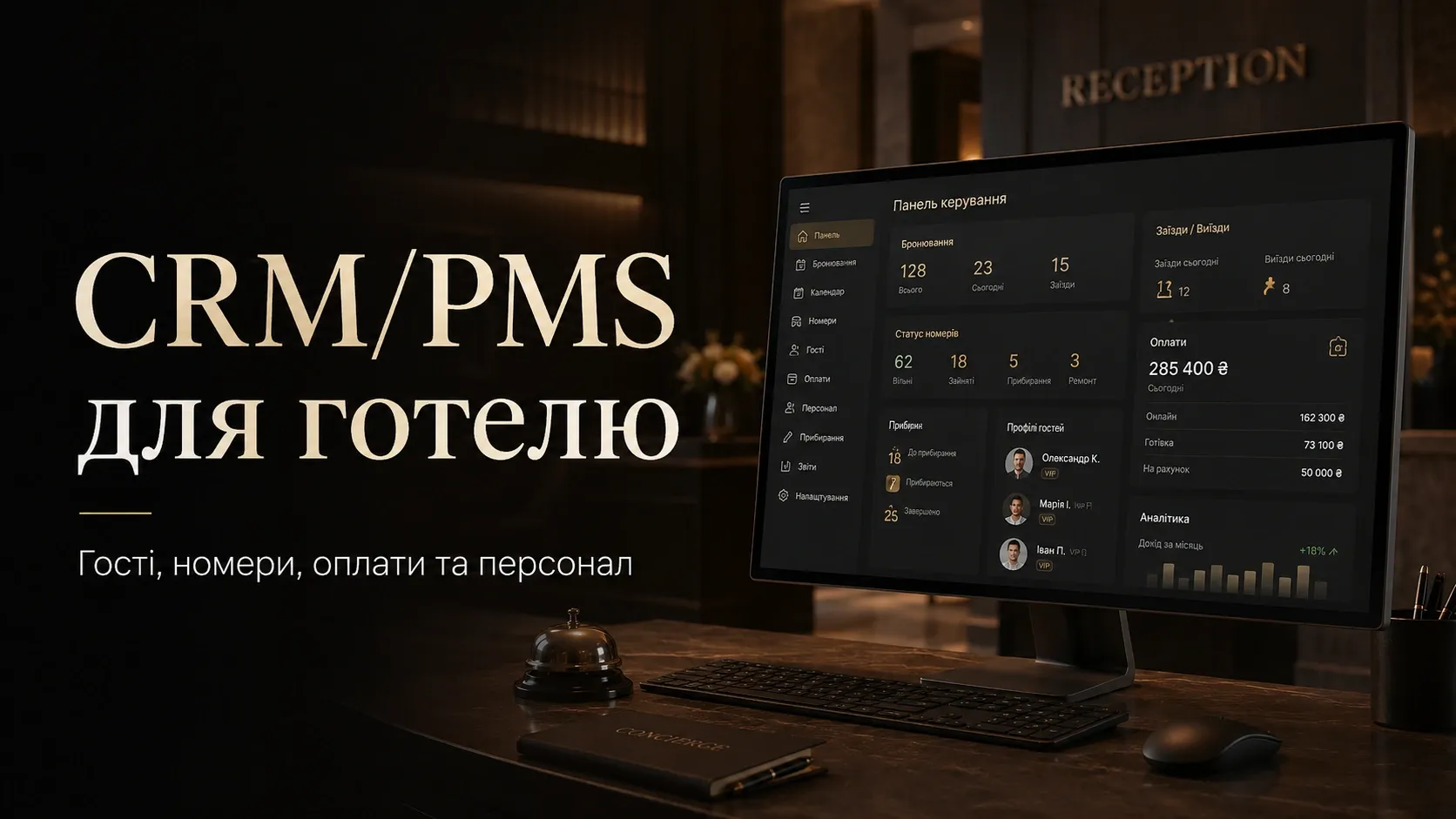
In the hotel business, chaos begins with the first booking. Manual records in Excel, lost requests, double bookings, and miscommunication between receptionists and housekeeping staff are just the tip of the iceberg. As a result, service suffers, guest satisfaction drops, and the owner loses revenue.
The solution is a CRM or PMS for hotels. But which one to choose? In this article, we’ll cover:
- The differences between CRM and PMS and when you need both integrated.
- How to automate bookings, room statuses, payments, and check-ins.
- How to maintain a guest database and stimulate repeat sales.
- How to organize staff workflows, from receptionists to housekeeping.
- Which analytics to track for profit growth.
How CRM and PMS for Hotels Differ
PMS (Property Management System)
PMS is a property management system focused on operational processes:
- Room bookings and calendar management.
- Room statuses (available, booked, cleaning, maintenance).
- Guest check-ins and check-outs.
- Payment processing and invoicing.
- Staff and task management (e.g., housekeeping assignments).
- Occupancy and revenue reports.
Example: In a PMS, the receptionist sees that Room 305 is vacated at 10:00 AM, immediately marks it for cleaning, and assigns the task to a housekeeper. Once cleaning is complete, the room automatically becomes available for booking.
CRM (Customer Relationship Management)
A hotel CRM focuses on guest interactions:
- Collecting and storing guest data (contacts, stay history, preferences).
- Guest segmentation for personalized offers.
- Automated communications (emails, SMS, messenger notifications).
- Loyalty programs and repeat sales.
- Guest behavior analytics and marketing campaign effectiveness.
Example: A guest who previously booked a luxury room receives a personalized offer with a discount on their next stay. The CRM tracks whether they opened the email and sends a reminder if needed.
When You Need Both Systems
Most hotels use both PMS and CRM together:
- PMS manages rooms and operations.
- CRM manages guest interactions.
- Integration between them allows automatic updates of guest data in the CRM after booking or check-in, as well as transferring special guest requests (e.g., "feather-free pillow") from the CRM to the PMS.
| Criteria | PMS | CRM |
|---|---|---|
| Main Focus | Rooms and operations | Guest communications and sales |
| Key Features | Bookings, room statuses, payments, staff tasks | Guest database, segmentation, automated communications, loyalty programs |
| Who Needs It | Receptionists, housekeeping, accounting | Marketers, sales managers, support teams |
| Integration Example | Passing booking data to CRM | Sending personalized offers to guests after check-out |
How to Manage Bookings and Room Statuses
Automating Bookings
Manual bookings via email, phone, or social media lead to errors and double bookings. An automated system allows:
- Accepting bookings through the website, OTAs (Booking.com, Airbnb), and messengers.
- Automatically synchronizing the booking calendar across all channels.
- Sending booking confirmations to guests with all details.
- Processing changes and cancellations without manual intervention.
How It Works in Practice:
- A guest books a room through the hotel’s website.
- The system automatically blocks the room in the calendar and sends the guest a confirmation with a payment link.
- The booking simultaneously appears in the PMS and CRM.
- If the guest changes dates or cancels, the system updates the calendar and notifies the receptionist.
Room Statuses
Managing room statuses in real time helps avoid conflicts and optimize staff workflows. Typical statuses:
- Available — the room is ready for booking.
- Booked — the room is reserved for a guest.
- Occupied — the guest has checked in.
- Cleaning — the room needs cleaning after check-out.
- Maintenance — the room is unavailable due to technical work.
- Blocked — the room is unavailable for booking (e.g., for a VIP guest).
Example of Status Automation:
- A guest checks out at 12:00 PM.
- The system automatically changes the room status to "Cleaning" and assigns the task to a housekeeper.
- After cleaning, the housekeeper updates the status to "Available" via a mobile app.
- The room immediately becomes available for booking.
How to Avoid Double Bookings
Double bookings occur when the same room is booked through different channels (e.g., website and Booking.com). To avoid this:
- Use a channel manager to sync calendars.
- Set up automatic room blocking after booking.
- Maintain a single booking database in the PMS.
Guest Database: How to Collect Data and Use It for Repeat Sales
Collecting Guest Data
Guest data is a goldmine for hotels. The more you know about a guest, the easier it is to offer personalized services and stimulate repeat sales. Data sources:
- Booking form on the website.
- Guest questionnaire at check-in.
- Stay history at the hotel.
- Feedback and requests during the stay.
- Interaction with marketing campaigns (emails, SMS).
What Data to Collect:
- Basic: name, email, phone, country.
- Preferences: room type, additional services (breakfast, transfer), special requests (allergies, crib).
- Behavior: booking frequency, average spend, response to offers.
- Feedback: service ratings, comments.
Guest Segmentation
Segmentation allows you to group guests by specific criteria and send them relevant offers. Example segments:
- Repeat guests — book more than 3 times a year.
- VIP guests — book luxury rooms or spend a lot on additional services.
- Group bookings — corporate clients or tourist groups.
- First-time bookers — guests booking for the first time.
- High-cancellation guests — frequently cancel bookings.
Repeat Sales and Loyalty Programs
Repeat guests generate more revenue than new ones. To encourage them to return:
- Automatic reminders about upcoming events (e.g., "A year has passed since your last stay — come back with a 10% discount").
- Personalized offers (e.g., "We remember you love rooms with a sea view — book one with a 15% discount").
- Loyalty programs (earn points for stays, redeemable for free nights or services).
- Special offers for segments (e.g., discounts for corporate clients on group bookings).
Example of Repeat Sales Automation:
- A guest checks out of the hotel.
- The CRM automatically sends a thank-you email with an offer to leave feedback.
- A week later, the guest receives a personalized offer with a discount on their next booking.
- If the guest doesn’t respond, another offer is sent a month later (e.g., "Free breakfast with a weekend booking").
Payments and Check-In: How to Avoid Mistakes and Speed Up Processes
Payment: From Booking to Check-Out
Payments are one of the most critical processes in a hotel. Mistakes here lead to financial losses and negative guest experiences. How to automate:
- Prepayment — guests pay part of the cost at booking.
- Automatic invoicing — the system generates invoices for additional services (mini-bar, laundry, restaurant).
- Online payments — integration with payment systems (Stripe, LiqPay, Portmone).
- Payment at check-in — guests pay the full amount upon arrival.
- Automatic charges — for repeat or corporate guests.
Example of Payment Automation:
- A guest books a room through the website.
- The system sends them a payment link for the deposit.
- After successful payment, the booking is confirmed.
- At check-in, the guest pays the remaining amount or signs an invoice for a corporate client.
Check-In: How to Speed Up and Improve Convenience
Long check-ins are a common cause of guest dissatisfaction. To speed up the process:
- Online registration — guests fill out forms and upload documents in advance.
- Mobile check-in — guests receive a digital room key via a mobile app.
- Fast check-in for repeat guests — the system automatically fills in data from the database.
- Self-service — guests can check in via a kiosk in the lobby.
Example of Check-In Automation:
- A guest receives an email with a link to online registration 3 days before check-in.
- They fill out the form and upload a passport copy.
- Upon arrival, the receptionist simply verifies the documents and hands over the key.
Housekeeping: How to Organize Staff Work
Automating Housekeeping Tasks
Manually assigning tasks to housekeeping leads to chaos: some rooms go uncleaned, while others are cleaned twice. Automation allows:
- Automatically assigning tasks based on room status.
- Tracking task completion time.
- Monitoring cleaning quality through checklists.
- Integrating tasks with a mobile app for housekeeping.
How It Works in Practice:
- A room changes status to "Cleaning."
- The system automatically assigns the task to the nearest available housekeeper.
- The housekeeper receives a notification in the mobile app and sees task details.
- After cleaning, the housekeeper updates the room status to "Available" and uploads photos for quality control.
- The supervisor checks the room and confirms the cleaning quality.
Cleaning Quality Control
Cleaning quality directly affects guest satisfaction. To control it:
- Checklists — housekeepers mark completed tasks (towel replacement, bathroom cleaning, bed making).
- Photo verification — housekeepers take photos of the room after cleaning.
- Guest feedback — guests rate cleaning quality in a post-stay survey.
- Random checks — supervisors periodically inspect rooms.
Staff Roles: Who Sees What in the System
Typical Hotel Roles
Each hotel employee has specific tasks and needs access to certain data in the system. Typical roles:
- Administrator — full access to bookings, payments, check-ins, check-outs, and reports.
- Receptionist — access to bookings, check-ins, and check-outs.
- Housekeeper — access to cleaning tasks and room statuses.
- Accountant — access to payments and financial reports.
- Sales Manager — access to the guest database and marketing tools.
- Housekeeping Supervisor — access to cleaning tasks and quality control.
How to Set Up Roles in the System
Configuring roles ensures data security and efficient staff workflows:
- Limit access to confidential data (e.g., the accountant shouldn’t see guest personal data).
- Grant only necessary permissions (e.g., housekeepers only see cleaning tasks).
- Automate role assignments (e.g., a new receptionist automatically gets access to required modules).
Analytics: Which Metrics to Track for Profit Growth
Key Hotel Metrics
Analytics helps make informed decisions and optimize business processes. Key metrics:
- Hotel occupancy — percentage of occupied rooms over a period.
- Average Daily Rate (ADR) — average revenue per sold room.
- Revenue per Available Room (RevPAR) — average revenue per available room.
- Booking sources — where guests come from (website, OTAs, phone, social media).
- Cancellation rate — percentage of bookings canceled.
- Average length of stay — how many nights guests stay.
- Repeat bookings — percentage of returning guests.
- Reviews and ratings — average guest rating (e.g., 1-5 scale).
How to Use Analytics for Profit Growth
- Optimize pricing based on occupancy and demand.
- Focus on high-conversion channels (e.g., if 60% of bookings come from the website, invest in its promotion).
- Reduce cancellation rates by improving booking conditions (e.g., flexible cancellation policies).
- Stimulate repeat bookings through loyalty programs and personalized offers.
- Improve service based on guest feedback.
Example Report for a Hotel Owner
| Metric | Value | Trend |
|---|---|---|
| Occupancy | 75% | +5% compared to last month |
| ADR | $100 | +3% |
| RevPAR | $75 | +8% |
| Cancellation Rate | 12% | -2% |
| Repeat Bookings | 25% | +5% |
| Booking.com Rating | 4.7/5 | +0.1 |
How to Choose a CRM/PMS for Your Hotel: Practical Criteria
1. Define Your Needs
Before choosing a system, determine which processes you want to automate:
- Do you need just a PMS for managing rooms and bookings?
- Do you also want a CRM for guest interactions and repeat sales?
- Do you need integration with a channel manager for booking synchronization?
- Is a mobile version important for your staff?
2. Evaluate Functionality
Compare systems based on key features:
- Bookings and calendar — OTA synchronization, support for different room types.
- Payments — online payment support, automatic invoicing.
- Guest database — segmentation, loyalty programs, automated communications.
- Staff tasks — task assignment, progress tracking.
- Analytics — available reports, customizable metrics.
- Integrations — API for connecting to the website, payment systems, channel manager.
3. Check Usability
The system should be user-friendly for all employees:
- Intuitive interface — staff should quickly learn to use the system.
- Mobile version — housekeepers and receptionists should access the system from their phones.
- Language support — important for staff convenience (e.g., Ukrainian interface).
4. Evaluate Cost and Terms
- Price — fixed fee or payment per room/booking.
- Trial period — ability to test the system before purchase.
- Support — technical support availability (preferably in Ukrainian).
Conclusion
A CRM and PMS for hotels are not just tools but the hub of all operations. The right system, properly configured, allows:
- Avoiding chaos in bookings and payments.
- Automating staff workflows and reducing time spent on routine tasks.
- Collecting and using guest data for repeat sales.
- Analyzing business efficiency and making data-driven decisions.
Choosing between CRM and PMS depends on your needs: if your main task is managing rooms and operations, opt for a PMS. If the focus is on guest interactions and repeat sales, choose a CRM. In most cases, the best solution is integrating both systems.
Don’t delay automation. Every day without a CRM/PMS means lost bookings, dissatisfied guests, and missed growth opportunities.
Need a CRM/PMS for Your Hotel?
We develop custom CRM and ERP systems for hotels that automate bookings, payments, staff workflows, and repeat sales. Contact us to learn more.
FAQ
Can a small hotel operate without a CRM/PMS?
Theoretically, yes, but in practice, it leads to booking chaos, payment errors, and guest loss. Even for a small hotel with 10-20 rooms, a CRM/PMS helps automate processes and save time on routine tasks.
How quickly does a CRM/PMS pay off?
The payback period depends on the hotel size and level of process automation. On average, hotel owners report a 20-30% cost reduction and a 10-15% revenue increase within the first 6-12 months after implementation.
Is staff training required to work with a CRM/PMS?
Yes, but modern systems have intuitive interfaces and mobile apps, so training takes no more than a few days. Most providers offer training materials and technical support.
Can a CRM/PMS be integrated with a hotel website?
Yes, most modern systems have APIs for integration with websites, payment systems, and channel managers. This allows automatic synchronization of bookings and payments across all channels.
How does a CRM/PMS help with repeat sales?
A CRM collects guest data and preferences, allowing you to segment your audience and send personalized offers. For example, guests who previously booked luxury rooms receive special conditions for their next stay.