
CRM or Excel for Auto Repair Shops: When Spreadsheets Are No Longer Enough
Why Excel fails to handle customer records for auto repair shops when orders exceed 20 per week. How CRM helps control statuses, repair history, and repeat sales without manual chaos.
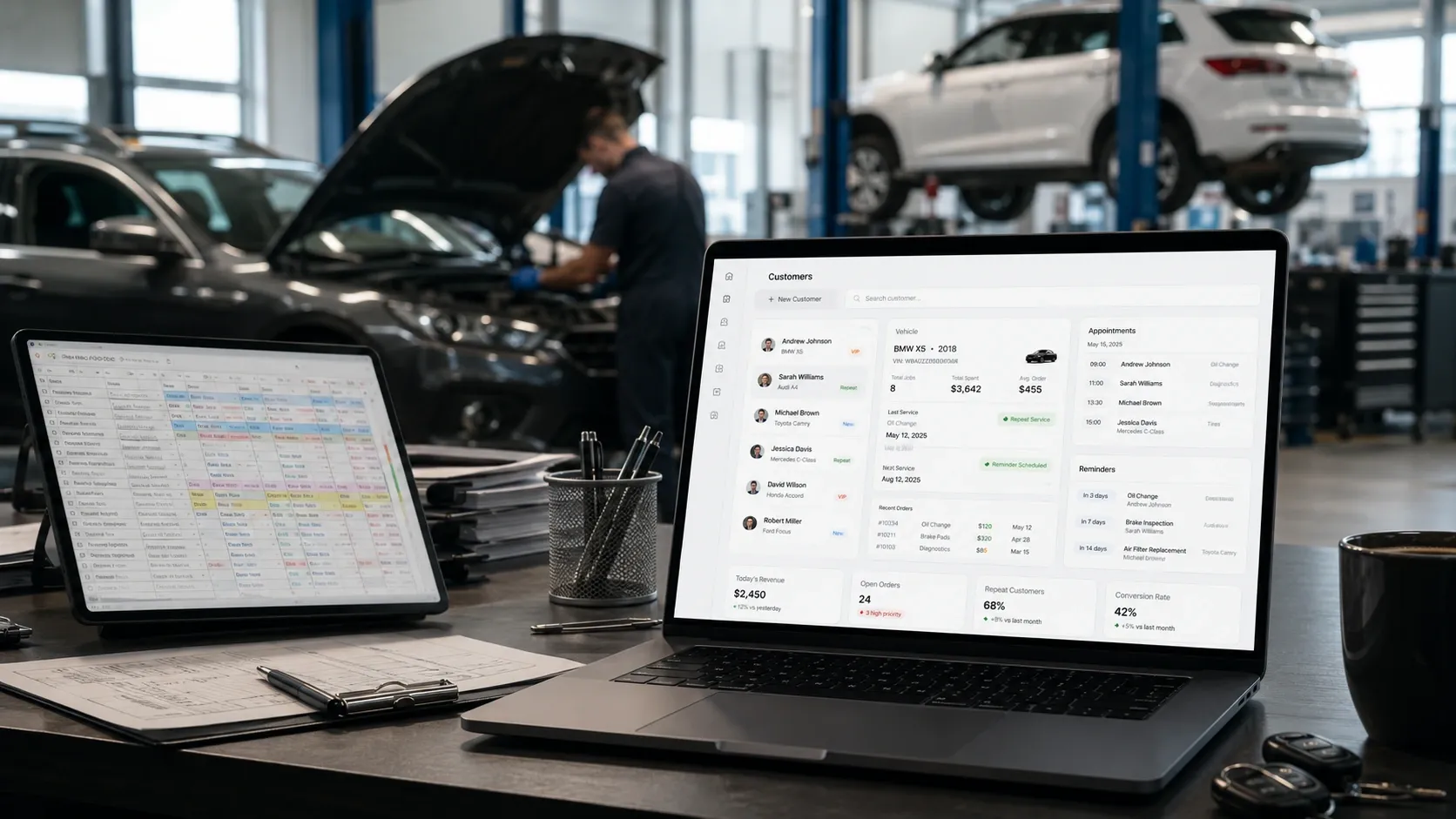
You started with Excel or Google Sheets — and that makes sense. It’s free, fast, and straightforward. But as the number of orders grows, spreadsheets begin to "break": customers get lost, statuses get confused, and reminders about service deadlines disappear. In this article, we’ll explore when an auto repair shop should switch to a CRM, which features are critical for the business, and how to avoid common mistakes when choosing a system.
Why Excel Stops Working as You Grow
At the start, spreadsheets serve their purpose:
- Record the customer’s name, vehicle, and arrival date.
- Allow adding comments about completed work.
- Serve as a temporary customer database.
But when orders exceed 20 per week, systemic problems arise:
| Excel Problem | Business Impact |
|---|---|
| No customer history | Loss of trust due to ignorance of previous repairs. |
| Manual status updates | Orders "hang", customers get frustrated. |
| No reminders | Missed service deadlines, lost repeat sales. |
| No roles or access control | Managers overlap each other’s work. |
| No analytics | Unclear which services are profitable. |
| Manual manager control | Too much time spent on reports, errors due to human factor. |
Example: A customer returns for a second visit, but the manager doesn’t see that brake pads were replaced a year ago. They offer a standard service package — and miss the opportunity to upsell additional work.
When an Auto Repair Shop Should Switch to CRM
Consider switching to a CRM if you encounter at least three of these signals:
- More than 20 orders per week — manual spreadsheet management takes over 2 hours a day.
- Customers complain about lack of history — repeat visits are treated as new.
- No automatic reminders — missing service deadlines, losing repeat sales.
- Status confusion — unclear how many orders are in progress or completed.
- Need to control managers — no way to track who processes which order.
- No analytics — unclear which services are popular or which mechanics are overloaded.
Transition threshold: If you spend over 10 hours per week on manual spreadsheet management, a CRM will pay for itself in 2-3 months through time savings and increased repeat sales.
Essential CRM Features for Auto Repair Shops
Not all CRMs are equal. For auto repair shops, the following features are critical:
1. Customer and Vehicle History
- Full record of all previous repairs, part replacements, and mechanic recommendations.
- Ability to add photos of damages or completed work.
- Link to VIN for quick history lookup.
2. Order Statuses and Automation
- End-to-end order tracking from "Pending" to "Completed" with automatic customer notifications.
- Ability to assign orders to specific mechanics or departments.
- Calendar integration for scheduling arrivals.
3. Reminders and Repeat Sales
- Automatic SMS/email reminders for maintenance, oil changes, brake pad replacements.
- Customer segmentation by repair history for targeted offers.
- Ability to create personalized discounts for loyal customers.
4. Roles and Access Control
- Separate permissions for managers, mechanics, and administrators.
- Change log to track who made edits and when.
- Ability to block access for former employees.
5. Analytics and Reports
- Reports on order volume, average check, mechanic workload.
- Analysis of popular services and parts to optimize inventory.
- Ability to compare metrics across different periods.
6. Integrations with Other Systems
- Connection to accounting software (e.g., 1C).
- Integration with Telegram bots for quick customer notifications.
- Website integration for online repair scheduling.
How to Choose a CRM for Your Auto Repair Shop: Practical Criteria
-
Flexibility of Settings
- Can you customize statuses to fit your business process?
- Can you add custom fields (e.g., VIN, vehicle make)?
-
Mobile Access
- Is there a mobile version or app for mechanics and managers?
- Can you update order statuses from a phone?
-
Ease of Use
- Is the interface understandable for employees without technical training?
- Are there training materials or support available?
-
Cost
- Are all necessary features included in the base plan?
- Are there hidden fees for additional modules or users?
-
Data Import from Excel
- Can you transfer your existing customer database without losing information?
- Is data formatting supported (e.g., phone numbers, dates)?
Example of Switching from Excel to CRM
Situation: An auto repair shop with 5 mechanics and 30-40 orders per week. The Google Sheets spreadsheet contains:
- Customer name, phone, vehicle.
- Arrival date, brief description of the problem.
- Status ("In Progress", "Completed").
Problems:
- No repair history — repeat customers are treated as new.
- No reminders — service deadlines are missed.
- No analytics — unclear which services are popular.
Solution: Implementing a CRM with the following features:
- Importing the existing customer database.
- Setting up order statuses ("Pending", "Diagnostics", "In Progress", "Completed").
- Creating automatic reminders for maintenance.
- Assigning roles for managers and mechanics.
- Setting up integration with a Telegram bot for customer notifications.
Result:
- Saving 8 hours per week on manual spreadsheet management.
- Increasing repeat sales by 15% due to reminders.
- Reducing manager errors through transparent status control.
Conclusion
Excel is a great tool for starting out, but as your business grows, it becomes a hindrance. A CRM for auto repair shops solves key problems: automates routine tasks, stores customer history, provides order control, and helps increase repeat sales. The main thing is to choose a system that fits your business processes and integrates easily with existing tools.
If you already feel that spreadsheets aren’t coping — it’s time to think about a CRM. This isn’t just a record-keeping tool, but a system that helps save time, improve service, and increase profit.
Ready to automate customer records for your auto repair shop?
We develop CRM systems tailored to the specifics of auto repair shops: repair history, maintenance reminders, manager control, and analytics. Tell us about your needs — and we’ll find a solution that saves you time and increases profit.
FAQ
Can Excel be used for auto repair shops indefinitely?
Excel is suitable for starting out, but as the number of orders grows, it becomes inefficient due to lack of automation, customer history, and analytics. A CRM helps avoid manual chaos and increase repeat sales.
How much does a CRM for an auto repair shop cost?
The cost of a CRM depends on the number of users and functionality. Basic plans start at $15 per month, but for a full-fledged auto repair shop system, you should budget $50-$100 per month for all necessary features.
How to transfer data from Excel to CRM?
Most CRMs support importing data from Excel or Google Sheets. It’s important to properly prepare the spreadsheet: remove unnecessary columns, check date and phone number formats. Some systems offer free assistance with data migration.
Is a CRM necessary for a small auto repair shop?
If you have fewer than 10 orders per week and don’t plan to grow, Excel may be sufficient. But if you aim to increase the number of customers and improve service, a CRM will help avoid chaos at the stage of 15-20 orders per week.
Which CRMs are suitable for auto repair shops?
Both universal CRMs (e.g., Bitrix24, amoCRM) and specialized solutions for auto repair shops are suitable. The choice depends on your needs: integration with accounting, mobile access, analytics, etc.