
CRM for Fitness Clubs: Managing Memberships, Clients, Visits, and Trainers
How a CRM system automates membership sales, client tracking, visits, freezes, trainer schedules, payroll, and analytics. Practical implementation scenarios and a checklist for choosing the right CRM.
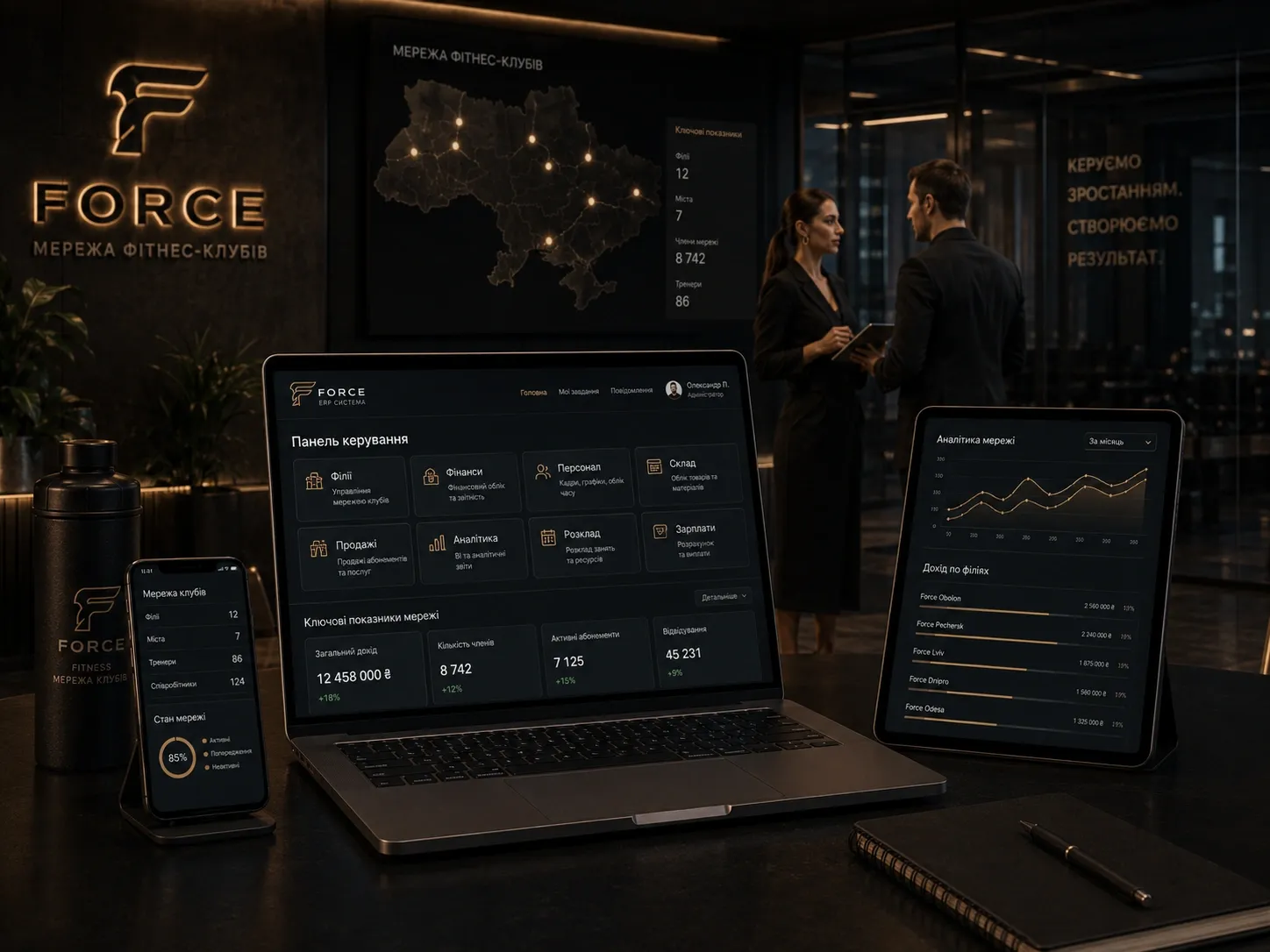
A fitness club operates like a complex mechanism with many moving parts: memberships, clients, trainers, schedules, payments, freezes, access control, and reminders. If even one part is managed manually, money is lost. Manual tracking in Excel or notebooks leads to errors in attendance records, unaccounted freezes, expired memberships, delayed trainer payments, and lost clients due to poor service.
This article explains how a CRM system for fitness clubs automates key processes, reduces operational costs, and increases revenue. You will learn:
- How to build a membership sales funnel and track conversions.
- How to manage a client database and segment it for personalized offers.
- How to handle memberships, freezes, and visits without errors.
- How to schedule trainers and automate payroll calculations.
- How to integrate payments, access control, and notifications for client convenience.
- What criteria to use when choosing a CRM for a fitness club and implementation scenarios.
Membership Sales Funnel: From First Contact to Repeat Purchases
The sales funnel in a fitness club is the customer’s journey from the first call or visit to purchasing a membership and subsequent retention. Without a CRM, this path is blurred: managers don’t track lead sources, don’t know where customers drop off, and lose potential buyers due to a lack of reminders.
Funnel Stages and How CRM Automates Them:
| Funnel Stage | Problem Without CRM | CRM Solution |
|---|---|---|
| First Contact | Leads get lost without proper recording | CRM logs the source (website, social media, call) and contact details. |
| Qualification | No unified system for assessing interest | Automatic tagging based on interests (e.g., "yoga," "strength training"). |
| Membership Presentation | Manual discount and price calculations | CRM generates a commercial offer with current prices and discounts. |
| Closing the Deal | Documents get lost, deadlines unmonitored | Electronic document signing and automatic membership activation. |
| Client Retention | No reminder system for membership expiry | Automatic emails/SMS about upcoming expiry with renewal offers. |
| Repeat Sales | Client history data is unused | Segmentation by visit frequency and personalized offers. |
Example: If a client hasn’t visited the gym for over 2 weeks, the CRM automatically sends a message with a motivational offer or an invitation to a free session with a trainer. This boosts loyalty and reduces churn.
Client Database: How to Maintain Records and Use Data
A client database isn’t just a list of names and phone numbers—it’s a tool for analytics, segmentation, and personalization. Without a CRM, data is scattered across spreadsheets, notebooks, and managers’ memories, making it difficult to use.
What a CRM Should Store About Clients:
- Personal Data: Full name, phone, email, date of birth.
- Purchase History: Memberships, one-time sessions, merchandise, trainer services.
- Visits: Dates and times of visits, trainer sessions, classes attended.
- Freezes: Periods when memberships were frozen and reasons.
- Payments: Payment history, debts, discounts.
- Interactions: Manager notes, communication history.
- Segmentation: Tags based on interests, activity levels, membership types.
How to Use Client Database Data:
- Personalized Offers: For example, offer clients who visit less than twice a week a membership with a fixed number of visits.
- Churn Analysis: Identify clients who’ve stopped visiting and offer them special conditions to return.
- Marketing Campaigns: Segment clients by interests and send relevant offers (e.g., yoga classes for those interested in yoga).
Memberships: Managing Sales, Freezes, and Visits
Memberships are the primary revenue source for fitness clubs. Poor tracking leads to financial losses: expired memberships, unaccounted freezes, attendance errors.
How CRM Automates Membership Management:
| Function | Problem Without CRM | CRM Solution |
|---|---|---|
| Membership Sales | Manual price and discount calculations | CRM automatically calculates prices with discounts and promotions. |
| Membership Activation | Lost documents, unmonitored deadlines | Electronic activation with client signature and automatic start date. |
| Attendance Tracking | Manual logs, errors, fraud | Automatic tracking via card scanning or QR codes at entry. |
| Membership Freezes | Errors in freeze period calculations | CRM automatically extends the membership period by the freeze duration. |
| Expiry Notifications | Clients forget to renew memberships | Automatic emails/SMS 7 and 3 days before expiry. |
| Membership Renewal | Time-consuming manual processing | Online payment and automatic renewal. |
Example: If a client freezes their membership for 2 weeks, the CRM automatically extends the membership period by 2 weeks, eliminating errors and client conflicts.
Visits: Controlling Access and Analyzing Activity
Visits are an indicator of client engagement and club efficiency. Without automation, tracking is manual, leading to errors, fraud, and data loss.
How CRM Automates Visit Tracking:
- Automatic Access Control: Card or QR code scanning at entry logs visits in the system.
- Visit Confirmations: Clients receive entry confirmations (email/SMS or mobile app).
- Visit Analytics: Reports on visit frequency, popular hours/days, trainer and class activity.
- Schedule Integration: System warns if a client tries to attend a class without prior booking.
Example: If a client hasn’t visited in over 2 weeks, the CRM can automatically send a message offering a free session with a trainer to reignite motivation.
Trainer and Group Class Schedules: Avoiding Chaos
The schedule is the heart of a fitness club. Without a centralized planning system, conflicts arise: double bookings, overloaded trainers, unused slots.
How CRM Optimizes Scheduling:
- Trainer Calendar: Unified calendar for all trainers with client booking options.
- Group Classes: Online booking via mobile app or website with limited spots.
- Schedule Change Notifications: Automatic emails/SMS to clients for schedule changes or cancellations.
- Load Analytics: Reports on class and trainer popularity to optimize the schedule.
Example: If a group class reaches maximum capacity, the system automatically closes registration and suggests alternatives.
Trainer Payroll: Automating Calculations and Payments
Trainer pay depends on the number of sessions or client visits. Without a CRM, calculations are manual, leading to errors and payment delays.
How CRM Automates Payroll:
- Tariff Settings: Flexible rules (fixed rate per session, percentage of membership, bonuses).
- Automatic Calculations: System calculates pay based on conducted sessions and visits.
- Payroll Reports: Data export compatible with accounting software.
- Payment Notifications: Trainers receive notifications about pay amounts and deadlines.
Example: If a trainer conducts 20 individual sessions at 300 UAH per session, the CRM automatically calculates their pay as 6,000 UAH.
Reminders, Access, and Payments: Reducing Manual Work
Manual reminders, access control, and payment tracking waste administrators’ time and lead to errors. Automating these processes improves client satisfaction and reduces operational costs.
How CRM Automates These Processes:
| Process | Problem Without CRM | CRM Solution |
|---|---|---|
| Reminders | Manual SMS/email sending | Automatic notifications for bookings, payments, membership expiry. |
| Access Control | Manual key/card control | Integration with turnstiles or mobile apps for automatic access. |
| Payments | Manual payment and debt tracking | Integration with payment systems for automatic deductions. |
| Debt Notifications | Manual debt monitoring | Automatic emails/SMS to clients with debt reminders. |
Example: If a client hasn’t paid for their membership by the end of the current period, the CRM automatically blocks access and sends a payment reminder.
Analytics and Reporting: Data-Driven Decision Making
Analytics helps identify weak points in club operations and make data-driven decisions. Without a CRM, data is scattered across sources, complicating analysis.
Reports a CRM Should Generate:
- Financial Reports: Revenue for the period, income structure (memberships, one-time sessions, merchandise), client debts.
- Client Reports: Churn rate, average membership duration, share of loyal clients.
- Trainer Reports: Number of conducted sessions, workload, client feedback.
- Visit Reports: Popular hours/days, gym load, group class attendance.
- Marketing Reports: Ad campaign effectiveness, lead-to-client conversion.
Example: If analytics show that 30% of clients stop visiting after the first month, you can develop a loyalty program for newcomers.
Integrations: How CRM Works with Other Tools
A CRM for fitness clubs doesn’t operate in isolation—it must integrate with other tools to automate processes and enhance client convenience.
Key Integrations:
- Payment Systems: LiqPay, WayForPay, Fondy for automated payments.
- Access Control Systems: Turnstiles, electronic keys, mobile apps for automatic visit tracking.
- Accounting Software: 1C, MEDOC for financial automation.
- Email and SMS Services: SendPulse, TurboSMS for automated notifications.
- Social Media and Chatbots: Facebook, Instagram, Telegram for lead collection and client communication.
- Mobile Apps: Client portal for class bookings, payments, and visit history.
Example: Integration with a payment system allows clients to automatically renew memberships online without administrator involvement.
Criteria for Choosing a CRM for a Fitness Club
Choosing a CRM is an investment in business efficiency. The wrong choice leads to wasted costs and implementation issues. Here are key criteria to consider:
| Criterion | What to Check |
|---|---|
| Functionality | Are there modules for memberships, visits, schedules, payroll, analytics? |
| Integrations | Does the CRM support payment systems, turnstiles, accounting software? |
| Mobile Access | Is there a mobile app for clients and staff? |
| Customization | Can the CRM be tailored to your club’s specifics? |
| Support and Training | Is there technical support and training materials? |
| Price | Does the CRM fit your budget and business scale? |
| User Reviews | Are there positive reviews from other fitness clubs? |
| Data Security | Does the CRM ensure client data protection? |
Tip: Before choosing a CRM, test a demo version or run a pilot in one branch. This helps assess usability and fit.
CRM Implementation Scenarios for Fitness Clubs
Implementing a CRM isn’t a one-time event—it’s a process. Here are three scenarios to minimize risks and maximize benefits:
1. Phased Implementation
- Step 1: Implement CRM for client tracking and membership sales.
- Step 2: Add attendance tracking and trainer scheduling.
- Step 3: Integrate with payment systems and accounting.
- Step 4: Set up automated reminders and analytics.
Advantages: Minimal risks, ability to fix errors early.
2. Single-Branch Implementation
If you have multiple clubs, start with one branch. This lets you test the CRM in real conditions and train staff before scaling.
Advantages: Localized risks, feedback from employees.
3. Full Implementation with Staff Training
If you’re ready for rapid change, implement the CRM across all processes with parallel staff training. This requires more resources but delivers quick results.
Advantages: Fast benefits from automation, minimal adaptation time.
CRM Implementation Checklist for Fitness Clubs
Use this checklist to avoid missing key steps during CRM implementation:
- [ ] Define key processes to automate (sales, visits, scheduling, payroll).
- [ ] Choose a CRM that meets your functionality and budget requirements.
- [ ] Set up integrations with payment systems, turnstiles, and accounting.
- [ ] Migrate client and membership data from Excel or other systems.
- [ ] Train staff on CRM usage (sales, attendance tracking, scheduling).
- [ ] Set up automated client notifications (reminders, payments, membership expiry).
- [ ] Test CRM operations in real processes (membership sales, class booking, visit tracking).
- [ ] Configure reports and analytics for efficiency monitoring.
- [ ] Launch the CRM in full operation and gather employee feedback.
- [ ] Optimize processes based on data and feedback.
Comparison Table: CRM for Fitness Clubs vs Manual Tracking
| Process | Manual Tracking | CRM for Fitness Clubs |
|---|---|---|
| Membership Sales | Manual price calculations, document errors | Automatic calculations, electronic documents |
| Attendance Tracking | Manual logs, errors, fraud | Automatic tracking via card scanning |
| Membership Freezes | Manual date calculations, errors | Automatic membership period extension |
| Trainer Scheduling | Paper schedules, double bookings | Unified calendar with booking |
| Trainer Payroll | Manual calculations, payment delays | Automatic pay calculation by sessions/visits |
| Client Notifications | Manual SMS/email sending | Automatic reminders for bookings and payments |
| Analytics | Scattered Excel data | Centralized real-time reports and analytics |
| Client Access | Manual key/card control | Automatic control via turnstiles or mobile app |
| Payments | Manual payment and debt tracking | Integration with payment systems for automatic deductions |
Conclusion: Why a CRM Is an Investment, Not an Expense
A CRM for a fitness club isn’t just a tracking tool—it’s a system that unifies sales, memberships, visits, trainers, and finances. It reduces financial losses at every stage:
- Sales: Reduces lead churn and boosts conversion.
- Memberships: Eliminates errors in freezes and visits.
- Visits: Prevents fraud and improves service.
- Trainers: Automates payroll and reduces administrative load.
- Finances: Ensures transparency and payment control.
Implementing a CRM requires time and resources, but it’s an investment that pays off by reducing operational costs, increasing client satisfaction, and boosting revenue. Choosing the right CRM and implementing it wisely helps automate routine tasks and focus on business growth.
Ready to automate your fitness club?
We develop custom CRM systems for fitness clubs that unify sales, memberships, visits, trainers, and finances in one platform. Contact us to get a solution that reduces operational costs and increases revenue.
FAQ
Can a CRM integrate with turnstiles for access control?
Yes, most modern CRMs for fitness clubs support integration with access control systems like turnstiles, electronic keys, or mobile apps. This allows automatic visit tracking and access blocking for expired memberships or debts.
How does a CRM prevent errors in membership freezes?
A CRM automatically extends the membership period by the freeze duration, eliminating manual calculations. For example, if a client freezes their membership for 2 weeks, the system adds those 2 weeks to the membership end date.
Can a CRM automate trainer payroll calculations?
Yes, a CRM allows flexible payroll rules based on sessions conducted, client visits, or other criteria. The system automatically calculates pay and generates reports for accounting.
How does a CRM help reduce client churn?
A CRM tracks client activity and automatically sends reminders or motivational offers to those who’ve stopped visiting. For example, a client who hasn’t visited in 2 weeks receives an email inviting them to a free session.
Does a CRM support a mobile app for clients?
Yes, many CRMs for fitness clubs offer mobile apps where clients can book classes, pay for memberships, view visit history, and receive notifications.
How to choose a CRM for a small fitness club?
For a small club, choose a CRM with flexible pricing, basic features (client tracking, memberships, visits), and scalability. Also, check for payment system integrations and ease of use.