
CRM for Dentistry: How to Retain Patients, Appointments, and Repeat Visits
How can a dental clinic avoid losing patients due to chaotic bookings, forgotten reminders, and lack of communication history? Discover how a CRM system helps manage appointments, repeat visits, and analytics.
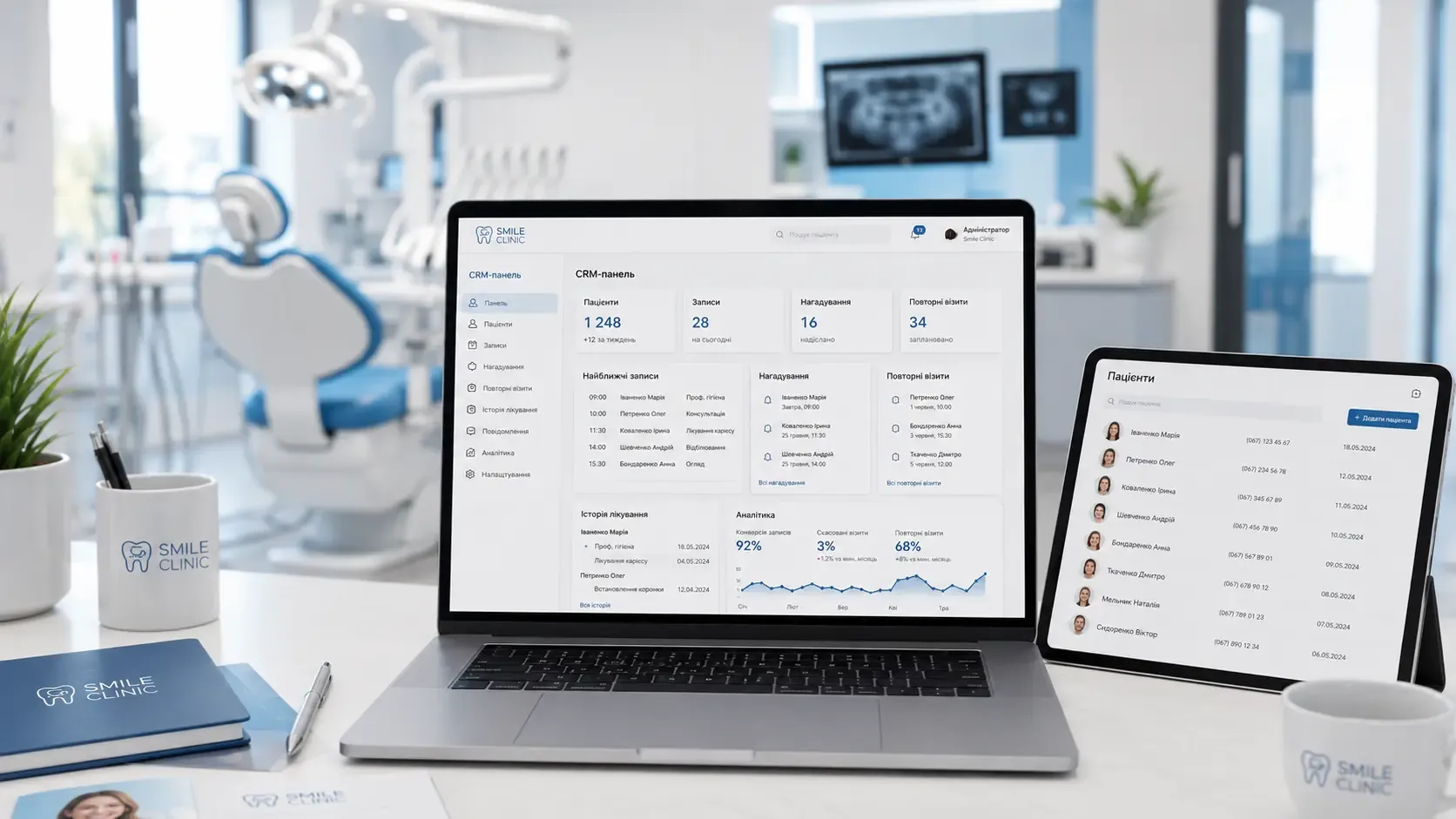
In a dental clinic, every patient represents not just a treatment session but a long-term relationship. Yet daily operational challenges often hinder the focus on what truly matters: retaining the client base and encouraging repeat visits. Let’s explore common problems and how a CRM system can solve them.
Common Problems in Dental Clinics: Where Patients Get Lost
1. Bookings Across Multiple Channels
Dental clinics often accept appointments through various channels: phone calls, Viber, Instagram, websites, and in-person at the reception. Without a centralized system, bookings scatter, duplicate, or get lost. Receptionists may forget to add a patient to the schedule, while the client may never receive confirmation.
Consequences:
- Missed appointments and lost revenue.
- Negative patient experiences due to disorganization.
- Time wasted on manual checks and error corrections.
2. Lack of Communication History
Every new receptionist or doctor starts from scratch, repeatedly asking patients about previous visits, allergies, or treatment specifics. This frustrates clients and increases the risk of medical errors.
Consequences:
- Patients feel like "newcomers" at every visit.
- Doctors lack a complete view of the treatment history.
- Higher chances of incorrect prescriptions.
3. Forgotten Patients and Missing Repeat Visits
Dental care isn’t a one-time service; it requires regular maintenance. Without reminders, patients forget about hygiene cleanings, check-ups, or early-stage cavity treatments. Manual reminders via SMS or calls are time-consuming and often ineffective.
Consequences:
- Fewer repeat visits.
- Loss of regular clients due to inattention.
- Patients switch to competitors who keep in touch.
4. Weak Administrative Control
Without a unified system, it’s hard to track the performance of receptionists: who booked how many patients, how many appointments were missed, or which communication channels work best. This leads to unfair evaluations and demotivates the team.
Consequences:
- Low productivity among receptionists.
- Lack of transparency in workflows.
- Difficulty optimizing clinic operations.
How CRM Solves These Problems
1. Unified Patient Database and Automated Bookings
A CRM system consolidates all communication channels into one interface. Appointments made via website, social media, or phone automatically appear in the clinic’s schedule. Patients receive confirmations and reminders, while receptionists see available slots in real time.
Benefits:
- No duplicate or lost bookings.
- Patients receive instant confirmation.
- Reduced workload for receptionists.
2. Complete Communication and Treatment History
Every visit, diagnosis, prescription, and interaction with the patient is recorded in their profile. Doctors or receptionists can access the full history with a single click, improving service quality and reducing errors.
Benefits:
- Patients feel individually cared for.
- Doctors make decisions based on complete data.
- Less time spent on repetitive questioning.
3. Automated Reminders and Repeat Visits
CRM automatically sends SMS, emails, or push notifications before appointments. The system also reminds patients about scheduled check-ups, hygiene cleanings, or ongoing treatments, encouraging repeat visits.
Benefits:
- Increased number of repeat visits.
- Fewer missed appointments.
- Patients stay on top of their dental care.
4. Administrative Control and Analytics
CRM provides tools to monitor team performance: number of booked patients, missed appointments, and conversion rates from different channels. This helps optimize processes and improve clinic results.
Benefits:
- Transparency in administrative work.
- Ability to identify weak spots in processes.
- Data-driven decision-making.
How to Choose a CRM for Dentistry: Practical Criteria
-
Integration with Communication Channels Ensure the CRM supports all channels the clinic uses for bookings: phone, website, social media, and messengers.
-
Medical Records Management The system should allow storing treatment history, diagnoses, X-rays, and prescriptions.
-
Reminders and Automation The CRM must support automated reminders via SMS, email, or messengers.
-
Analytics and Reporting Choose a solution with the ability to generate reports on attendance, staff efficiency, and patient sources.
-
Mobile Access Doctors and receptionists should be able to access the system from any device.
-
Data Security Ensure the CRM complies with data protection regulations (e.g., GDPR or local standards).
| Criterion | Importance |
|---|---|
| Integration with channels | High |
| Medical records | Critically important |
| Automated reminders | High |
| Analytics | Medium |
| Mobile access | High |
| Data security | Critically important |
Conclusion
A CRM for dentistry isn’t just a tool for booking patients—it’s a comprehensive system that helps retain clients, improve service quality, and optimize clinic operations. Implementing a CRM allows you to focus on what matters most: treating patients, not managing routine processes.
Instead of losing patients due to forgotten bookings or lack of reminders, a dental clinic can build a system that works for you 24/7. This is an investment in long-term client relationships and stable revenue.
Ready to automate your dental clinic’s operations?
We develop CRM systems tailored to dentistry, from patient bookings to analytics for repeat visits. Let us help you implement a solution that works for you 24/7.
FAQ
Is a CRM necessary for a small dental clinic?
Even small clinics face challenges like chaotic bookings, lost patient history, and missed repeat visits. A CRM helps structure processes and saves time on routine tasks, which is especially valuable for small teams.
How quickly will a CRM pay off in a dental clinic?
The payback period depends on the size of the client base and clinic efficiency. Typically, automating bookings and reminders reduces missed appointments by 20-30%, quickly covering the cost of the system.
Can a CRM integrate with existing clinic tools?
Yes, modern CRMs support integration with websites, messengers, phones, and medical databases. It’s important to choose a solution with flexible customization options.
How does a CRM improve patient loyalty?
A CRM retains the full history of treatment and communication, automatically reminds patients about visits, and offers personalized conditions (e.g., discounts on hygiene cleanings). This creates a sense of care and increases trust in the clinic.
Is it difficult to train staff to use a CRM?
Modern CRMs are designed with user-friendliness in mind. Training receptionists and doctors takes from a few hours to a few days, depending on the system’s complexity. It’s important to choose a solution with an intuitive interface and strong support.