
CRM for Beauty Salons: How to Retain Clients, Appointments, and Repeat Visits
How a CRM system helps beauty salons automate bookings, store client history, send reminders, and launch loyalty programs — eliminating manual chaos and lost revenue.
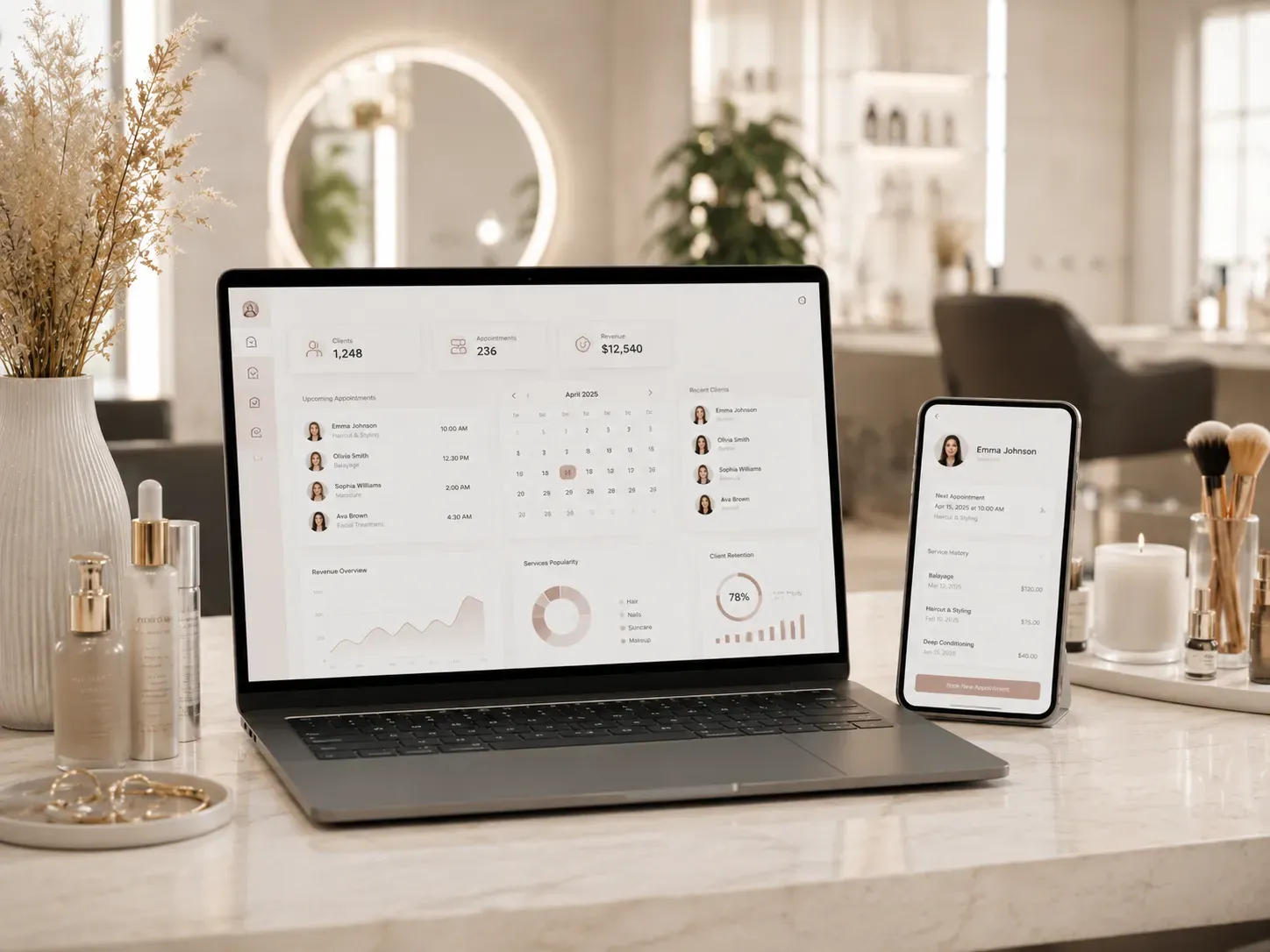
A beauty salon deals with dozens of appointments daily, shifting schedules, forgetful clients, and administrators lost in paper logs or Excel sheets. The result? Missed appointments, lost clients, and declining profits. A CRM system for a beauty salon isn’t just a booking tool — it’s a solution that organizes client databases, master calendars, procedure history, and analytics to make your business run like clockwork.
Why Your Beauty Salon Needs a CRM
Without a CRM, salons face these challenges:
- Lost bookings: Clients call or message, but information gets lost between staff members.
- Missed appointments: No reminder system means clients forget scheduled procedures.
- Chaotic scheduling: Masters are overbooked or idle due to uneven appointment distribution.
- No history tracking: New employees don’t know what procedures clients had before, complicating service.
- Low loyalty: No mechanism for reminders about repeat visits or personalized offers.
The cost of inaction is lost revenue and a competitive disadvantage. A CRM solves these issues by automating processes and reducing manual work.
How a CRM Organizes Beauty Salon Operations
1. Client Database: All Information in One Place
A CRM stores more than just names and phone numbers — it includes:
- Visit history and completed procedures.
- Personal preferences (e.g., favorite master or cosmetic products).
- Birthdays, allergies, and other important details.
Example: A client comes in for a manicure, and the master immediately sees she always chooses a specific gel polish brand and gets a blowout. This simplifies work and enhances service quality.
2. Master Calendar: Transparent Appointment Management
A CRM system allows:
- Creating separate calendars for each master.
- Viewing available slots and preventing double bookings.
- Automatically reminding clients about upcoming appointments.
- Syncing the calendar with the website and messengers for online booking.
Advantage: Reducing missed appointments by 30–50% thanks to automated SMS and email reminders.
3. Procedure History: Tracking Client Needs
Every visit is logged in the system with details:
- What procedures were performed.
- What materials were used.
- Master recommendations for the next visit.
Example: A client comes in for a haircut, and the master sees they previously had root coloring. This allows suggesting a repeat procedure or an alternative product.
4. Reminders and Communication: Clients Don’t Forget About You
A CRM automatically sends:
- SMS and email reminders a day before the appointment.
- Personalized offers for birthdays or holidays.
- Invitations for repeat procedures (e.g., “Time to refresh your manicure!”).
Result: Increased repeat visits and reduced client churn.
5. Analytics: Data-Driven Decisions
A CRM collects and analyzes information on:
- Most popular procedures and masters.
- Average check and client visit frequency.
- Missed appointment rates.
- Marketing campaign effectiveness.
Example: If analytics show that “hair botox” has low demand, you can review pricing or provide additional training for masters.
6. Loyalty Programs: Encouraging Repeat Visits
A CRM enables:
- Points accumulation systems for visits.
- Personalized discounts for regular clients.
- Birthday gifts.
- Referral programs (e.g., “Bring a friend — get a discount”).
Example: A client who visits the salon once a month receives a free procedure after their fifth visit.
7. Integration with Website and Messengers
Modern CRM systems easily integrate with:
- Salon website: Online bookings via the website form automatically appear in the calendar.
- Messengers: Telegram, Viber, and WhatsApp for quick client communication.
- Social media: Facebook and Instagram for marketing campaigns.
- Payment systems: Online service payments via the website.
Advantage: Clients can book anytime without calls, increasing conversion rates.
How to Choose a CRM for Your Beauty Salon: Selection Criteria
When choosing a CRM, consider these features:
| Criteria | What to Look For |
|---|---|
| Client Database | Ability to store visit history and personal data |
| Master Calendar | Sync with Google Calendar and automated reminders |
| Online Booking | Integration with website and messengers |
| Analytics | Reports on sales, popular procedures, and marketing effectiveness |
| Loyalty Programs | Ability to set up bonuses, discounts, and gifts |
| Integrations | Compatibility with payment systems, messengers, and social media |
| Mobile Access | Convenient app for on-the-go management |
| Support | Availability of training and technical support |
Tips for Implementing a CRM in Your Beauty Salon
- Start small: Implement the CRM in stages — first set up the client database and calendar, then add reminders and analytics.
- Train your staff: Conduct training for administrators and masters so they can use the system efficiently.
- Automate communication: Set up automatic reminders and messages for clients.
- Use analytics: Regularly analyze data to optimize processes and increase sales.
- Launch a loyalty program: Encourage clients to return with bonuses and discounts.
Conclusion
A CRM for a beauty salon isn’t a luxury — it’s a necessity for businesses looking to increase revenue, reduce manual work costs, and boost client loyalty. The right system helps avoid chaos in bookings, missed appointments, and lost clients while providing tools for business analysis and growth.
If you’re still managing bookings manually or using inconvenient spreadsheets, it’s time to switch to a modern solution. A CRM will make your salon’s operations transparent, efficient, and profitable.
Ready to automate your beauty salon?
At SwiftyFlux, we develop CRM systems and business automation solutions that help beauty salons optimize processes, retain clients, and increase revenue. Leave a request, and we’ll find the perfect solution for your needs.
FAQ
Do small beauty salons need a CRM?
Yes, a CRM is useful even for small salons as it helps avoid booking chaos, reduce missed appointments, and increase client loyalty. Modern systems are flexible and scalable to fit business needs.
How can a CRM increase sales in a salon?
A CRM automates reminders for repeat visits, launches loyalty programs, analyzes client and procedure data, allowing personalized service offers and increasing the average check.
Can a CRM integrate with a salon’s website?
Yes, most modern CRM systems integrate with websites, allowing clients to book online while administrators automatically receive appointments in the calendar.
How to choose a CRM for a beauty salon?
Look for features like a client database, master calendar, automated reminders, analytics, loyalty programs, and integrations with websites and messengers. Usability and technical support are also important.
How much does a CRM for a beauty salon cost?
CRM cost depends on functionality, number of users, and selected plan. There are free solutions with basic features and paid systems with advanced capabilities.