
Telegram Bot for Beauty Salons: Booking, Reminders, and Repeat Visits
How a Telegram bot automates appointment scheduling, sends reminders to clients, encourages repeat sales, and integrates with CRM. Practical scenarios for beauty salons and studios.
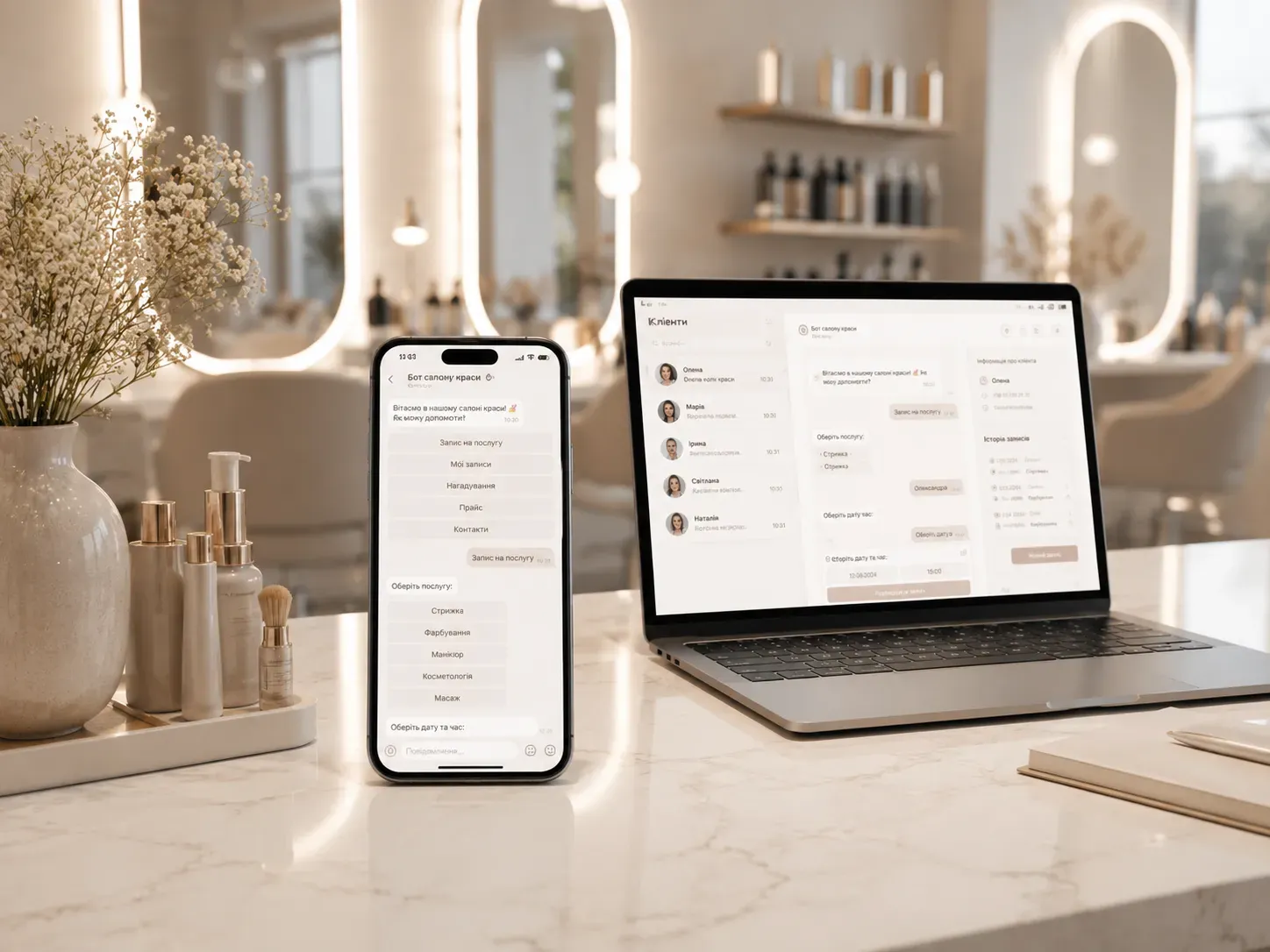
Clients forget appointments, managers lose leads, and repeat sales depend solely on stylists’ memory. In salons with manual booking, up to 30% of clients miss appointments due to lack of reminders, and 40% don’t return after their first visit—because no one reminds them about promotions or personalized offers.
A Telegram bot isn’t just a convenient booking channel—it’s a full-fledged communication automation system that:
- Reduces gaps in stylists’ schedules;
- Increases attendance with automated reminders;
- Encourages repeat sales through personalized messages;
- Frees managers from routine appointment processing.
Let’s break down how to build a bot for a beauty salon so it works like an extra employee—without days off or mistakes.
Scenario #1: Booking with a Stylist and Service Selection
The client opens the bot and sees an intuitive menu:
- Stylist selection – photos, ratings, specializations (hairdresser, makeup artist, cosmetologist).
- Calendar with available slots – color-coded availability, option to choose time in 15-minute increments.
- List of services with prices – ability to combine multiple services (e.g., haircut + coloring).
- Appointment confirmation – with an auto-generated payment link (if pre-payment is required).
Example:
Client selects stylist “Olena, hairdresser” → sees available slots for tomorrow at 2:00 PM and 4:30 PM → chooses “Bob cut + coloring” for $45 → receives confirmation with payment link and reminder “Don’t forget to arrive 10 minutes before your appointment!”
Key details:
- Sync with Google Calendar or CRM – to avoid double bookings;
- Limit on simultaneous appointments – e.g., no more than 3 services at the same time;
- Quick rescheduling/cancellation – without calling the manager.
Scenario #2: Reminders and Reducing No-Shows
Even the most responsible clients can forget appointments. Automated Telegram reminders solve this problem:
- 24 hours before the appointment – message with booking details and a “Reschedule” button if the client can’t make it.
- 2 hours before the appointment – reminder with the salon’s address and contact phone number.
- After a missed appointment – message with an apology and an offer to reschedule without penalty (if salon policy allows).
Example reminder template:
🔔 You’re booked at “BeautyLab” tomorrow, May 15, at 3:00 PM. Stylist: Olena, hairdresser Service: Haircut + styling ($33) Address: 10 Shevchenko St., 2nd floor ⏰ Arrive 10 minutes early to prepare. 🔄 Reschedule → [Button] 🚫 Cancel → [Button]
Effect:
- Reduces no-shows by 60-80%;
- Lowers the workload for managers who previously had to call clients manually.
Scenario #3: Encouraging Repeat Visits
The bot can act as a repeat sales tool:
- Personalized offers – e.g., “You’ve had a manicure with us before. Would you like to book a pedicure with a 15% discount?”
- Loyalty program – the bot tracks visit count and automatically awards points or discounts.
- Promotional broadcasts – e.g., “We have a new brow artist! Book your first treatment with a 20% discount.”
- Client’s birthday – automated message with a gift: “On your birthday, get 15% off any service!”
Example:
🎉 Congratulations! You’ve visited our salon 3 times, and now you get a 10% discount on your next visit. Book with your favorite stylist Olena for a haircut today! 📅 Choose time → [Button]
Scenario #4: Collecting Reviews and Managing Reputation
After the visit, the bot can automatically collect feedback:
- 1 hour after the visit – message asking to rate the stylist and service.
Example:
Thank you for visiting our salon! Please rate your experience: ⭐️⭐️⭐️⭐️⭐️ – Everything was great! ⭐️⭐️⭐️⭐️ – Good, but with notes ⭐️⭐️⭐️ – Dissatisfied
- If rating is low – bot offers to leave a comment or contact the manager to resolve the issue.
- If rating is high – asks to leave a review on Google or Facebook.
Additional feature:
- Review moderation – negative reviews go to the manager for quick response.
Scenario #5: CRM Integration and Analytics
A Telegram bot isn’t an isolated tool—it’s part of the salon’s ecosystem. It can integrate with CRM to:
- Store client history – what services were ordered, which stylists served them, total spending.
- Segment the client base – e.g., “Clients who haven’t visited in 3+ months” for targeted campaigns.
- Sales analytics – which services are popular, which stylists bring the most revenue.
- Automated reporting – e.g., monthly report on bookings and no-shows.
Integration example:
- Bot connected to Bitrix24 or amoCRM → after booking, a client card is created automatically with contact details and visit history.
- Payment data from the bot syncs with the salon’s accounting system.
How to Implement a Telegram Bot for a Beauty Salon: Step-by-Step Guide
-
Define the bot’s tasks List the features your salon needs:
- Appointment booking;
- Reminders;
- Feedback collection;
- Loyalty program;
- CRM integration.
-
Choose a development platform
- Bot builders (Manybot, BotFather, Chatfuel) – suitable for basic functions but limited in customization.
- Custom development – flexibility in settings, ability to integrate with any CRM.
-
Create communication scripts Write message texts, buttons, and transition logic between stages:
- Greeting;
- Stylist selection;
- Service selection;
- Appointment confirmation;
- Payment;
- Reminders;
- Feedback collection.
-
Integrate with calendar and CRM Set up sync with Google Calendar or CRM to avoid double bookings.
-
Test the bot Check all scenarios with real users (managers, stylists, clients).
-
Launch and promote
- Add bot link to Instagram bio and salon website;
- Offer clients a discount for first booking via bot;
- Place QR code at reception and on stylists’ business cards.
Comparison: Telegram Bot vs Manual Booking
| Criteria | Manual Booking | Telegram Bot |
|---|---|---|
| Request processing | Manager handles calls | Client books independently |
| Reminders | Calls or paid SMS | Automated Telegram messages |
| No-shows | Up to 30% | Up to 10% |
| Repeat sales | Depends on stylists | Automated personalized offers |
| CRM integration | Manual data entry | Automatic sync |
| Works 24/7 | No | Yes |
| Maintenance cost | Manager’s salary | One-time development + small fee |
Common Mistakes When Implementing a Telegram Bot
-
Overly complex menu Clients shouldn’t go through 5 steps to book. Ideally — no more than 3: stylist selection → time selection → confirmation.
-
No calendar sync If the bot isn’t integrated with the salon’s calendar, double bookings are possible.
-
Insufficient reminders One message 24 hours in advance isn’t enough. Better to add another 2 hours before the appointment.
-
Ignoring mobile users Ensure the bot is convenient on smartphones and all buttons are clickable.
-
No analytics Without reports, it’s unclear how many clients booked via bot, how many missed appointments, or which services are popular.
Conclusion: Is a Telegram Bot Worth Implementing in a Beauty Salon?
A Telegram bot is suitable if:
- You have more than 50 clients per month;
- You want to reduce the workload on managers;
- Missed appointments due to client forgetfulness are a pain point;
- You plan to develop a loyalty program and repeat sales.
Skip the Telegram bot if:
- Your salon is small with 1-2 stylists and manual booking works fine;
- You’re not ready to invest time in teaching clients to use the bot;
- Your clients are mostly older people who don’t use Telegram.
A Telegram bot for a beauty salon isn’t just a trend—it’s a tool that can save hours of managers’ time, increase repeat visits, and boost client loyalty. The key is to design communication scenarios correctly and integrate the bot with existing systems.
Ready to automate booking and client communication?
We develop Telegram bots that work like an extra employee—without days off or mistakes. Integrate with CRM, set up reminders, loyalty programs, and repeat sales.
FAQ
How much does it cost to develop a Telegram bot for a beauty salon?
Cost depends on complexity: from $370 for a basic bot on a builder to $1,850+ for custom development with CRM and payment system integration.
Can a Telegram bot integrate with Google Calendar?
Yes, most custom bots support sync with Google Calendar or CRM calendars to avoid double bookings.
How does a Telegram bot help reduce no-shows?
The bot sends automated reminders 24 and 2 hours before the appointment, reducing forgetfulness. It can also offer rescheduling if a client can’t attend.
Can a Telegram bot collect client feedback?
Yes, the bot can request feedback after a visit and prompt clients to leave reviews on Google or Facebook. Negative feedback can be moderated manually.
Which CRMs integrate with a Telegram bot for beauty salons?
Popular options: Bitrix24, amoCRM, HubSpot, and specialized salon CRMs. Integration allows automatic client card creation and visit history storage.