
ERP for Beauty Salon Networks: How to Control Bookings, Finances, Inventory, and Staff
How a centralized ERP system helps owners of beauty salon networks manage branches, automate finances, inventory, staff schedules, and analytics based on unified data.
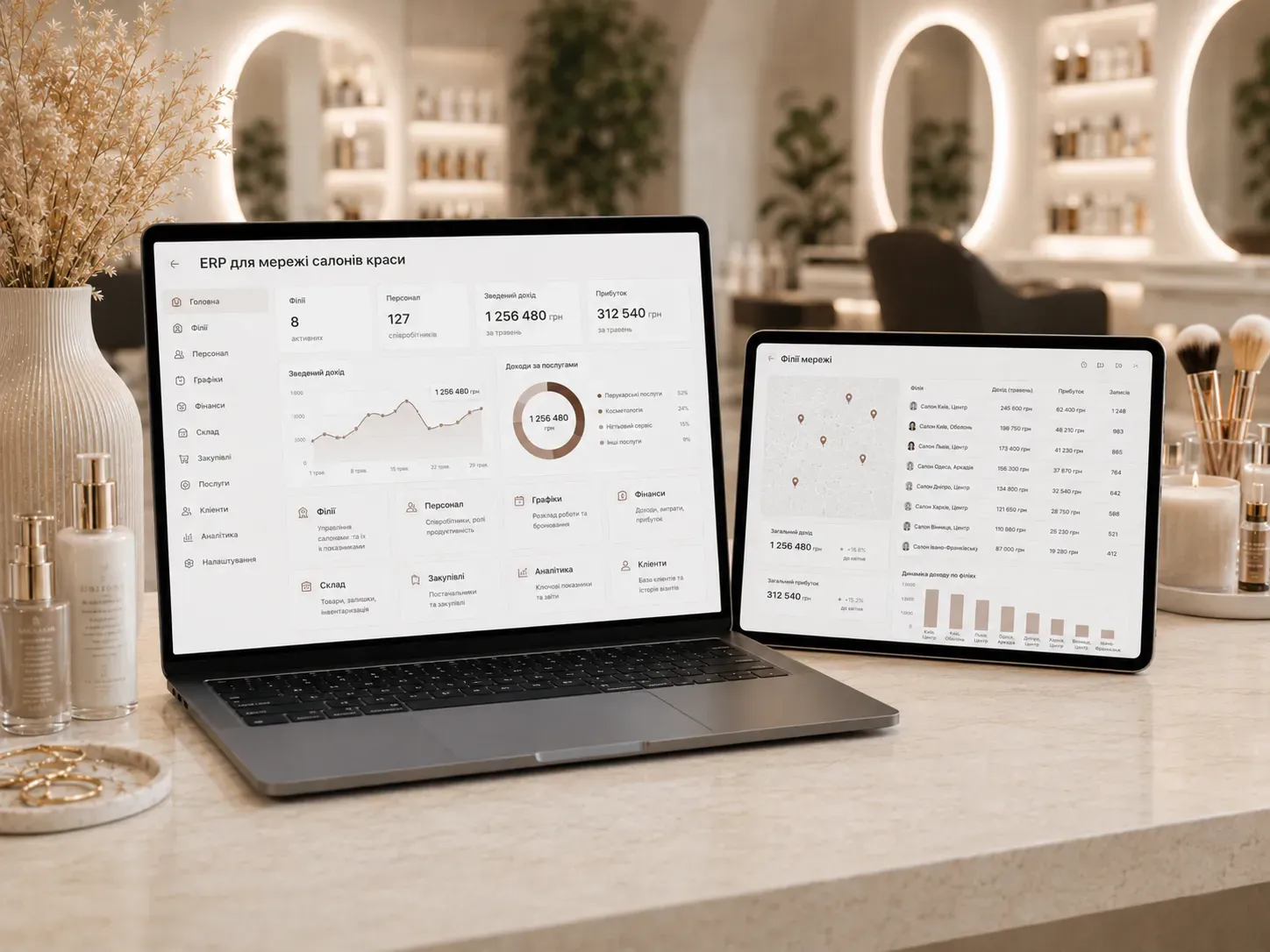
Why a Standard CRM Is Not Enough for Salon Networks
Owners of small salons often start with simple CRM systems for client bookings. However, when a business grows into a network with multiple branches, new challenges arise:
- Fragmented data: Each salon maintains records in separate spreadsheets, complicating consolidated reporting.
- Uncontrolled inventory: Masters independently order materials, leading to surpluses or shortages.
- Manual payroll calculations: Accountants compile data from various sources, spending days on calculations.
- Lack of unified standards: Each branch operates according to its own rules, complicating scalability.
A CRM solves only part of these problems—it manages client bookings but doesn’t integrate with inventory, finances, or HR. An ERP system consolidates all business processes into a single platform, allowing network management based on real-time data.
What an ERP for Beauty Salon Networks Should Include
1. Centralized Branch Management
A unified database allows:
- Real-time visibility into all salon metrics: revenue, staff utilization, average check.
- Process standardization: uniform booking rules, discounts, and service standards across all branches.
- Performance comparison: analyzing which salons generate more profit and why.
Example: If one branch shows lower sales, you can quickly identify the cause—whether it’s insufficient clients or inefficient use of masters' working hours.
2. Automated Bookings and Schedules
- Online booking with calendar: Clients reserve slots via the website or Telegram bot, and the system automatically syncs all masters' schedules.
- Automated reminders: SMS or messenger notifications reduce no-shows.
- Flexible rescheduling: If a master falls ill, the client can be automatically reassigned to another specialist.
Example: The system can block a master’s schedule if two clients are booked for the same time slot and suggest alternatives.
3. Financial Accounting and Payroll
- Automated payroll calculations: Based on the number of services rendered or master’s revenue.
- Integration with accounting: Revenue and expense data sync with 1C or other accounting systems.
- Expense tracking: Monitoring costs for materials, rent, and utilities per branch.
- Bonus systems: Awarding bonuses to masters for exceeding targets.
| Indicator | Without ERP | With ERP |
|---|---|---|
| Payroll calculation | 3-5 days of manual work | Ready in 1 hour |
| Calculation errors | Up to 10% due to human factors | Minimal |
| Profitability analysis | Only at the network level | Per branch and service |
4. Inventory Management and Procurement
- Automatic material deduction: After each service, the system deducts used materials (dyes, shampoos, cosmetics).
- Low-stock alerts: Notifications when inventory reaches minimum thresholds.
- Centralized procurement: Viewing total stock across all salons to order materials in bulk, saving on costs.
- Transfer control: Moving excess stock from one branch to another with shortages.
Example: If a salon on Shevchenko Street runs out of a specific dye shade, the system can suggest transferring it from the branch on Franko Street, where it’s in stock.
5. Staff Management
- Work schedules: Automatically generated schedules considering days off, vacations, and preferred shifts.
- Performance evaluation: Identifying which masters generate the most revenue or have the highest repeat client rates.
- Training and certification: Tracking course completion and certification expiration dates.
Example: If a master hasn’t completed mandatory training, the system can block their schedule until the course is finished.
6. Analytics and Reporting
- Real-time reports: Daily, weekly, or monthly revenue, staff utilization, popular services.
- Branch comparison: Identifying which salons perform better and why.
- Forecasting: Predicting next month’s revenue based on historical data.
Useful feature: Identifying seasonal trends—e.g., increased demand for manicures in summer and haircuts in autumn.
7. Access Permissions and Security
- User roles: Administrators see everything, masters only their schedules and clients, accountants access financial data.
- Activity logs: Tracking who made changes and when.
- Data protection: Backup and encryption of sensitive information.
| Role | Accessible Functions |
|---|---|
| Administrator | All data, settings, reports |
| Branch Manager | Bookings, staff schedules, local inventory |
| Master | Personal schedule, clients, payroll calculations |
| Accountant | Financial reports, payroll calculations |
8. Integrations with Other Services
- Payment systems: Online payments via website or Telegram bot.
- Messengers: Sending reminders to clients via Viber or WhatsApp.
- Marketing tools: Integration with Mailchimp for newsletters or Google Ads for tracking campaigns.
- AI analytics: Automatically detecting anomalies in data (e.g., sudden revenue drops in a branch).
How to Choose an ERP for Your Salon Network
- Define key requirements: What processes need automation (bookings, inventory, payroll, analytics).
- Check customization options: Can the system be adapted to your network’s specifics.
- Evaluate integrations: Does the ERP support connections with your payment systems, accounting, and messengers.
- Review client cases: Does the developer have experience implementing ERPs for networks of similar scale.
- Support and training: Does the provider offer technical support and staff training.
Step-by-Step ERP Implementation Plan
- Audit current processes: Identify weaknesses in branch management, finances, and inventory.
- Select a developer: Choose a company with experience in ERP solutions for the beauty industry.
- System configuration: Adapt the ERP to your needs (roles, reports, integrations).
- Data migration: Transfer client databases, staff schedules, and inventory balances.
- Staff training: Conduct training sessions for administrators, masters, and accountants.
- Pilot phase: Launch the system in one branch to identify and fix errors.
- Scaling: Roll out the ERP across all salons in the network.
Conclusion
An ERP system for beauty salon networks is more than just a booking tool—it’s a full-fledged platform for managing all aspects of the business. It enables:
- Time savings: Automation of routine processes (payroll calculations, inventory deductions).
- Cost reduction: Optimized procurement and inventory control.
- Profit growth: Analytics of branch and staff performance.
- Process standardization: Uniform operating rules across all salons.
If you’re still managing your network manually or with disparate tools, it’s time to switch to a unified ERP system. This investment will pay off within the first months of operation.
Need an ERP for your salon network?
We develop custom ERP systems for beauty businesses with integrated bookings, finances, inventory, and analytics. Share your needs, and we’ll offer a solution that saves you time and money.
FAQ
How does ERP differ from a standard CRM for a beauty salon?
A CRM manages only client bookings, while an ERP integrates all business processes: finances, inventory, staff, analytics, and branch management. This allows network management based on unified data.
How much does ERP implementation for a salon network cost?
The cost depends on the number of branches, required modules, and customization level. Typically, prices start from several thousand dollars and include setup, training, and support.
Can ERP integrate with accounting software?
Yes, most ERP systems support integration with accounting software (e.g., 1C) for automatic data transfer on revenue and expenses.
How does ERP help control inventory?
The system automatically deducts materials after each service, tracks stock levels, and sends alerts when inventory reaches minimum thresholds.
Is ERP suitable for a small network of 2-3 salons?
Yes, ERP is useful even for small networks as it standardizes processes, controls finances and inventory, and prepares the business for scaling.