
E-commerce for Beauty Salons: How to Sell Cosmetics and Gift Certificates Online
How to turn a beauty salon's website into an additional revenue channel: selling cosmetics, gift certificates, and sets online. A practical guide covering catalog structure, payments, delivery, inventory, CRM, and integration with the main salon website.
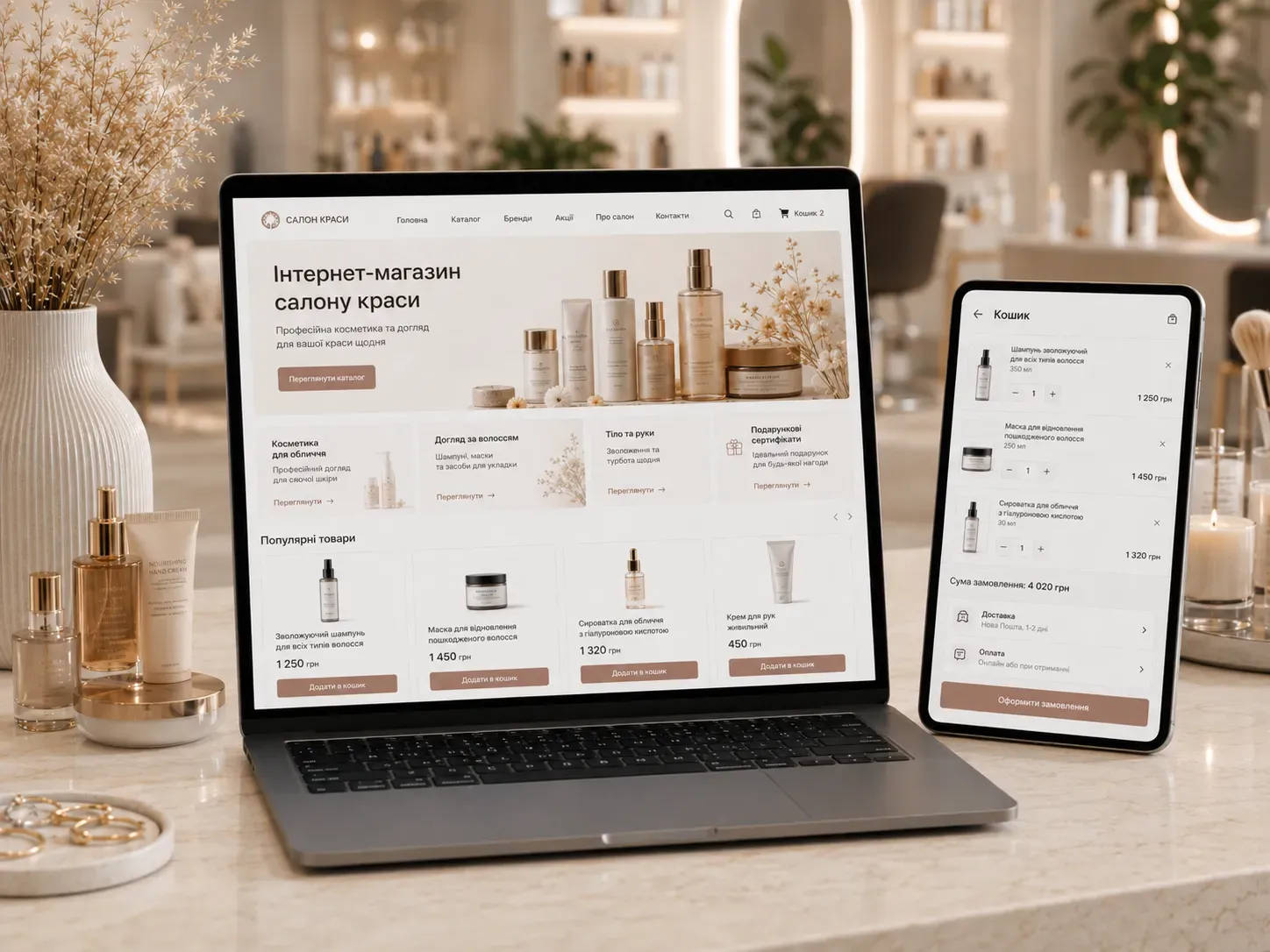
A beauty salon is not just a place for services—it’s also a potential store for professional cosmetics, gift certificates, and related products. If your website currently serves only as a service showcase, you’re missing an opportunity to generate additional income with minimal effort. Let’s explore how to set up an effective online store for a beauty salon, allowing clients to purchase cosmetics, certificates, and sets anytime while you manage all processes with minimal resource costs.
Why a Beauty Salon Needs an Online Store
Most salons limit sales of cosmetics and gift certificates to their physical location. This creates several issues:
- Limited sales hours: Clients can only purchase products during their visit or the salon’s working hours.
- Missed opportunities: Many clients want to buy gifts for loved ones but don’t have time to visit the salon in person.
- Lack of automation: Manual order tracking, inventory, and payments take up administrators’ time and increase the risk of errors.
- Difficulty in repeat sales: Without CRM and automated reminders, clients forget about repeat purchases.
An online store solves these problems by turning your website into a 24/7 sales channel. Even if you don’t plan to scale significantly, an online store will help:
- Increase the average check by selling cosmetics and sets.
- Attract new clients through gift certificates.
- Automate inventory, payments, and delivery.
- Create an additional revenue stream without significant investments.
Product Catalog Structure for a Beauty Salon
The catalog is the foundation of an online store. It should be clear for clients and easy to manage. Let’s explore how to structure the assortment for a beauty salon effectively.
1. Product Categories
Categories help clients quickly find what they need. Relevant groups for a beauty salon include:
- Professional cosmetics: Shampoos, masks, serums, creams from brands your salon works with.
- Home care: Everyday cosmetics clients can use to maintain results after treatments.
- Sets: Ready-made kits for specific needs (e.g., "Anti-aging care," "Hair care," "Manicure set").
- Gift certificates: Fixed amounts or certificates for specific services.
- Accessories: Brushes, sponges, care tools, cosmetic bags.
- Souvenirs and merch: Branded T-shirts, mugs, accessories.
2. Product Attributes
To help clients filter products by characteristics, add attributes such as:
- Brand: For example, "L’Oréal Professionnel," "Dermalogica," "Estée Lauder."
- Skin/hair type: Oily, dry, sensitive, normal.
- Age: Cosmetics for young, mature, or all skin types.
- Purpose: Hydration, brightening, anti-aging, cleansing.
- Volume/quantity: For example, 50 ml, 200 ml, a set of 5 items.
3. Gift Certificates
Certificates are one of the most profitable products for a salon. They don’t require inventory tracking, and clients buy them as gifts. Offer several options:
- Fixed-amount certificates: For example, $20, $50, $100.
- Service-specific certificates: For example, "Manicure + Pedicure," "Facial cleansing + Massage."
- Digital and physical certificates: Digital certificates are sent via email immediately after payment, while physical ones can be picked up at the salon or delivered.
4. Sets and Kits
Sets are a great way to increase the average check and help clients choose comprehensive care. Create sets based on the following principles:
- Thematic sets: For example, "Hair care set," "Manicure set."
- Seasonal sets: "Winter care," "Summer care."
- Gift sets: Packaged in branded gift wrapping.
- Sets with services: For example, "Facial cleansing + Home care kit."
Payment and Delivery: How to Provide Convenient Options for Clients
Convenient payment and delivery options directly impact conversion rates. Clients want minimal effort when placing orders, so it’s important to offer multiple choices.
1. Payment Methods
- Online payment on the website: Integration with payment systems (Stripe, PayPal, local providers).
- Payment upon receipt: Cash or card payment upon delivery or pickup.
- Payment via messengers: For example, a Telegram bot for booking and paying for certificates.
- Installment or partial payment: Integration with services like "Buy Now, Pay Later."
2. Delivery Options
- Pickup from the salon: Free or discounted for clients who already visit the salon.
- Courier delivery: Within the city or country (local delivery services).
- International delivery: If you have clients abroad.
- Delivery to parcel lockers: For clients who want to pick up orders at their convenience.
3. Delivery Costs
- Free delivery: For orders over a certain amount (e.g., $50).
- Fixed cost: For example, $5 for city delivery.
- Flexible cost: Depending on weight or order value.
Inventory Management: How to Avoid Errors and Losses
Inventory management is a critical element for any online store. Without automation, you risk facing the following issues:
- Stockouts: Clients order products that are out of stock.
- Obsolete inventory: Old products take up space and don’t sell.
- Manual tracking: Administrators spend time checking inventory, increasing the risk of errors.
How to Organize Inventory Management
- CRM Integration: The CRM system should automatically update inventory levels with each order.
- Barcode or QR codes: For quick scanning of products during receipt and shipment.
- Automatic notifications: For low stock or reordering needs.
- Sales reports: Analyze product popularity for procurement planning.
- Product reservation: Products are automatically reserved when an order is placed.
CRM for Beauty Salons: How to Increase Repeat Sales
A CRM system helps not only manage client data but also stimulate repeat purchases. Here are the key CRM functions for a beauty salon:
1. Collecting and Storing Client Data
- Purchase history: What products clients bought and what services they used.
- Birthdays and contact details: For sending personalized offers.
- Preferences and notes: For example, "Loves Dermalogica," "Allergic to fragrances."
2. Automated Communications
- Repeat purchase reminders: For example, "Time to restock your face cream!"
- Personalized offers: Discounts on products clients have purchased before.
- New product announcements: For example, "We’ve added a new shampoo line!"
- Birthday discounts: Automatic offers sent a few days before the date.
3. Client Segmentation
- By purchase frequency: Regular clients, new clients, infrequent buyers.
- By purchase amount: Clients with high, medium, or low average checks.
- By product categories: For example, clients who buy professional cosmetics vs. home care.
4. Sales Analytics
- Popular products: What sells best and needs reordering.
- Average check: How it changes over time and which products increase it.
- Conversion rate: How many website visitors make purchases.
Integrating the Online Store with the Main Salon Website
The online store shouldn’t exist separately from the main salon website. Integration helps create a unified ecosystem where clients can:
- Navigate between the salon website and the store seamlessly.
- View their service bookings and purchase history in a personal account.
- Receive personalized offers based on the services they’ve used.
How to Integrate the Store with the Website
- Unified personal account: Clients see both service bookings and purchase history in one place.
- Data synchronization: The CRM updates client information on both platforms.
- Cross-selling: For example, after booking a facial cleansing, clients receive an offer to buy a home care kit.
- Shared database: All orders, bookings, and purchases are stored in one system.
- Consistent design: The store and website share the same style and navigation for user convenience.
Integration Example
- On the salon website: A "Buy Cosmetics Online" button leads to the online store.
- In the personal account: Clients see their service bookings and purchase history.
- After a salon visit: Automated reminders to buy cosmetics for continued care.
How to Attract Clients to Online Purchases
Even the best online store won’t generate revenue if clients don’t know about it. Here are several ways to attract an audience:
1. Promotions and Discounts
- Discount for first orders: For example, 10% off for new clients.
- "Buy 2, Get 1 Free" deals: To encourage set purchases.
- Birthday discounts: Personalized offers for clients.
2. Loyalty Program
- Purchase bonuses: For example, 1 bonus point for every $10 spent.
- Loyalty tiers: The more clients buy, the higher their tier and the bigger the discounts.
- Rewards for accumulated bonuses: For example, a free product for 100 bonus points.
3. Content Marketing
- Blog on the website: Articles about skincare, haircare, and choosing cosmetics.
- Product video reviews: For example, "How to Use Face Serum."
- Social media: Posts about new products, client reviews, and tips from specialists.
4. Email Campaigns
- News and promotions: About new products and seasonal discounts.
- Personalized offers: Based on clients’ purchase history.
- Abandoned cart reminders: For clients who didn’t complete their purchase.
5. Telegram Bot for Sales
A Telegram bot can become an additional sales channel:
- Product catalog: Clients can browse and order products directly in the messenger.
- Payment via bot: Integration with payment systems.
- Promotion reminders: The bot sends notifications about discounts and new products.
- Online booking for services: Synchronization with the salon website.
Practical Steps to Launch an Online Store
If you’ve decided to launch an online store for your beauty salon, here’s a step-by-step plan:
- Define the assortment: Which products and certificates you’ll sell.
- Choose an e-commerce platform: A ready-made solution or custom development.
- Set up the catalog: Create categories and add products with attributes.
- Integrate payment and delivery: Connect payment systems and delivery services.
- Set up inventory management: Integrate CRM for automatic inventory updates.
- Create a personal account: For clients to view their purchase and booking history.
- Integrate the store with the salon website: Create a unified ecosystem.
- Set up automated communications: Email campaigns, reminders, and offers.
- Launch promotions: Discounts for first clients and loyalty programs.
- Promote the store: Through social media, blogs, and email campaigns.
Conclusion
An online store for a beauty salon is not just an additional sales channel—it’s an opportunity to increase revenue, automate processes, and improve client experience. A well-structured catalog, convenient payment and delivery options, CRM integration, and seamless connection with the main website will turn your salon’s website into a powerful sales tool.
Don’t postpone launching your online store. Start small: add gift certificates and a few popular products, set up basic integration with the website and CRM. Over time, you can expand the assortment and functionality, increasing revenue from online sales.
Remember: every client who buys cosmetics or certificates online is additional income for your salon without extra time or resource costs. Invest in e-commerce today to see results tomorrow.
Ready to launch an online store for your beauty salon?
SwiftyFlux develops high-conversion e-commerce platforms for beauty salons with custom logic, CRM integration, and full sales automation. Transform your website into an additional revenue channel today!
FAQ
How much does it cost to develop an online store for a beauty salon?
The cost depends on functionality, design, and integrations. A basic store can be launched for $2,000+, while custom solutions with CRM integration start at $6,000.
Which platform to choose for an online store: a ready-made solution or custom development?
Ready-made solutions (e.g., Shopify, WooCommerce) are suitable for startups with a small assortment and standard requirements. Custom development is needed for unique design, complex logic, and CRM integration.
How to automate the sale of gift certificates?
Use a CRM system with automatic certificate generation after payment. Integrate payment systems for online payments and a Telegram bot for selling certificates in the messenger.
How to integrate an online store with a beauty salon website?
Create a unified personal account where clients can view both service bookings and purchase history. Synchronize data between the website and store via CRM.
How to increase repeat purchases in an online store?
Use CRM for client segmentation and personalized offers. Implement a loyalty program with bonuses for purchases and discounts for regular clients.
How to organize delivery for a beauty salon online store?
Offer multiple delivery options: pickup from the salon, courier delivery within the city, delivery to parcel lockers, or postal services. Set free delivery for orders over a certain amount.