
CRM vs Excel for a Gym: Which is Better for Membership Tracking
A comparison of CRM and Excel for managing client databases, membership tracking, attendance, freezes, schedules, access, payments, reminders, and analytics in a gym. Learn when spreadsheets stop saving time and start creating risks.
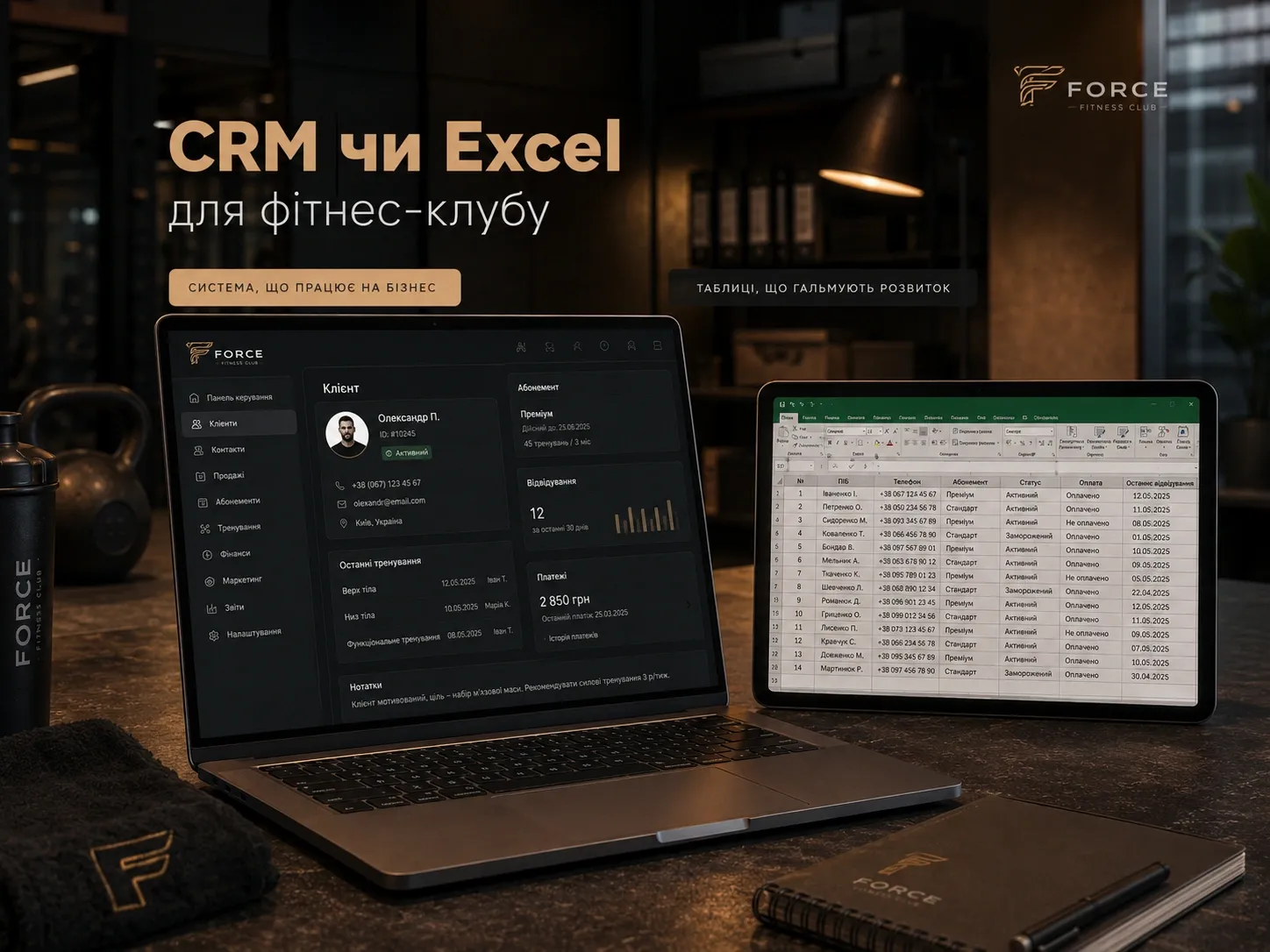
Why This Matters for Your Business
Owners of small gyms and fitness studios often start managing client records, memberships, and attendance in Excel or Google Sheets. This is convenient at the beginning: minimal costs, a familiar interface, and a quick start. However, as the client base grows, manual data management begins to take more time, leads to errors, and results in missed opportunities.
In this article, we will cover:
- How Excel and CRM handle key tasks: membership tracking, attendance, freezes, schedules, access, payments, reminders, and analytics.
- When spreadsheets stop being cost-effective and become a source of risks.
- How to smoothly transition from Excel to CRM without losing data.
Comparing Excel and CRM by Key Functions
| Function | Excel / Google Sheets | CRM for Gyms |
|---|---|---|
| Client Database | Manual entry, risk of duplicates and errors | Automatic client history tracking, no duplicates |
| Membership Tracking | Complex formulas, scaling issues, calculation errors | Automatic term calculations, expiration alerts |
| Attendance | Manual tracking, risk of errors | Automatic registration via scanners, mobile apps, or reception |
| Membership Freezes | Manual recalculation, risk of data loss | Automatic term extensions, freeze expiration alerts |
| Schedule and Booking | Difficult to sync with calendars | Calendar integration, automatic booking and notifications |
| Access Control | Manual checks or third-party solutions | Automatic access based on membership via turnstiles or mobile apps |
| Payments and Debts | Manual tracking, risk of missed payments | Automatic debt notifications, payment system integration |
| Reminders | Manual messaging or none | Automatic SMS and email reminders for workouts and payments |
| Analytics | Complex formulas, limited visualization | Ready-made reports on attendance, sales, and popular services |
| Data Security | Vulnerable to data loss or leakage | Encryption, access roles, backup |
| Scalability | Becomes cumbersome as client base grows | Easily scalable, supports multiple locations and users |
When Excel Stops Saving Time
Excel is suitable for the start, but as the business grows, signs appear that spreadsheets create more problems than they solve:
-
Time spent on manual data entry exceeds 1-2 hours per day – you spend time copying, fixing errors, and searching for information instead of working with clients.
-
Frequent errors in tracking – incorrect membership term calculations, missed attendance or payments, client duplicates.
-
No automatic reminders – clients miss workouts or payments due to lack of notifications.
-
Difficulties in analytics – hard to generate reports on sales, attendance, or popular services without complex formulas.
-
Risk of data loss – accidental sheet deletion, file corruption, or data leakage due to unreliable storage.
-
Team growth – if you have multiple administrators or trainers, it’s hard to control data access and avoid conflicts during simultaneous editing.
How to Know It’s Time to Switch to CRM
Signs that your gym needs a CRM:
- Client base exceeds 100-150 – manual management becomes cumbersome and error-prone.
- Spending more than 5 hours per week on tracking – time that could be spent on business development.
- Clients complain about tracking errors – missed attendance, incorrect membership term calculations.
- No automatic notifications – clients forget about workouts or payments, leading to revenue loss.
- Difficulty analyzing effectiveness – hard to understand which services are popular, which trainers bring in more clients, or which memberships sell best.
- No access control – risk of data leakage or unauthorized access to client information.
Migration Plan from Excel to CRM: Step-by-Step Guide
Transitioning from Excel to CRM shouldn’t be painful. Here’s how to do it without losing data and with minimal downtime:
Step 1: Choose a CRM
Evaluate CRM based on these criteria:
- Functionality – does it support membership tracking, attendance, freezes, schedules, payments, and reminders.
- Integrations – can it connect with payment systems, calendars, SMS, and email services.
- Usability – is the interface user-friendly for your team.
- Cost – does the CRM fit your budget.
- Scalability – can the CRM grow with your business.
Step 2: Prepare Data in Excel
Before migration, clean up duplicates, fix errors, and structure the data:
- Client database – ensure each client has a unique identifier (e.g., email or phone).
- Memberships – verify terms, remaining visits, and freeze statuses.
- Attendance – clean up attendance history from errors and duplicates.
- Payments – check the accuracy of amounts and payment dates.
Step 3: Export Data
Most CRMs support importing data from Excel or CSV files. Prepare files for import:
- Clients – separate file with names, phones, emails, birth dates.
- Memberships – separate file with membership types, terms, and client links.
- Attendance – attendance history with dates and clients.
- Payments – payment history with amounts and dates.
Step 4: Import Data into CRM
Follow the CRM’s instructions to import data. This is usually done via:
- File import – upload prepared Excel or CSV files.
- API – for large data volumes, use API for automatic import.
Step 5: Set Up Automation
Configure automatic processes in the CRM:
- Membership expiration alerts – automatic SMS and emails to clients.
- Workout reminders – daily or weekly notifications.
- Debt alerts – automatic reminders for overdue payments.
- Reports – set up regular reports on sales, attendance, and popular services.
Step 6: Train Your Team
Conduct training for administrators and trainers:
- CRM basics – how to add clients, register attendance, view history.
- Automation – how to use reminders and notifications.
- Analytics – how to generate reports and analyze data.
Step 7: Gradually Phase Out Excel
Don’t switch to CRM abruptly. First, run Excel and CRM in parallel to ensure everything works correctly. Gradually move all processes to CRM and stop using spreadsheets.
Conclusion: CRM is an Investment, Not an Expense
Excel is suitable for the start, but as the business grows, it becomes a source of errors, wasted time, and risks. A CRM for gyms helps:
- Automate routine processes – membership tracking, attendance, payments, and reminders.
- Reduce errors – automatic calculations and notifications lower the risk of human error.
- Improve client interactions – automatic reminders for workouts and payments increase loyalty.
- Gain valuable analytics – reports on sales, attendance, and popular services help make informed decisions.
- Ensure data security – encryption, access roles, and backups protect information.
Switching from Excel to CRM isn’t just replacing a tool—it’s an opportunity to optimize business processes, save time, and increase revenue. If you feel spreadsheets are no longer up to the task, it’s time to consider CRM as an investment in your gym’s growth.
Practical Recommendations
- Start small – choose a few key functions to automate (e.g., membership tracking and reminders) and gradually add more.
- Involve your team – explain the benefits of CRM to administrators and trainers so they actively use the system.
- Use analytics – regularly review reports on sales and attendance to make informed decisions.
- Update data – keep information in the CRM current so it remains useful for operations.
With the right CRM, your gym can not only efficiently manage client records and memberships but also scale, improve client interactions, and increase revenue.
Ready to automate your gym’s records?
SwiftyFlux develops custom CRM and ERP systems to help you efficiently manage your client database, automate membership and attendance tracking, and analyze data for business growth. Contact us, and we’ll find the right solution for your needs.
FAQ
Can Excel be used for a large gym?
Excel is suitable for small gyms with a limited number of clients (up to 100-150). For larger gyms, it’s better to use a CRM, as it automates processes, reduces errors, and ensures data security.
What are the advantages of CRM over Excel for a gym?
CRM automates membership tracking, attendance, payments, and reminders, ensures data security, simplifies analytics, and scales with your business. Unlike Excel, it reduces errors and saves time.
How to transition from Excel to CRM without losing data?
To safely transition from Excel to CRM, clean up your data (remove duplicates, fix errors), export it to CSV or Excel files, and import it into the CRM. It’s advisable to run Excel and CRM in parallel at first to ensure data accuracy.
How long does it take to transition from Excel to CRM?
The transition time depends on the volume of data and CRM setup complexity. Typically, data preparation takes a few days, and import and automation setup take a few more days. The full transition can take from a week to a month.
Which CRM should I choose for a gym?
Choose a CRM with features for membership tracking, attendance, freezes, schedules, payments, and reminders. It’s also important that the CRM supports integrations with payment systems, calendars, and SMS services, has a user-friendly interface, and fits your budget.