
How Dental Clinics Can Get More Patients from Google: Website, SEO, Maps, and Local Search
Learn how dental clinics can systematically attract new patients through Google using a website, SEO, Google Maps, and local promotion. Practical tips on optimizing pages, reviews, online booking, and site speed.
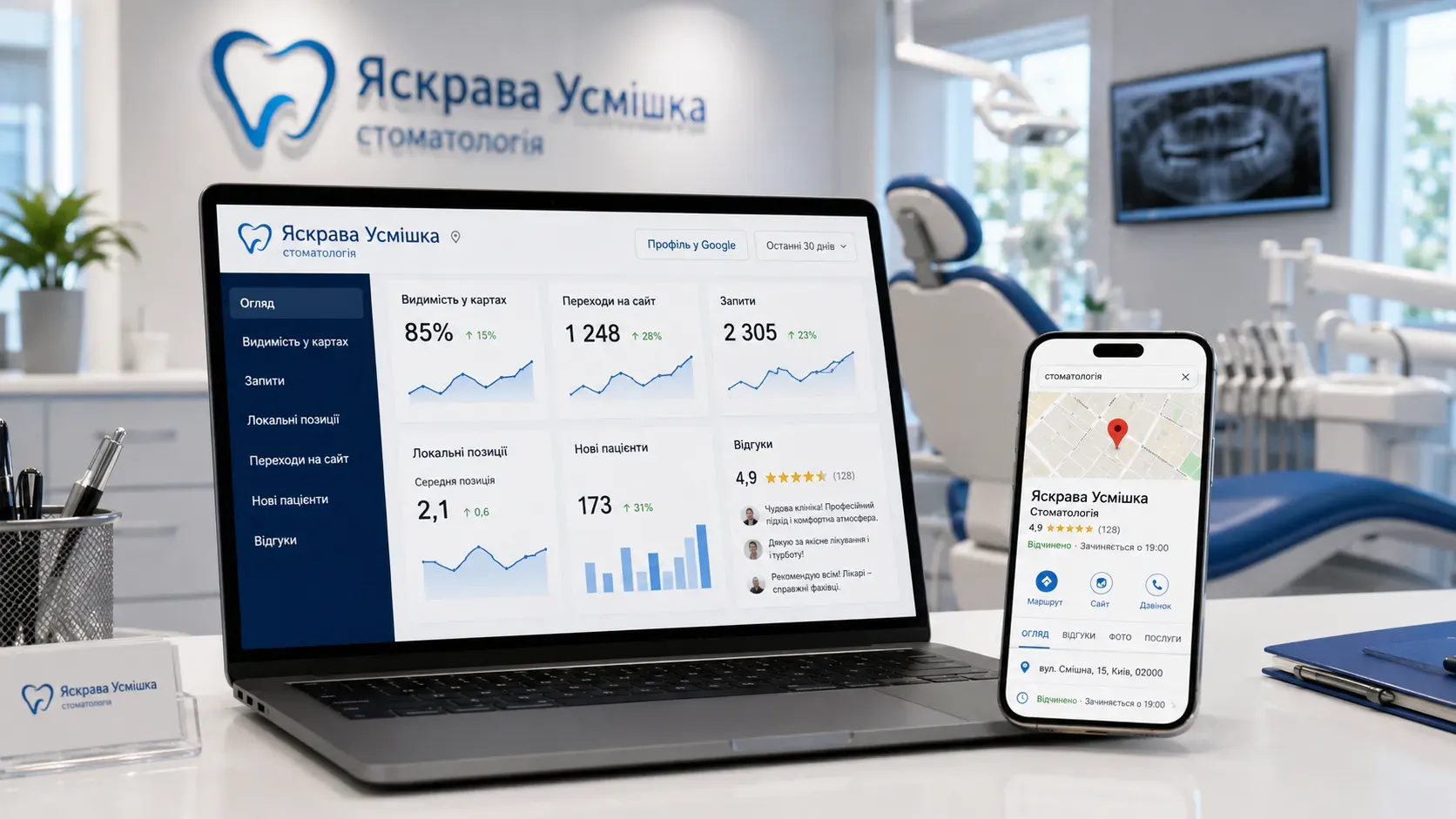
Every day, hundreds of people in your city search for dental services on Google. They enter queries like «dentist [city name]», «cheap tooth extraction», «orthodontist near me», or «teeth whitening price». If your clinic doesn’t appear at the top of search results or on Google Maps, you’re losing potential patients who go to your competitors.
The issue isn’t that Google doesn’t show your clinic. The issue is that your website isn’t optimized for local search, your Google Business Profile isn’t filled out, and leads from your website get lost in manual processing. In this article, we’ll break down how to build a systematic flow of organic leads so you don’t rely solely on paid ads.
How Local Promotion for Dental Clinics Works in Google
Local SEO for dental clinics is a set of measures aimed at ensuring your clinic appears at the top of Google search results and on Google Maps for users in your city or district. Key elements of local promotion include:
- Google Business Profile (GBP) — A free Google tool that lets you manage your clinic’s information in search and on Maps.
- Google Maps — Where patients search for the nearest dental clinic and read reviews.
- Optimized website pages — Service pages, doctor pages, and location pages that answer user queries.
- Technical SEO and site speed — Ensures fast loading and correct display on all devices.
- Online booking and lead processing — Automates patient scheduling and reduces lost leads.
Let’s explore each element in detail.
Google Business Profile: Your Clinic’s Business Card in Google and on Maps
Google Business Profile (formerly Google My Business) is the first thing users see when searching for a dental clinic on Google. If the profile isn’t filled out or contains outdated information, patients will choose another clinic.
How to Optimize Your Google Business Profile:
- Fill out all fields: Clinic name, address, phone number, working hours, service categories (e.g., «dentistry», «orthodontist», «pediatric dentistry»).
- Add high-quality photos: Clinic interior, equipment, doctors, and patients (with permission).
- Respond to reviews: Even negative ones, to show you care about patients.
- Use posts: Share promotions, clinic news, or helpful tips.
- Add a booking button: If your website supports online booking, add a link to it in your profile.
Example: If a patient searches for «dentist in Kyiv on the Left Bank», Google will show them 3 clinics in the local pack (Google Local Pack). If your profile is optimized and has a high rating, your chances of getting clicks increase.
Google Maps: How to Rank in the Top 3 and Attract More Patients
Google Maps is the second most important channel for finding dental clinics after regular Google search. Patients often choose a clinic based on reviews, distance, and convenience of location.
How to Improve Your Rankings on Google Maps:
- Accurate location: Ensure the marker on the map points to the correct address.
- Patient reviews: Encourage patients to leave reviews after visiting your clinic.
- Frequent updates: Regularly update your profile (holiday hours, new services, etc.).
- Local keywords: Use them in your profile name and description (e.g., «Dental Clinic ‘Healthy Smile’ — Teeth Treatment in Dnipro»).
Solution: If your clinic doesn’t appear in the top 3 on the map, check if competitors have more reviews or a better-optimized profile.
Dental Clinic Website: Pages That Bring in Patients
A dental clinic’s website isn’t just a business card—it’s a lead-generation tool. If it’s not optimized for search queries, Google won’t show it to users.
What Pages a Dental Clinic Website Should Have:
- Homepage — Should include brief information about the clinic, main services, and a call to action (e.g., «Book an appointment» or «Get a consultation»).
- Service pages — Detailed descriptions of each service (therapy, orthodontics, surgery, implants, etc.) with prices, benefits, and photos.
- Doctor pages — Information about doctors (photo, experience, education, specialization) with patient reviews.
- Location pages — If your clinic has multiple branches or serves several districts, create separate pages for each (e.g., «Dental Clinic in Pechersk», «Dental Clinic in Darnytsia»).
- Blog — Helpful articles on dental care, new treatment methods, and answers to common patient questions.
- Reviews page — Collected patient reviews with the option to leave your own.
Example of Optimizing a Service Page:
If a user searches for «wisdom tooth extraction price», your page for this service should include:
- A title with the keyword («Wisdom Tooth Extraction in Kyiv — Price and Process»);
- A brief description of the procedure;
- Benefits of your clinic (painless extraction, experienced surgeons, modern equipment);
- Price or price range;
- Photos or videos of the process;
- An online booking button;
- Patient reviews.
Local Keywords: How to Choose and Where to Use Them
Local keywords are phrases users enter into Google when searching for dental services in your city or district. Examples include:
- «dentist [city]»
- «cavity treatment price [city]»
- «best orthodontist near me»
- «affordable dental clinic [district]»
How to Choose Keywords:
- Use tools: Google Keyword Planner, Ahrefs, or Serpstat to find popular queries in your region.
- Analyze competitors: See which keywords competitors’ websites rank for.
- Consider user intent: Queries can be informational («how to treat cavities»), commercial («dental clinic with installment payments»), or navigational («dental clinic near Kontraktova Square metro»).
Where to Use Keywords:
- In page titles and meta descriptions;
- In service page and blog texts;
- In image alt texts;
- In page URLs (e.g.,
/dental-implants); - In the name and description of your Google Business Profile.
Tip: Don’t overstuff text with keywords. Google values natural and useful content for users.
Patient Reviews: How to Work with Them for Promotion
Reviews are social proof that influences patients’ decisions to choose your clinic. Clinics with high ratings and many reviews get more clicks in search and on maps.
How to Get More Reviews:
- Ask patients: After a visit, remind patients to leave a review via SMS or email.
- Simplify the process: Send a direct link to leave a review on Google.
- Respond to reviews: Thank patients for positive reviews and address issues mentioned in negative ones.
How to Respond to Negative Reviews:
- Stay calm: Don’t take it personally.
- Apologize: Even if you disagree with the complaint.
- Offer a solution: For example, a free consultation or follow-up visit.
- Move the conversation to private: Offer the patient a way to contact you directly.
Example Response:
«Thank you for your feedback! We’re sorry your experience didn’t meet expectations. We’ll definitely look into this situation. Please contact us at [phone number] so we can resolve this personally.»
Technical SEO: Why Site Speed and Mobile Adaptation Matter
Even if your website has high-quality content and is optimized for keywords, without technical SEO, it won’t rank at the top of search results. Technical errors can prevent Google from indexing pages or ranking them lower than competitors.
Key Elements of Technical SEO:
- Site loading speed — If a page takes longer than 3 seconds to load, users leave. Use Google PageSpeed Insights for analysis.
- Mobile adaptation — Over half of users search for dentists on mobile devices. The site must display correctly on screens of all sizes.
- Security — The site must use HTTPS.
- URL structure — URLs should be short and clear (e.g.,
/dental-implants). - Sitemap — Helps Google index new pages faster.
- Robots.txt file — Tells search engines which pages to index and which to ignore.
- Fixing errors — Check for errors in Google Search Console (broken links, duplicate pages, etc.).
Solution: If your site is slow or not mobile-friendly, patients will leave before it loads.
Online Booking: How to Automate Lead Processing
Every lost lead is a lost patient. If a patient can’t book online or doesn’t receive a response to their call, they’ll go to a competitor.
How to Set Up Online Booking:
- Website form — A simple form with fields: name, phone, service, desired date and time.
- Booking calendar — Integration with Google Calendar or specialized services (e.g., Calendly).
- Automated notifications — SMS or email confirmations for patients and appointment reminders.
- CRM system — Stores patient data, visit history, and automates communication.
Example: If a patient fills out a form on your website, the system automatically:
- Sends a confirmation email;
- Adds the appointment to the doctor’s calendar;
- Reminds the patient of the visit a day before the appointment.
Why Your Website, SEO, and Google Maps Need to Work Together
Individual elements (website, SEO, Google Maps) work best when they’re interconnected. For example:
- Website + Google Business Profile: A link to your website in your Google profile boosts patient trust and improves rankings.
- SEO + Google Maps: Optimized service pages increase your chances of appearing in Google’s local pack.
- Reviews + SEO: Reviews on your website and Google Business Profile improve search rankings.
- Online booking + website: A convenient booking form on your website increases lead volume.
Interaction Scheme:
| Element | How It Works with Other Elements |
|---|---|
| Website | Contains links to Google Business Profile, optimized for keywords, has a booking form. |
| Google Business | Links to the website, contains up-to-date information, reviews, and a booking button. |
| Google Maps | Displays clinic location, reviews, and links to the website. |
| SEO | Optimizes the website and Google Business Profile for local queries, improves search rankings. |
| Reviews | Posted on the website and Google Business Profile, increase trust and rankings. |
| Online Booking | Integrated with the website and CRM, automates lead processing. |
Practical Steps to Get Started
If you’re just starting to work on promoting your dental clinic, follow these steps:
- Check your Google Business Profile: Fill out all fields, add photos, and collect reviews.
- Optimize your website: Create service, doctor, and location pages, add a blog.
- Collect reviews: Ask patients to leave reviews on Google and your website.
- Set up technical SEO: Check site speed, mobile adaptation, and errors.
- Automate online booking: Add a form to your website and integrate it with a CRM.
- Analyze results: Use Google Analytics and Search Console to track traffic and rankings.
Conclusion: A Systematic Approach to Attracting Patients
Attracting patients through Google isn’t a one-time campaign—it’s systematic work. Your website, Google Business Profile, reviews, and online booking should function as a unified mechanism. By optimizing each element, you increase the chances that patients will choose your clinic.
Remember: Google doesn’t guarantee top rankings, but if your website answers user queries, has high-quality content, and is technically optimized, it will have a better chance of appearing at the top of search results.
If you need help creating a website, setting up SEO, automating lead processing, or integrating with Google Maps, contact SwiftyFlux experts—we’ll build a system that works for you 24/7.
Need Help Promoting Your Dental Clinic?
SwiftyFlux can help create a website, set up SEO, automate lead processing, and integrate Google Maps. We’ll build a system that works for you 24/7.
FAQ
Can you rank first on Google without paid ads?
Yes, but it requires comprehensive work on SEO, Google Business Profile, and your website. Top rankings aren’t guaranteed, but optimization increases your chances of appearing at the top.
How soon can you see results from local SEO?
Initial results may appear in 1-3 months, but a stable flow of patients requires 6-12 months of systematic work.
Does a dental clinic website need a blog?
Yes, a blog helps attract organic traffic for informational queries and increases patient trust in the clinic.
How can you encourage patients to leave reviews?
Remind patients about reviews after their visit via SMS or email, and simplify the process (send a direct link to leave a review).
Should you create separate pages for each district in the city?
Yes, if your clinic serves multiple districts. This helps attract patients searching for queries like «dentist in [district]».
How do you choose keywords for dental clinic SEO?
Use keyword research tools (Google Keyword Planner, Ahrefs), analyze competitors, and consider user intent.