
Dental Clinic Automation: Which Processes Can Be Handled by a Website, CRM, and Telegram Bot
Learn which routine processes in a dental clinic can be automated using a website, CRM, and Telegram bot to save time, avoid errors, and improve patient service.
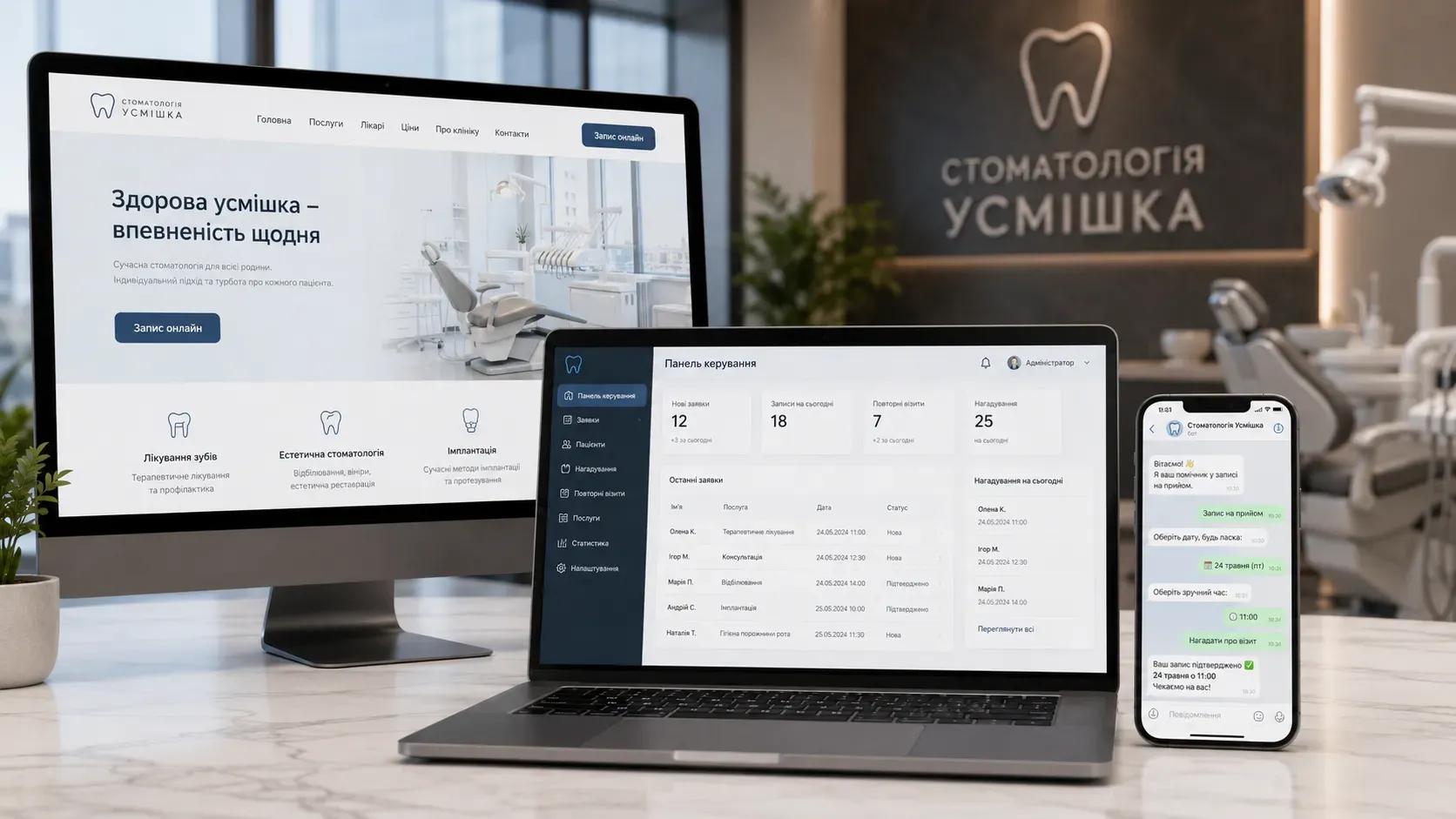
Every owner of a dental clinic faces routine tasks: patient appointments, visit confirmations, reminders, contact collection, and data analysis. These processes take up administrators' time, increase the risk of errors, and can lead to patient loss. Automation allows transferring these tasks to a website, CRM, and Telegram bot, freeing up staff for more important work.
Why Automation Doesn’t Replace Staff but Makes Their Work More Efficient
Automation doesn’t mean reducing staff. On the contrary, it eliminates routine tasks, reduces errors, and allows administrators to focus on patient communication, process control, and service improvement. For example:
- Manual booking → frequent errors in timing, double bookings, lost requests.
- Automated booking → the system independently selects available slots, sends confirmations, and reminders.
As a result, the clinic gets more satisfied patients, less workload for staff, and transparent analytics.
Which Processes Can Be Automated in a Dental Clinic
1. Online Patient Booking via a Website
Patients can independently choose a convenient time for a visit through a form on the clinic’s website. This is convenient for them and significantly reduces the workload on administrators, especially for clinics with a large patient flow.
How it works:
- The patient visits the clinic’s website and selects a service.
- The system shows available slots for the nearest days.
- After booking, the patient receives a confirmation via email or messenger.
2. Visit Confirmations and Reminders
According to studies, up to 30% of patients forget about their scheduled visits. Automated reminders help reduce no-shows and optimize doctors' schedules.
How it works:
- A day before the visit, the system sends an SMS or Telegram message with the date, time, and doctor’s name.
- If the patient doesn’t confirm the visit, the administrator receives a notification for a manual call.
3. Rescheduling Appointments Without Administrator Involvement
Patients often change their plans, and rescheduling a visit can take a lot of time. An automated system allows patients to independently change their appointment time through a personal account on the website or via a Telegram bot.
How it works:
- The patient logs into their account or messages the bot.
- Chooses a new convenient time.
- The system automatically updates the schedule and sends a confirmation.
4. Collecting and Storing Patient Contacts
A CRM system automatically collects and stores patient contact details, visit history, performed procedures, and doctor’s notes. This allows quickly finding information and improving communication.
How it works:
- On the first visit, the patient leaves their details via a form on the website.
- All subsequent visits are recorded in the CRM.
- The administrator or doctor always has access to the patient’s full history.
5. Repeat Visits and Preventive Care Reminders
Patients often forget about the need for regular check-ups. A CRM can automatically send reminders about preventive visits, treatments, or filling replacements.
How it works:
- A month before the scheduled visit, the system sends a reminder.
- If the patient doesn’t book, the administrator receives a task for a manual call.
6. Internal Notifications for Administrators and Doctors
A CRM can send notifications about new requests, schedule changes, visit cancellations, or important patient actions. This helps keep all processes under control.
Examples of notifications:
- New appointment request.
- Rescheduling or cancellation of a visit.
- Need for a follow-up call to the patient.
7. Monitoring Administrator Performance
A CRM allows tracking administrators' productivity: the number of calls received, requests processed, and visits confirmed. This helps identify weak points and improve workflows.
What data can be analyzed:
- Response time to calls or requests.
- Number of confirmed visits.
- Number of lost requests.
8. Analytics and Data Transfer Between the Website and CRM
Automation allows collecting data on patients, visits, popular services, and the effectiveness of advertising campaigns. This data helps make informed decisions about clinic development.
What can be analyzed:
- Number of new patients per month.
- Most popular services.
- Patient attraction sources.
How a Website, CRM, and Telegram Bot Work Together
For effective dental clinic automation, it’s important that the website, CRM, and Telegram bot work as a single system. For example:
- A patient leaves a request on the website → data automatically goes to the CRM.
- The CRM sends a confirmation via email or Telegram.
- A day before the visit, the bot reminds the patient about the appointment.
- After the visit, the CRM records the performed procedures and plans the next visit.
Such integration avoids data duplication, reduces errors, and ensures smooth clinic operation.
Where to Start Automating a Dental Clinic
If you’re just planning to automate processes in your clinic, start with the most important tasks:
- Online booking – allow patients to independently book appointments via the website.
- Automated reminders – reduce no-shows with SMS or Telegram messages.
- Contact collection in CRM – store patient history in one place.
- Repeat visits – set up automatic reminders for preventive care.
After implementing basic processes, you can move on to more complex tasks: analytics, administrator control, and integration with other systems.
Automating a dental clinic isn’t a luxury but a necessity for those who want to optimize operations, save time, and improve patient service. Start small and gradually implement new tools to make your clinic more efficient.
Ready to Automate Your Dental Clinic?
SwiftyFlux will help create a website, integrate a CRM, and set up a Telegram bot to free your staff from routine tasks and improve patient service. Start small or implement full automation turnkey.
FAQ
Can a dental clinic be automated without significant costs?
Yes, you can start with basic tools: online booking via a website, automated reminders, and contact collection in a CRM. This will significantly improve clinic operations without major expenses.
Will automation replace administrative staff?
No, automation doesn’t replace staff but frees them from routine tasks. Administrators can focus on patient communication and process control.
How to integrate a website, CRM, and Telegram bot?
To integrate these tools, choose compatible systems and set up data transfer between them. For example, requests from the website automatically go to the CRM, and reminders are sent via Telegram bot.
Can administrator performance be automated?
Yes, a CRM allows tracking the number of processed requests, confirmed visits, and other metrics. This helps monitor productivity and identify weak points.
Where to start automating a dental clinic?
Start with online booking via the website, automated reminders, and contact collection in a CRM. These are the most critical processes that can be quickly automated.